ValveSoftware / ValveSoftware/Proton
CHAOS CODE -NEW SIGN OF CATASTROPHE- (536560)
Nobody has claimed this yet.
- Dominant language
- C++
- Stars
- 32.8k
- Forks
- 1.6k
- PR merge metrics
- PR metrics pending
Description
Compatibility Report
- Name of the game with compatibility issues: CHAOS CODE -NEW SIGN OF CATASTROPHE-
- Steam AppID of the game: 536560
System Information
Distro: Linux Mint 19.1 Tessa (64 bit)
GPU: Vega 56
Driver/LLVM version: Mesa 19.1.0-devel/9.0.0
Kernel version: 5.0.12-050012-lowlatency
Proton version: 4.2-3
I confirm:
- that I haven't found an existing compatibility report for this game.
- that I have checked whether there are updates for my system available.
Symptoms
The actual gameplay works fine (both with KB&M and Nintendo Switch Pro controller). The problems are videos being skipped. Enabling AA results in no video, and enabling fullscreen makes the game stretch beyond screen space.
media_info.txt
steam-536560-AA-problem.log
steam-536560-fullscreen-problem.log
steam-536560-nocinematics-problem.log
system_info.txt
I spotted the line "8293.047:0028:0035:err:quartz:GetClassMediaFile Media class not found" in the log.
Appears to be another game that uses Quartz, codecs are: WMV, VC-1 + WMA
@HonkingGoose
Reproduction
Problem: No Cinematics
- Launch Game
Problem: No video/Black screen when selecting AA
- Launch Game
- Option > Display Option > Select 2x antialias > Change Screen
Problem: Selecting fullscreen causes video to be stretched beyond the screen space
- Launch Game
- Option > Display Option > Select Fullscreen > Change screen
This is what happens:
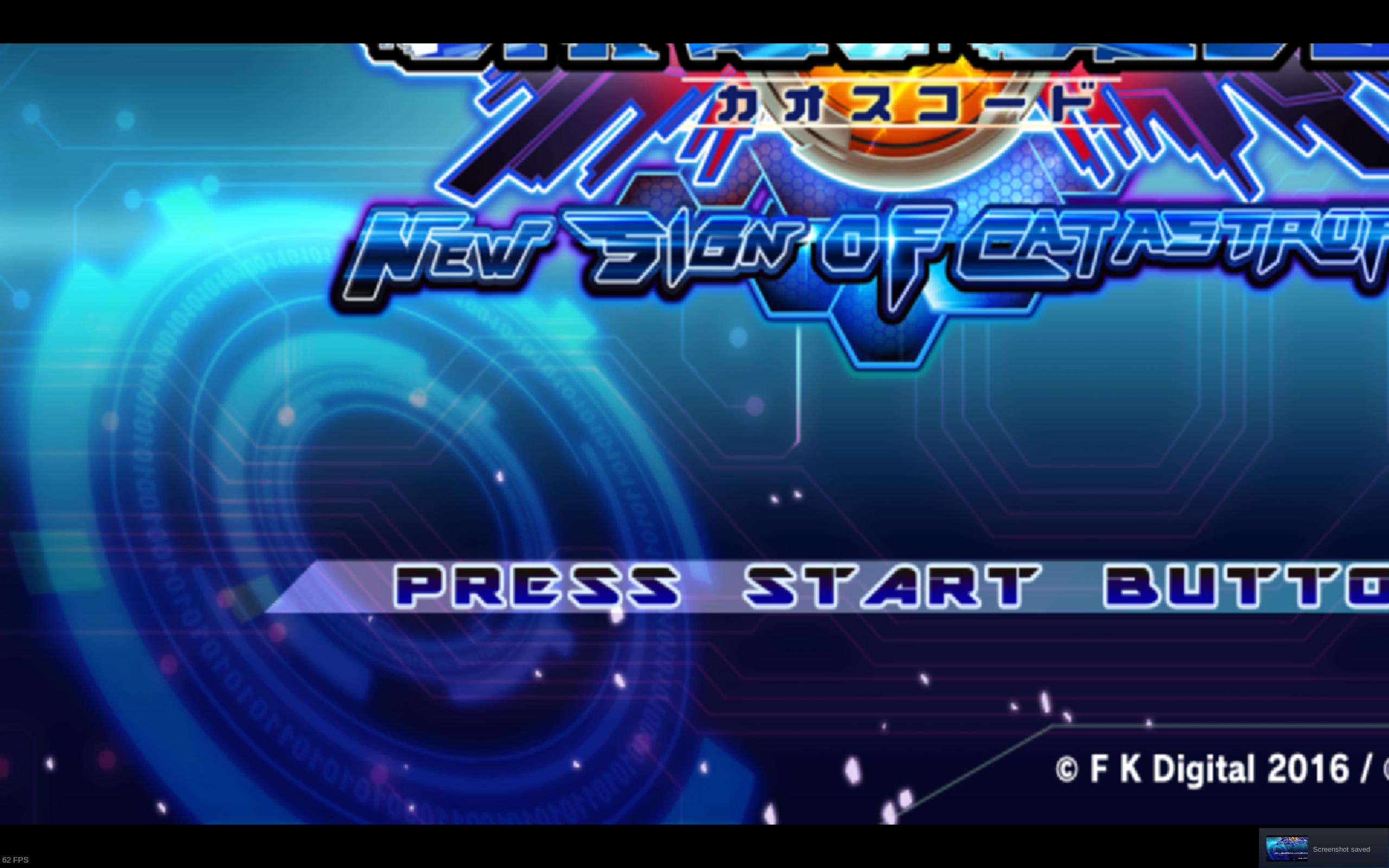
- Alt+tab between the desktop and game fixes the video. This happens not only once, but everytime you start the game in full-screen you have to repeat the process of alt+tabbing to make it normal.
Contributor guide
No contributing guide indexed for this repository
First steps
- Read the whole issue, then the project's contributing guide.
- Comment on the issue to say you are picking it up — it saves two people doing the same work.
- Fork the repository and make your change on a branch.
- Open a pull request that references the issue number.
Research direction
Start by reviewing media_info.txt, the attached Steam logs, and system_info.txt, focusing on the reported Quartz error and WMV, VC-1, and WMA codecs. Reproduce the three cases using the listed launch steps and verify that cinematics play, antialiasing does not produce a black screen, and fullscreen video is correctly sized without requiring Alt+Tab.
Written by the indexing model from the issue text.
Assessment
- Tech stack
- linux
- Domain
- operating-systems
- Issue type
- Bug
- Difficulty
- 4/5
- Estimated time
- 3-5 days
- Activity status
- Stale
- Clarity
- Needs clarification
- Newbie friendliness
- 30/100