ValveSoftware / ValveSoftware/Proton
DeoVR Video Player (837380)
Open
Nobody has claimed this yet.
Game compatibility - Unofficial
- Dominant language
- C++
- Stars
- 32.8k
- Forks
- 1.6k
- PR merge metrics
- PR metrics pending
Description
Compatibility Report
- Name of the game with compatibility issues: DeoVR Video Player
- Steam AppID of the game: 837380
System Information
- GPU: GTX 1080
- Driver/LLVM version: nvidia 410.66
- Kernel version: 4.18.0-10-generic
- Link to full system information report as Gist: https://gist.github.com/leinardi/be35c4f26aaecb5736bd2b4052161d60
- Proton version: 3.16-3 Beta
I confirm:
- that I haven't found an existing compatibility report for this game.
- that I have checked whether there are updates for my system available.
Symptoms
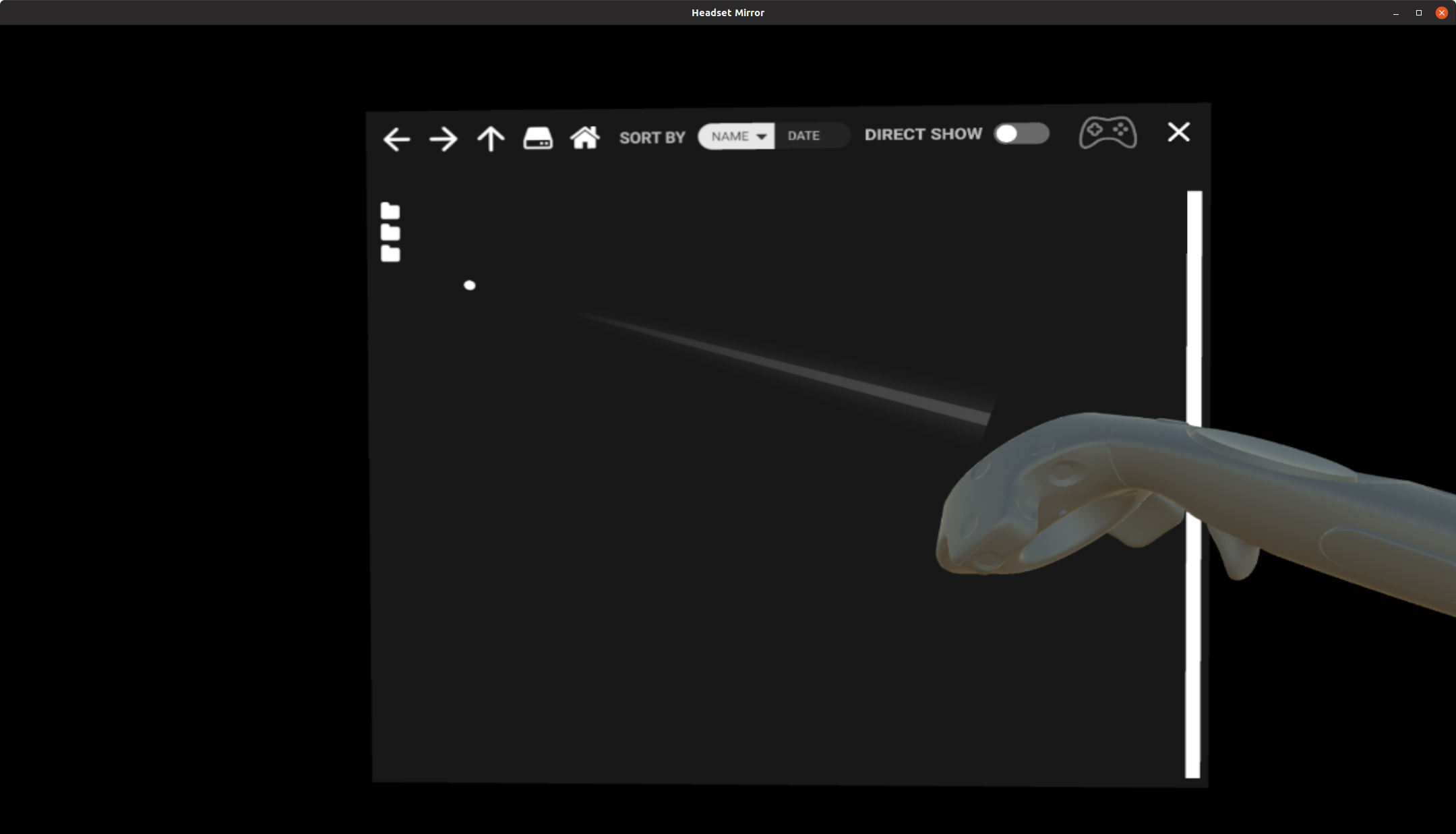
The player starts but the file browser shows only the icons without any text:
Reproduction
Install and play DeoVR
Contributor guide
No contributing guide indexed for this repository
First steps
- Read the whole issue, then the project's contributing guide.
- Comment on the issue to say you are picking it up — it saves two people doing the same work.
- Fork the repository and make your change on a branch.
- Open a pull request that references the issue number.
Research direction
Start by reproducing DeoVR Video Player with Proton 3.16-3 Beta and inspect the attached steam-837380.log alongside the reported system information. Trace why the file browser renders icons without text; done means the browser displays readable file names during playback.
Written by the indexing model from the issue text.
Assessment
- Tech stack
- linux
- Domain
- desktop, operating-systems
- Issue type
- Bug
- Difficulty
- 4/5
- Estimated time
- 3-5 days
- Activity status
- Active
- Clarity
- Needs clarification
- Newbie friendliness
- 42/100