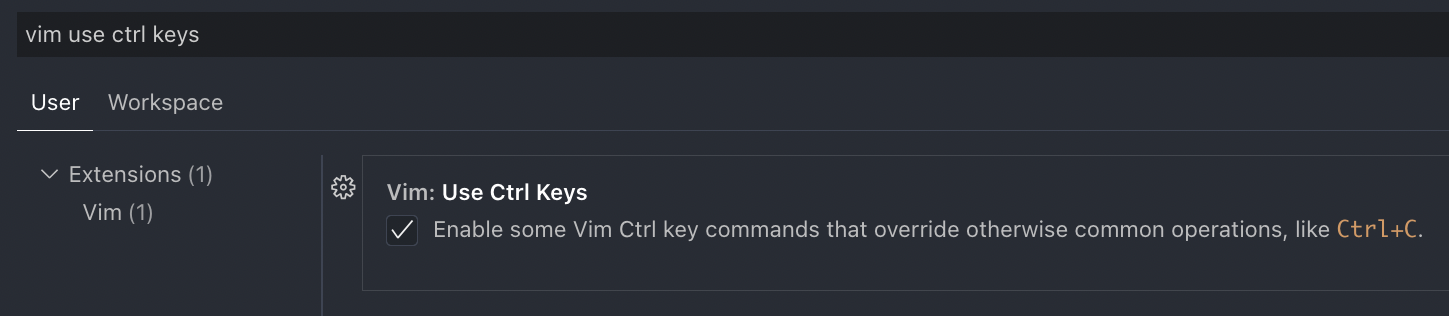
Turn on the "vim: use ctrl keys" option will make "vim.useCtrlKeys" disappear from settings.json
Nobody has claimed this yet.
- Dominant language
- TypeScript
- Stars
- 15.2k
- Forks
- 1.5k
- Avg merge
- 3d 18h
- Merged PRs (30d)
- 6
Description
Describe the bug
Turn on vim: use ctrl keys option will make "vim.useCtrlKeys" disappear from settings.json
To Reproduce
As shown in the images attached below, if the vim: use ctrl keys option is not ticked, there is a corresponding line "vim.useCtrlKeys": false in the settings.json file.
However, if the vim: use ctrl keys option is ticked under such condition, this line "vim.useCtrlKeys": false will disappear from the settings.json file.
Expected behavior
Whether the vim: use ctrl keys option is turned on or off, there should always be a corresponding line in the settings.json to reflect its current status.
Screenshots
(screenshots attached below)
Environment (please complete the following information):
- Extension (VsCodeVim) version: 1.22.2
- VSCode version: 1.67.2
- OS: Mac OS Monterey 12.3.1
Additional context



Contributor guide
First steps
- Read the whole issue, then the project's contributing guide.
- Comment on the issue to say you are picking it up — it saves two people doing the same work.
- Fork the repository and make your change on a branch.
- Open a pull request that references the issue number.
Research direction
Reproduce the behavior with the “vim: use ctrl keys” command and inspect how the vim.useCtrlKeys setting is handled in the extension’s VS Code settings integration. Compare settings.json after enabling and disabling the option, then verify that both states retain a corresponding setting entry.
Written by the indexing model from the issue text.
Assessment
- Tech stack
- typescript, vscode
- Domain
- developer-experience, tooling
- Issue type
- Bug
- Difficulty
- 3/5
- Estimated time
- 1-2 days
- Activity status
- Stale
- Clarity
- Mostly clear
- Newbie friendliness
- 35/100