won't go insert mode after certain snippet executed
Nobody has claimed this yet.
- Dominant language
- TypeScript
- Stars
- 15.2k
- Forks
- 1.5k
- Avg merge
- 3d 18h
- Merged PRs (30d)
- 6
Description
Describe the bug
Thank you for providing this awesome project. This one is very helpful for me on day by day use.
Below is what I think is a bug.
When I use a snippet with regex's round bracket, ${1:/downcase}with one character and two variables, after first placeholder filled, second placeholder won't get insert mode. Instead of it, It seems to go visual mode.
This behavior only happen if the snippet has two lines. (Second line has to have first placeholder)
To Reproduce
Steps to reproduce the behavior:
- define a snippet like this
	"regextest": {
		"prefix": "test",
		"body": [
			"${1/(.*)/-${1:/downcase}/g} := $2",
			"${1/Test/test/g} := 0",
		]
	}
- insert the snippet
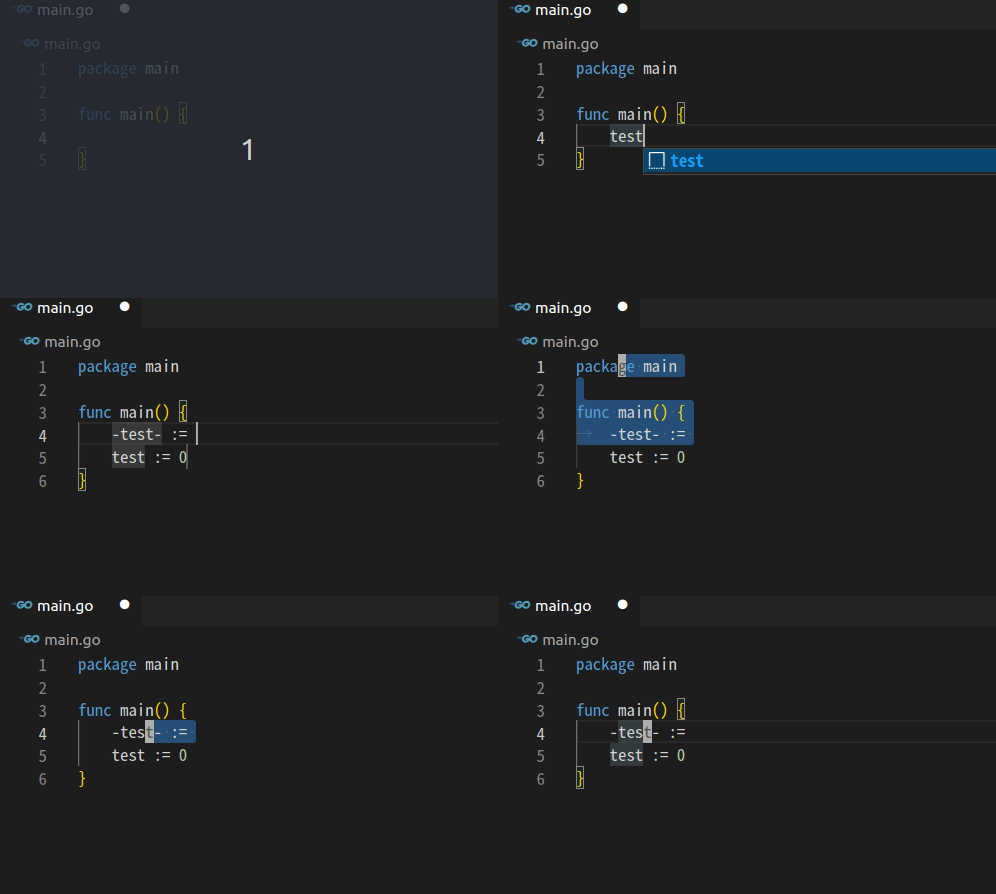
Expected behavior
It go insert mode, not visual mode.
Screenshots
Below is some worked situations that I tried.
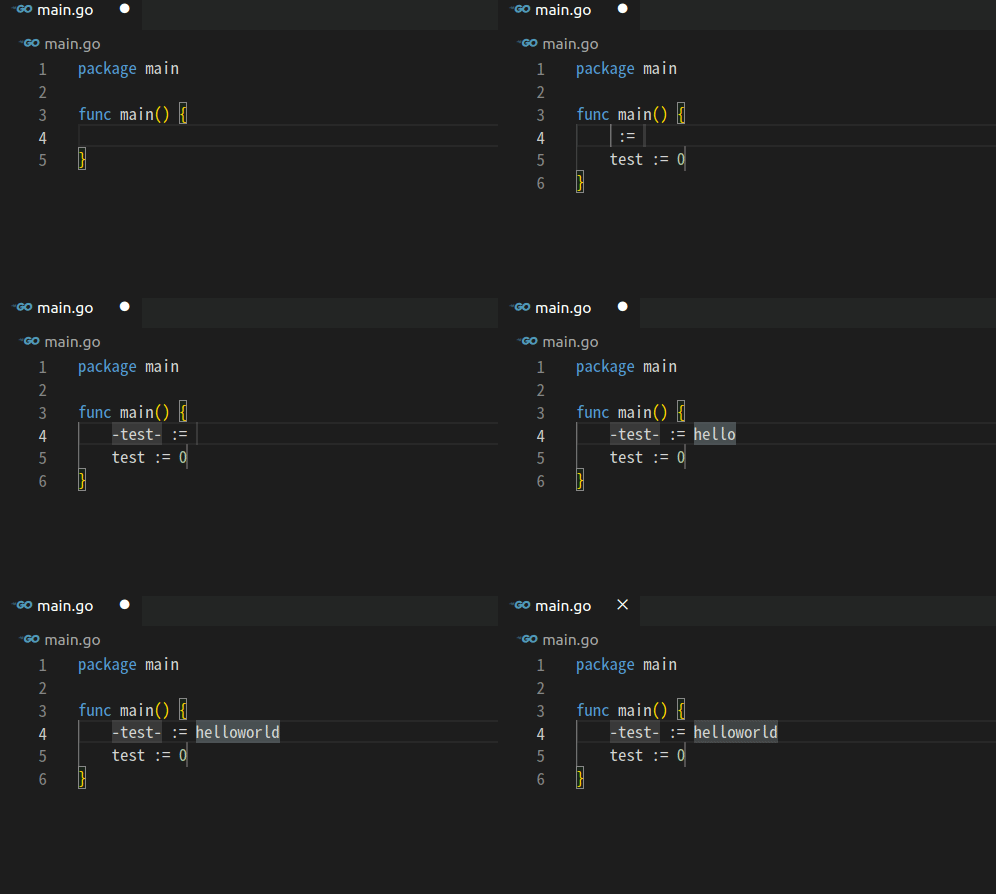
*** no first placeholder on second line ***
if I remove first placeholder from second line, it doesn't happen
	"regextest": {
		"prefix": "test",
		"body": [
			"${1/(.*)/-${1:/downcase}/g} := $2",
			"test := 0",
		]
	}
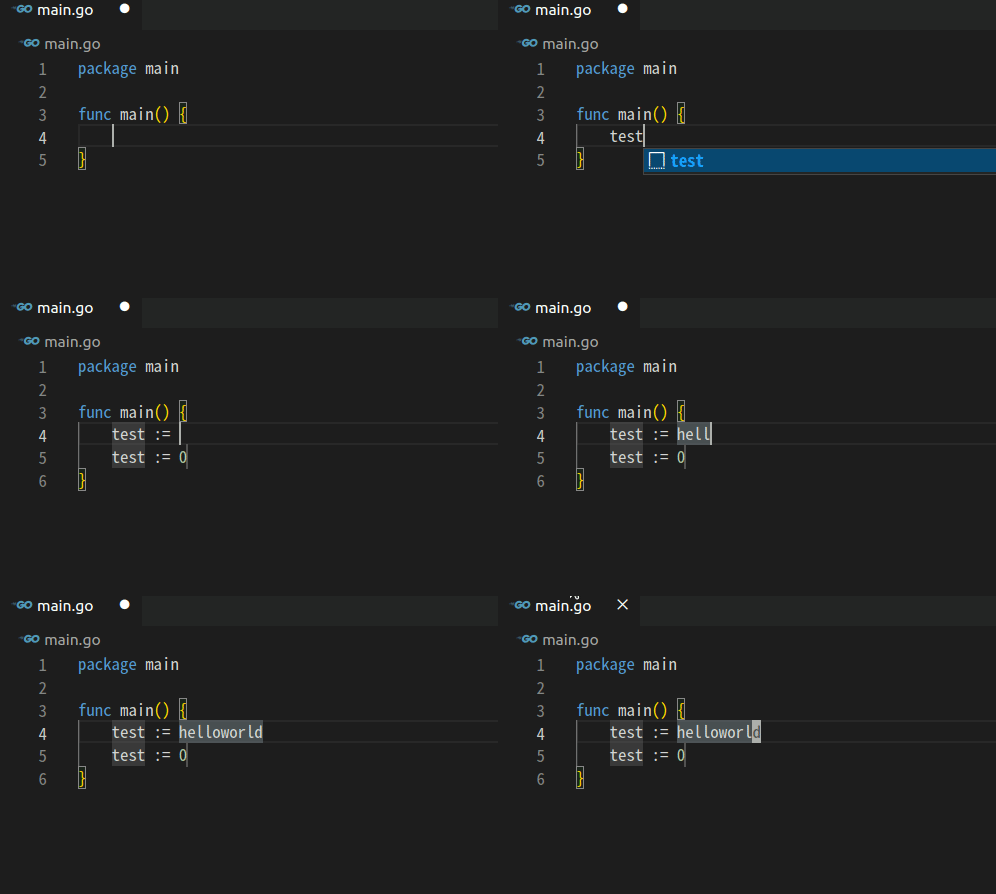
*** with no character around ${1:/downcase} ***
if I define it without one character around round bracket's placeholder, it works
	"regextest": {
		"prefix": "test",
		"body": [
			"${1/(.*)/${1:/downcase}/g} := $2",
			"${1/Test/test/g} := 0",
		]
	}
Environment (please complete the following information):
- Extension version: 1.22.2
- VS Code version: Code 1.67.0 (57fd6d0195bb9b9d1b49f6da5db789060795de47, 2022-05-04T12:08:42.978Z)
- OS version: Linux x64 5.15.0-27-generic
Additional context
I disabled all extensions except this one.
Contributor guide
First steps
- Read the whole issue, then the project's contributing guide.
- Comment on the issue to say you are picking it up — it saves two people doing the same work.
- Fork the repository and make your change on a branch.
- Open a pull request that references the issue number.
Research direction
Start by reproducing the provided two-line snippet in VS Code with the reported VSCodeVim and VS Code versions, then compare the cases where the second-line placeholder is present or absent. Trace the snippet execution and mode transition until the second placeholder is reached; done means the reproduced case enters insert mode rather than visual mode while the working variants remain unaffected.
Written by the indexing model from the issue text.
Assessment
- Tech stack
- typescript
- Domain
- tooling
- Issue type
- Bug
- Difficulty
- 4/5
- Estimated time
- 3-5 days
- Activity status
- Stale
- Clarity
- Mostly clear
- Newbie friendliness
- 35/100