A way to jump and close search using keyboard
Open
Nobody has claimed this yet.
- Dominant language
- TypeScript
- Stars
- 15.2k
- Forks
- 1.5k
- Avg merge
- 3d 18h
- Merged PRs (30d)
- 6
Description
Is your feature request related to a problem? Please describe.
No way to easily close or jump from search back to file
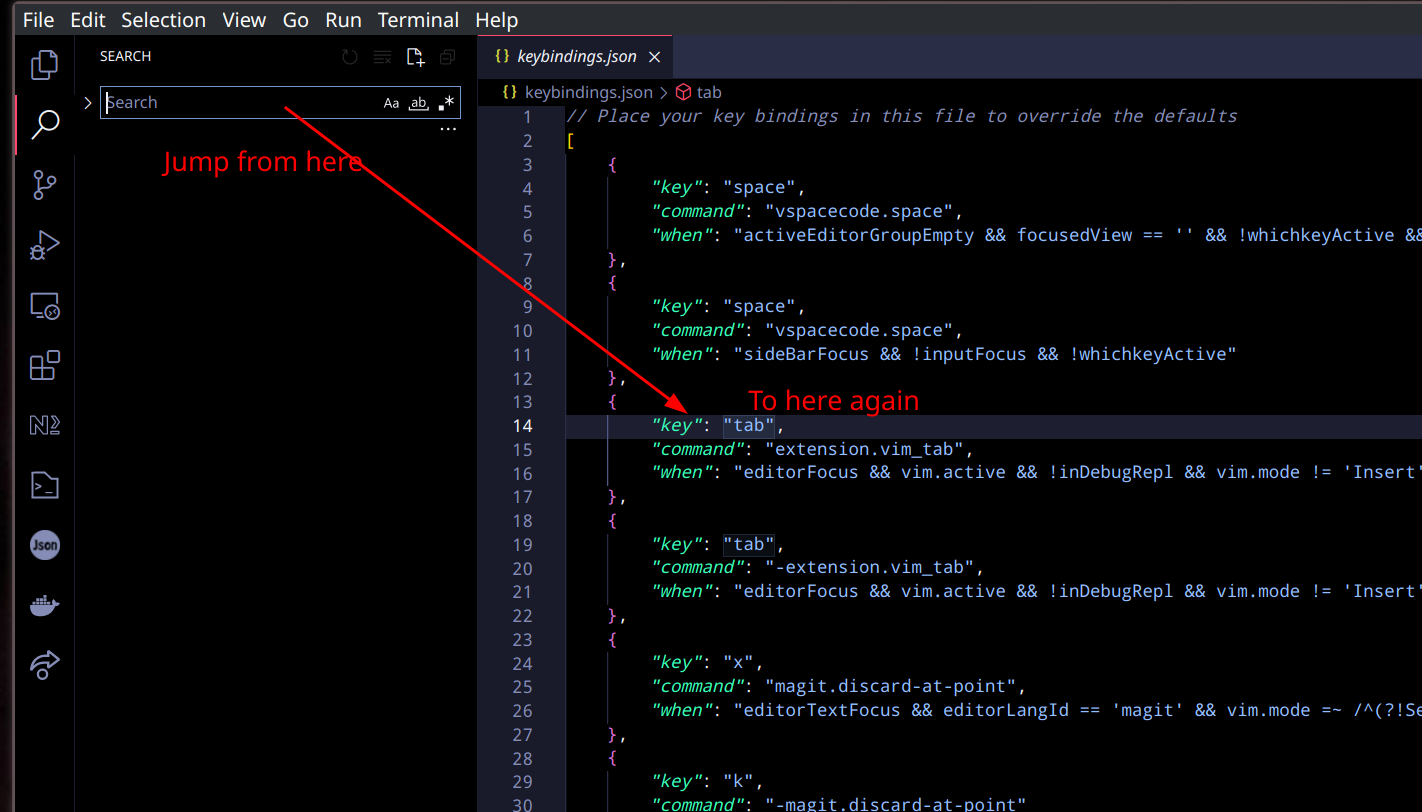
Describe the solution you'd like
- Press escape to jump back to previous openned file and close the search
- Press
<ctrl + w> wto jump back to previous buffer without closing the search
Contributor guide
First steps
- Read the whole issue, then the project's contributing guide.
- Comment on the issue to say you are picking it up — it saves two people doing the same work.
- Fork the repository and make your change on a branch.
- Open a pull request that references the issue number.
Research direction
Start by tracing the VSCodeVim handling for search, Escape, and the <ctrl + w> w key sequence. Check how the previous opened file or buffer is tracked, then verify that Escape closes search while the other sequence jumps back without closing it. Done means both keyboard behaviors work as described.
Written by the indexing model from the issue text.
Assessment
- Tech stack
- typescript, vim
- Domain
- developer-experience, tooling
- Issue type
- Feature
- Difficulty
- 3/5
- Estimated time
- 1-2 days
- Activity status
- Stale
- Clarity
- Mostly clear
- Newbie friendliness
- 35/100