`<C-w>l` does not switch from Side Bar to the currently displayed editor
Nobody has claimed this yet.
- Dominant language
- TypeScript
- Stars
- 15.2k
- Forks
- 1.5k
- Avg merge
- 3d 18h
- Merged PRs (30d)
- 6
Description
Describe the bug
When Side Bar (e.g. Explorer) is focused pressing Ctrl+W L does not switch to the currently displayed editor
To Reproduce
- Make the Side Active
- Turn Ctrl+W L
Expected behavior
Expected that currently displayed editor is activated and ready for intput
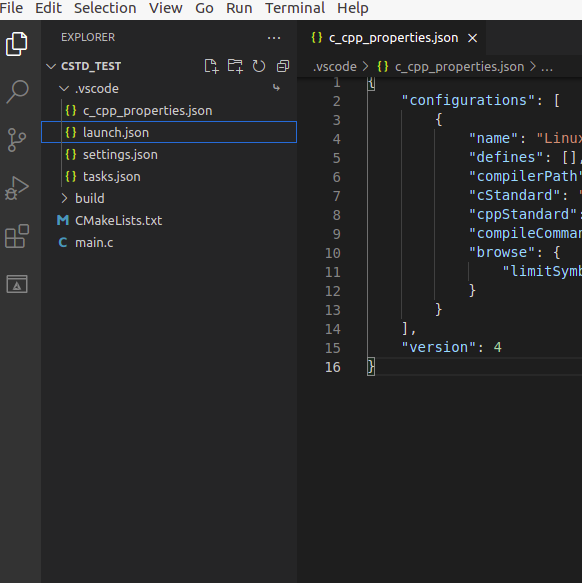
Screenshots
Environment
- Extension (VsCodeVim) version: 1.21.6
- VSCode version: 1.59.0
- OS: Ubuntu 20.04
Additional context
Any default binding related to Ctrl+W which closes the currenly displayed editor and L which opens the given file are removed as follows
{
 "key": "ctrl+w",
 "command": "-workbench.action.closeActiveEditor"
 }
{
 "key": "l",
 "command": "-list.select",
 "when": "listFocus && !inputFocus"
 }
Contributor guide
First steps
- Read the whole issue, then the project's contributing guide.
- Comment on the issue to say you are picking it up — it saves two people doing the same work.
- Fork the repository and make your change on a branch.
- Open a pull request that references the issue number.
Research direction
Start by reproducing the keybinding in VS Code 1.59.0 with the Explorer or another Side Bar view focused, then inspect the TypeScript key handling for Ctrl+W followed by L. Done means Ctrl+W L activates the currently displayed editor and leaves it ready for input without the conflicting default bindings.
Written by the indexing model from the issue text.
Assessment
- Tech stack
- typescript, vscode
- Domain
- tooling
- Issue type
- Bug
- Difficulty
- 3/5
- Estimated time
- 1-2 days
- Activity status
- Stale
- Clarity
- Mostly clear
- Newbie friendliness
- 45/100