`<C-k>` doesn't work in navigating through vscode autcomplete list but `<C-j>` does.
Nobody has claimed this yet.
- Dominant language
- TypeScript
- Stars
- 15.2k
- Forks
- 1.5k
- Avg merge
- 3d 18h
- Merged PRs (30d)
- 6
Description
Describe the bug
After freshly installing vscode vim, and making 0 configurations to it, the following issue occurs:
When trying to navigate through vscode autocomplete menus, the keybindings <CTRL>+j and <CTRL>+k are automatically implemented into the vim extension to move down and up autocomplete menus respectively.
<CTRL>+j moves down the autocomplete list perfectly fine and there is no issue with its functionality, but upon pressing <CTRL>+k when an autocomplete menu is active, instead of moving up the autocomplete list as expected, it simply waits for the next key input as if the keybinding doesn't exist.
I have only tested this in python files, so I am not sure if this issue appears in other file types.
To Reproduce
Steps to reproduce the behavior:
- Create an empty python file (name doesn't matter).
- Paste the following code into the file:
my_var_1 = 1
my_var_2 = 2
my_var_3 = 3
- Create a new line and type
my, which should result in an autocomplete menu appearing with the three variables made in step 2 as autocomplete options. - Use
<CTRL>+jto move down the list. It should work fine. - Use
<CTRL>+kto move up the list. For me, on this step, nothing happens, as described in the bug description.
Expected behavior
When an autocomplete menu is active, pressing CTRL+k should move up one option in the menu.
Screenshots
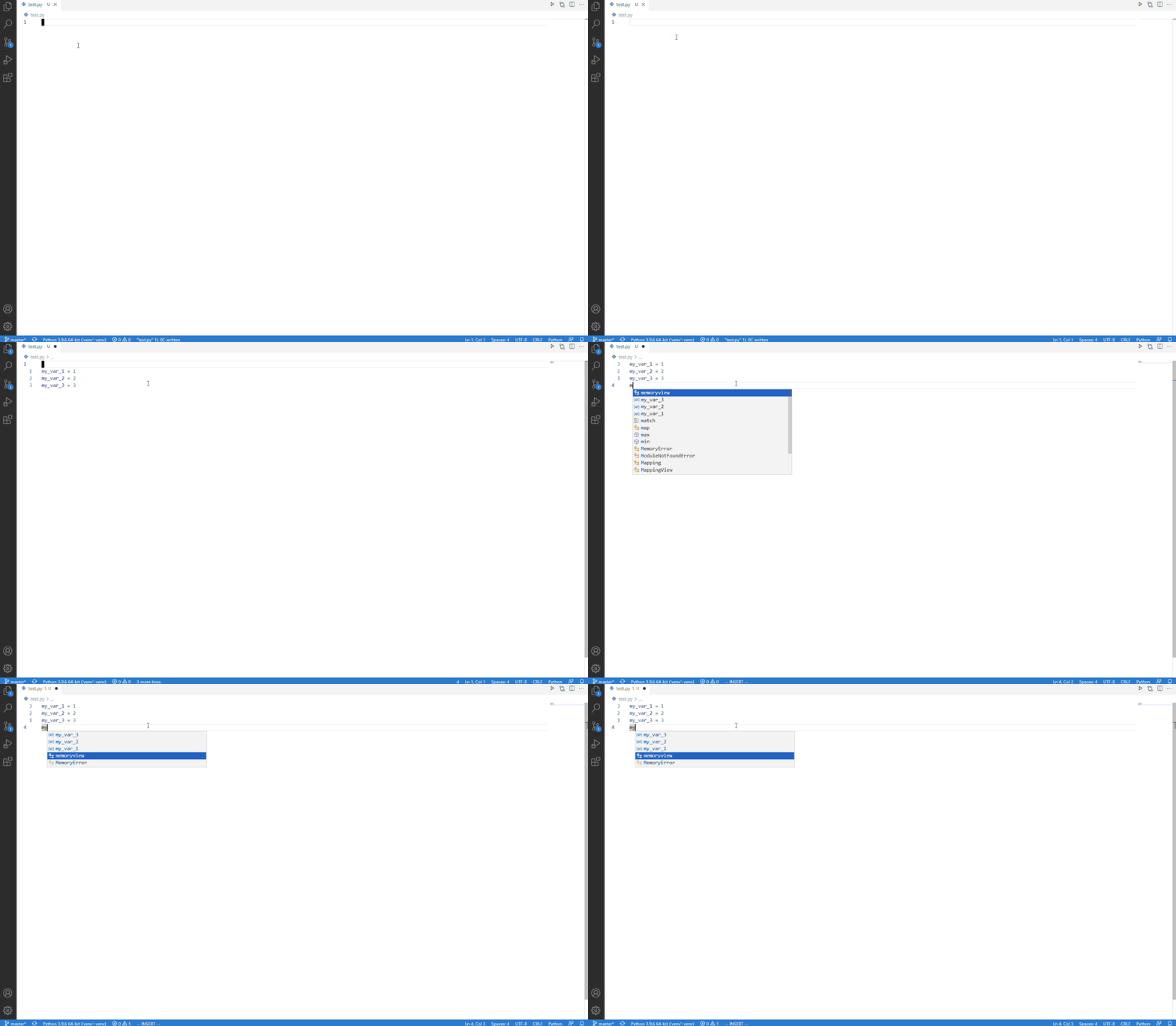
After I finish pressing <CTRL>+j, notice how in the status bar at the bottom, <CTRL>+k repeatedly flashes. This shows that I am pressing <CTRL>+k but it is not registering as a command to move in the autocomplete menu.
Environment (please complete the following information):
- Issue Type:
Bug - Extension Name:
vim - Extension Version:
1.21.6 - OS Version:
Windows_NT x64 10.0.19042 - VS Code version:
1.59.0
Contributor guide
First steps
- Read the whole issue, then the project's contributing guide.
- Comment on the issue to say you are picking it up — it saves two people doing the same work.
- Fork the repository and make your change on a branch.
- Open a pull request that references the issue number.
Research direction
Start by reproducing the issue in VS Code using the Python example and the listed Ctrl+j/Ctrl+k keybindings. Trace the extension's autocomplete navigation and keybinding handling; the fix is done when Ctrl+k moves up the active completion list as Ctrl+j moves down.
Written by the indexing model from the issue text.
Assessment
- Tech stack
- typescript, vscode
- Domain
- devtools
- Issue type
- Bug
- Difficulty
- 3/5
- Estimated time
- 1-2 days
- Activity status
- Stale
- Clarity
- Clearly specified
- Newbie friendliness
- 35/100