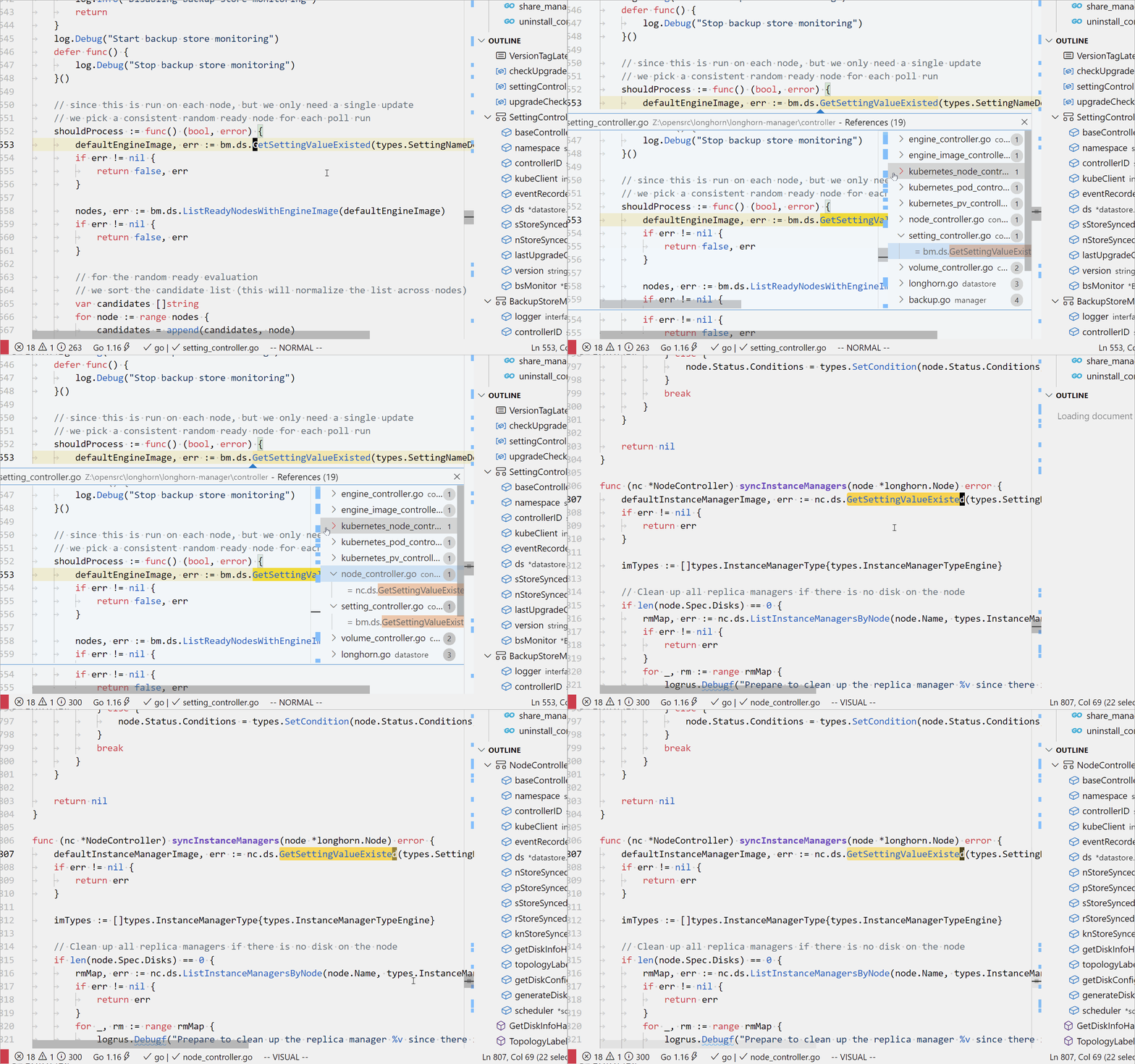
shift+f12 and select one to enter will cause vim to enter visual mode
Open
Nobody has claimed this yet.
- Dominant language
- TypeScript
- Stars
- 15.2k
- Forks
- 1.5k
- Avg merge
- 3d 18h
- Merged PRs (30d)
- 6
Description
Use shift+f12 to find the reference and select one to enter, which will cause vim to enter visual mode. Is this a bug? In this case, is there any way to prevent vim from entering visual mode automatically.
- Extension (VsCodeVim) version: v1.19.3
- VSCode version: 1.55.0
- OS: Windows 10
Contributor guide
First steps
- Read the whole issue, then the project's contributing guide.
- Comment on the issue to say you are picking it up — it saves two people doing the same work.
- Fork the repository and make your change on a branch.
- Open a pull request that references the issue number.
Research direction
Start by reproducing the Shift+F12 reference search and selection flow in VSCodeVim v1.19.3 on VSCode 1.55.0 under Windows 10, using the linked recording as a reference. Trace why selecting a result enters Vim visual mode and document whether the behavior is expected; done means a confirmed diagnosis and a verified prevention if it is a bug.
Written by the indexing model from the issue text.
Assessment
- Tech stack
- typescript, vscode
- Domain
- tooling
- Issue type
- Bug
- Difficulty
- 3/5
- Estimated time
- 1-2 days
- Activity status
- Stale
- Clarity
- Needs clarification
- Newbie friendliness
- 28/100