Logging of test results does not work with latest vscode (1.53.2)
Nobody has claimed this yet.
- Dominant language
- TypeScript
- Stars
- 15.2k
- Forks
- 1.5k
- Avg merge
- 3d 18h
- Merged PRs (30d)
- 6
Description
We can use the launch task "Run Tests" to create second instance of vscode and run tests there (and log results to debug console):
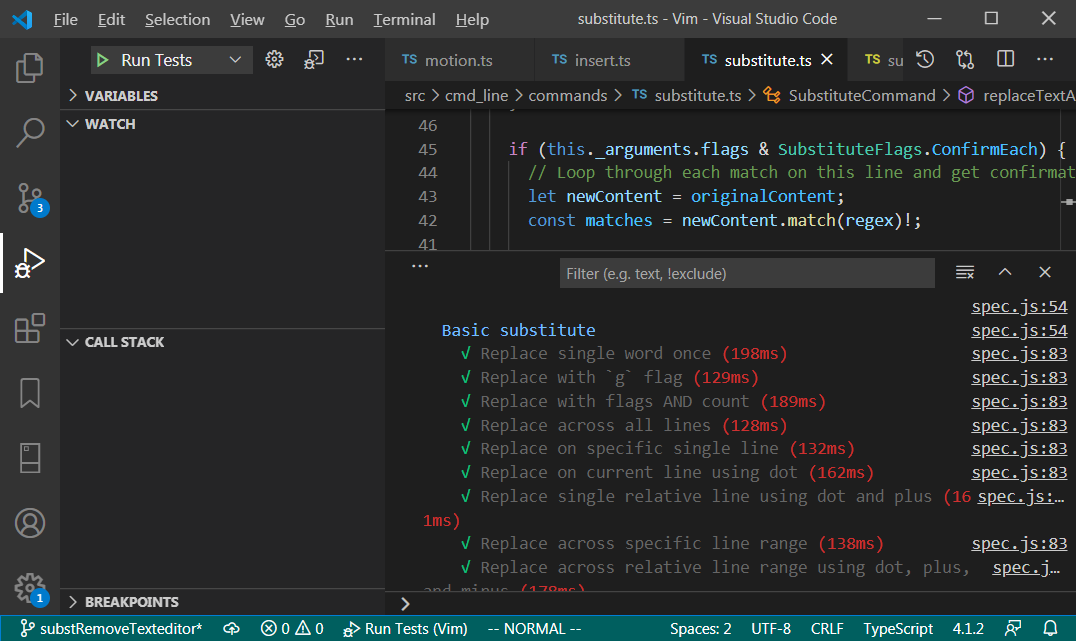
With vscode 1.53.2 this stopped working for me (Debug console stays empty). Our logging (when building + running the extension) could also be affected.
Downgrading vscode fixed it. Also, there are changes around this topic in the release, so its plausible:
https://github.com/microsoft/vscode/issues/115874
I don't know if we need to adapt or create an issue with vscode. I just wanted to bring it up as info.
Contributor guide
First steps
- Read the whole issue, then the project's contributing guide.
- Comment on the issue to say you are picking it up — it saves two people doing the same work.
- Fork the repository and make your change on a branch.
- Open a pull request that references the issue number.
Research direction
Start by reproducing the failure with the launch task "Run Tests" in VS Code 1.53.2 and check whether the Debug console remains empty. Review the referenced VS Code issue for related changes, then determine whether the extension needs adaptation or whether the problem belongs upstream; done means test-result logging works again or the required upstream report is clearly identified.
Written by the indexing model from the issue text.
Assessment
- Tech stack
- typescript, vscode
- Domain
- developer-experience, testing-qa
- Issue type
- Bug
- Difficulty
- 4/5
- Estimated time
- 3-5 days
- Activity status
- Stale
- Clarity
- Needs clarification
- Newbie friendliness
- 25/100