Cannot open file starting with `~` in command mode
Open
Nobody has claimed this yet.
area/commandline
kind/bug
- Dominant language
- TypeScript
- Stars
- 15.2k
- Forks
- 1.5k
- Avg merge
- 3d 18h
- Merged PRs (30d)
- 6
Description
Describe the bug
I can not open file start with '~' in command mode.
To Reproduce
Steps to reproduce the behavior:
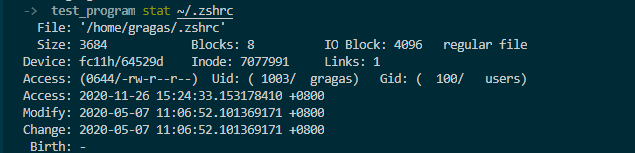
- Go to terminal, and stat my zshrc, confirm that my zshrc is exist.
- Open any file.
- Typing :vsp ~/.zshrc
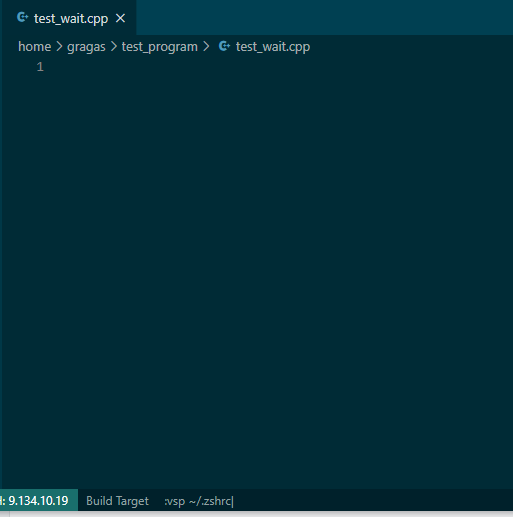
- See error

Expected behavior
It seems like that the system use '~' as a directory(open /home/gragas/test_program/~/.zshrc).
Actually I want to open /home/gragas/.zshrc
Environment (please complete the following information):
- Extension (VsCodeVim) version:
- VSCode version: 1.51.1
- OS: Windows 10
- SSH Remote Svr OS: Linux
Additional context
Add any other context about the problem here.
Contributor guide
First steps
- Read the whole issue, then the project's contributing guide.
- Comment on the issue to say you are picking it up — it saves two people doing the same work.
- Fork the repository and make your change on a branch.
- Open a pull request that references the issue number.
Research direction
Reproduce the issue in VSCodeVim with the command :vsp ~/.zshrc while connected to a Linux SSH remote. Trace command-mode file-path handling and compare the resolved path with the expected home-directory path; done when a path beginning with ~ opens from the user's home directory rather than the current directory.
Written by the indexing model from the issue text.
Assessment
- Tech stack
- typescript
- Domain
- tooling
- Issue type
- Bug
- Difficulty
- 3/5
- Estimated time
- 1-2 days
- Activity status
- Stale
- Clarity
- Mostly clear
- Newbie friendliness
- 45/100