`:tabnew` in WSL2 enviroment seems not to work.
Nobody has claimed this yet.
- Dominant language
- TypeScript
- Stars
- 15.2k
- Forks
- 1.5k
- Avg merge
- 3d 18h
- Merged PRs (30d)
- 6
Description
Describe the bug
:tabnew in WSL2 environment seems not to work.
To Reproduce
I want to work in WSL2 and experience the Vim in VS Code. But when I typed :tabnew and wanted to open a certain file in the current directory, I got this prompt:
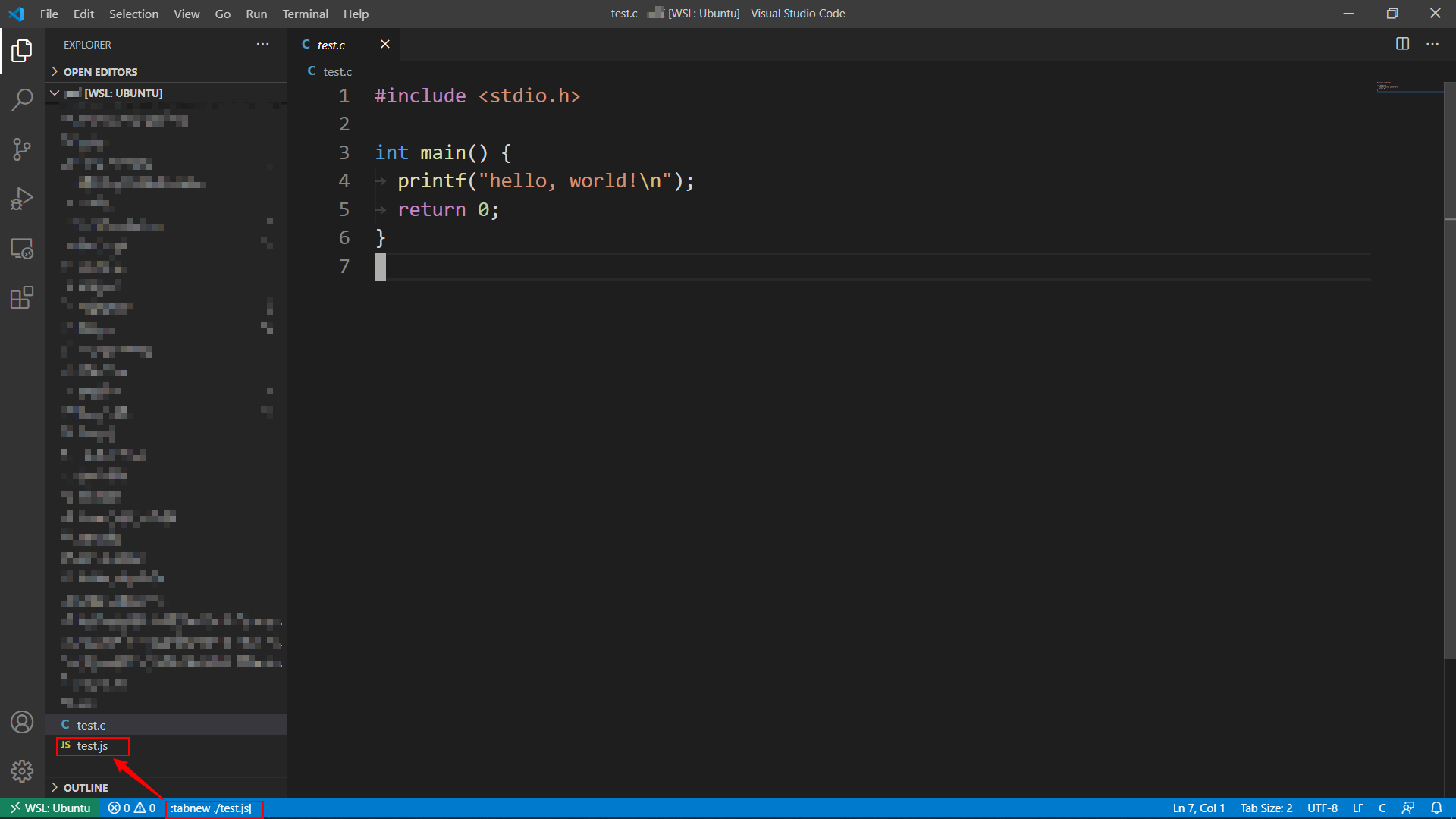

Wired, but OK, I followed the direction, clicked the button, and created the file:
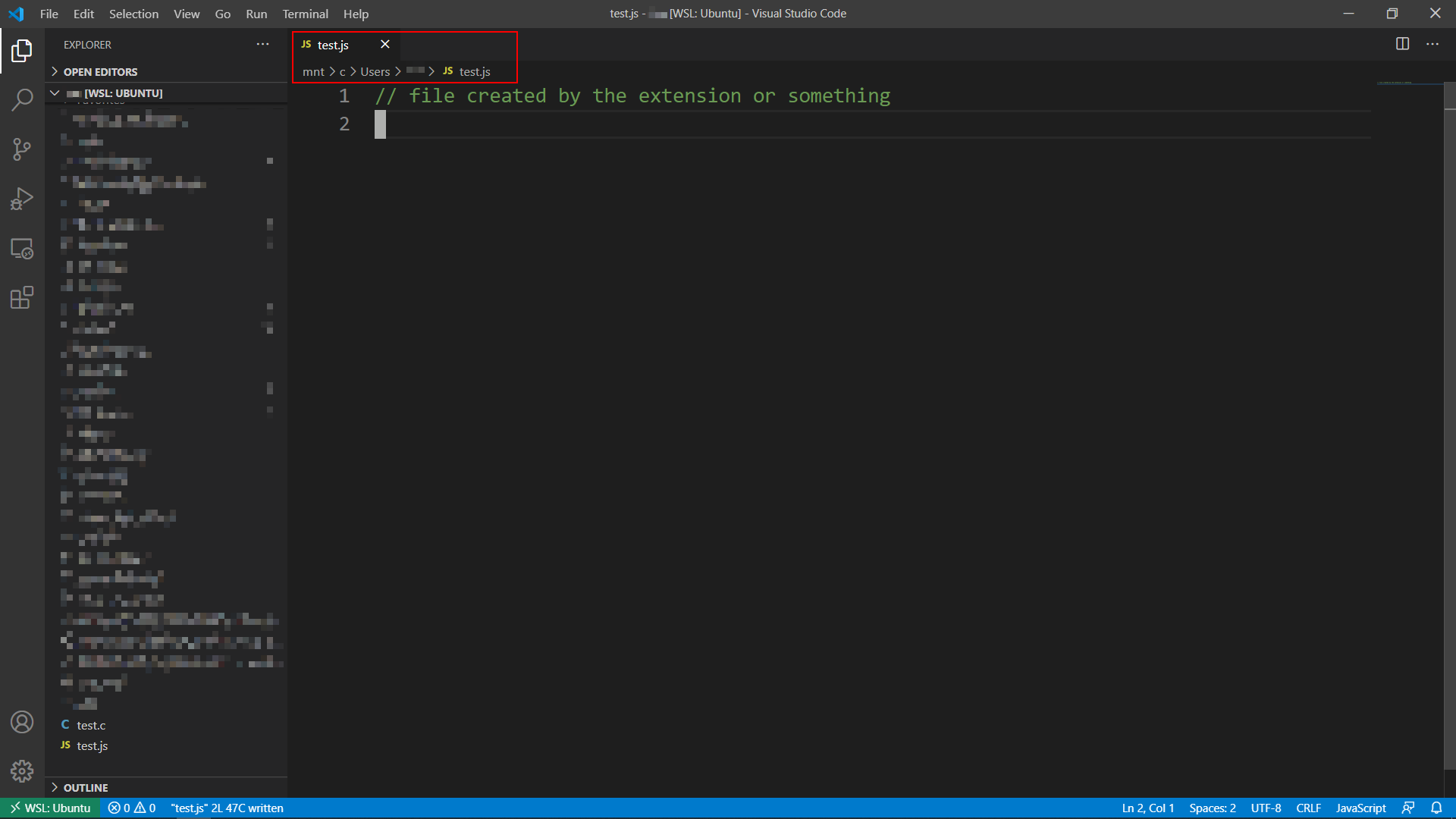
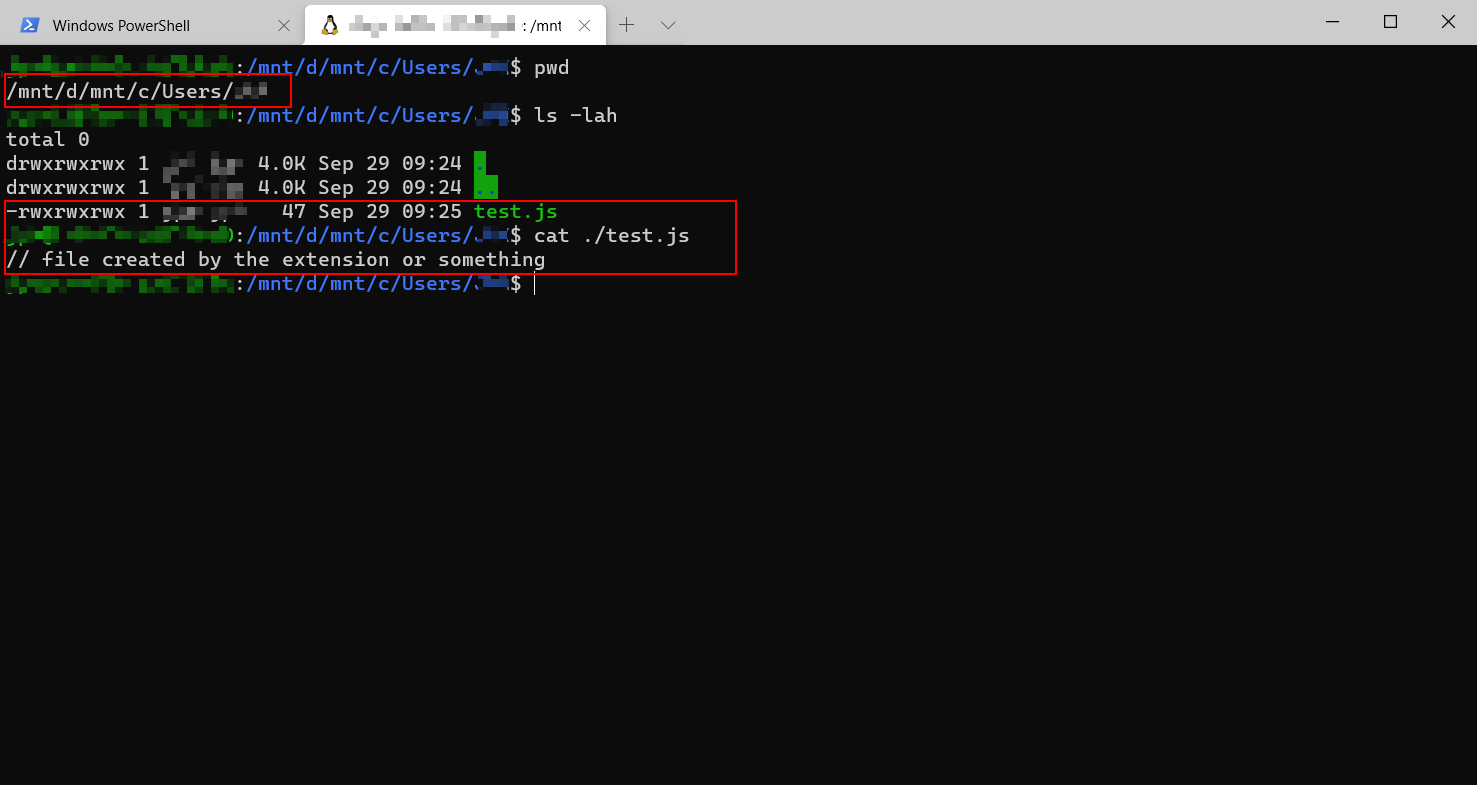
But it didn't work as expected. I found the created file in a totally different folder:
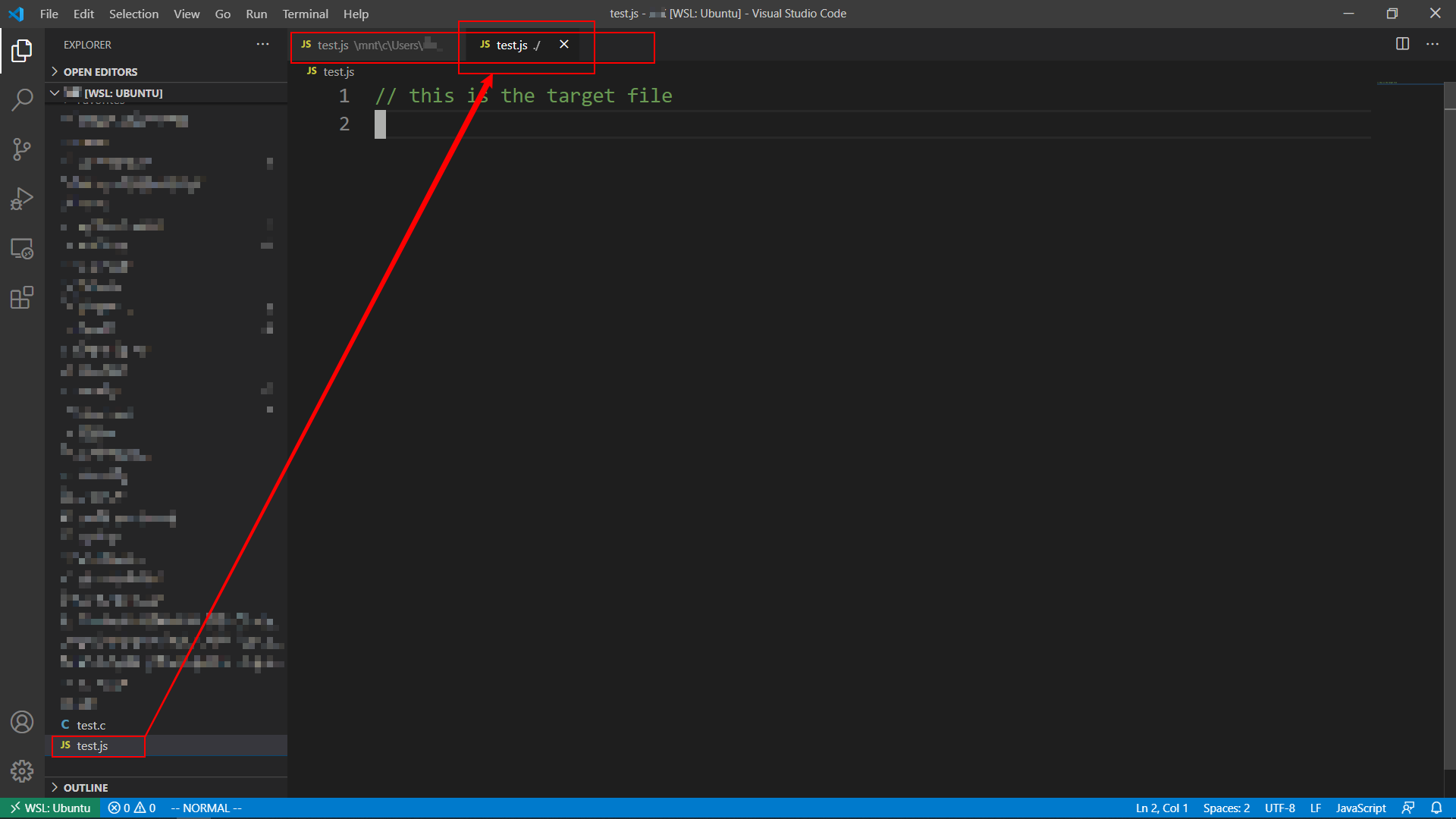
This is what I want:
Expected behavior
The target file in the current working directory is opened as usual.
Or the missing file is created on the right path.
Environment (please complete the following information):
- Extension (VsCodeVim) version: v1.17.1
- VSCode version: v1.49.2
- OS:
- Win 10.0.18362 Build 18362
- WSL2 Ubuntu 20.04.1 LTS
Contributor guide
First steps
- Read the whole issue, then the project's contributing guide.
- Comment on the issue to say you are picking it up — it saves two people doing the same work.
- Fork the repository and make your change on a branch.
- Open a pull request that references the issue number.
Research direction
Start by reproducing :tabnew in VSCodeVim v1.17.1 with VS Code 1.49.2 on Windows 10 and WSL2 Ubuntu 20.04.1, then trace how the current working directory and target path are handled. Done means an existing target file opens, or a missing file is created in the current directory rather than another folder.
Written by the indexing model from the issue text.
Assessment
- Tech stack
- typescript, vscode
- Domain
- developer-experience, tooling
- Issue type
- Bug
- Difficulty
- 4/5
- Estimated time
- 3-5 days
- Activity status
- Stale
- Clarity
- Mostly clear
- Newbie friendliness
- 35/100