easymotion scrolls to cursor if file was scrolled
Nobody has claimed this yet.
- Dominant language
- TypeScript
- Stars
- 15.2k
- Forks
- 1.5k
- Avg merge
- 3d 18h
- Merged PRs (30d)
- 6
Description
Describe the bug
I have a cursor on line 2
I scroll file for few pages
When I activate -- EASYMOTION INPUT -- (pressing <Leader><Leader>s
It scrolls me back to the very top where my cursor is.
But I wanted to navigate on the part of file where I was few screens down.
To Reproduce
Steps to reproduce the behavior:
- Open a file with many lines
- Set cursor on line 2
- Scroll down few screens (not move cursor, but scroll file)
- Activate
-- EASYMOTION INPUT --(pressing<Leader><Leader>s - Get scrolled back to very top
Expected behavior
It doesn't scroll and I can navigate on exact scroll position
Screenshots
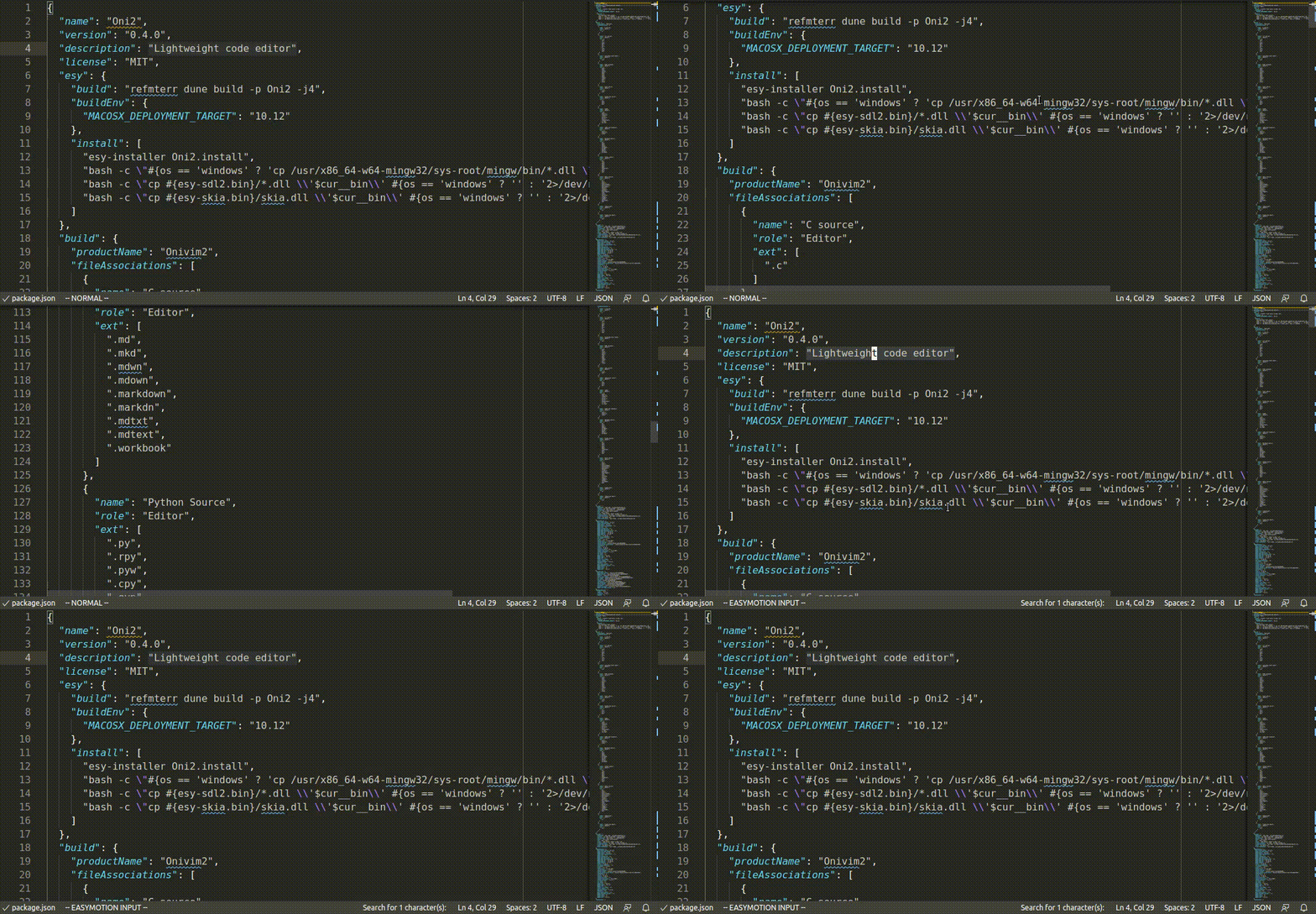
Environment (please complete the following information):
- Extension (VsCodeVim) version: 1.14.2
- VSCode version: 1.45.0
- OS: Ubuntu 18.04
Additional context
If this is not considered as a bug is that any way how to make it stop do that or should I create feature request?
Contributor guide
First steps
- Read the whole issue, then the project's contributing guide.
- Comment on the issue to say you are picking it up — it saves two people doing the same work.
- Fork the repository and make your change on a branch.
- Open a pull request that references the issue number.
Research direction
Start by reproducing the issue in VSCode with the VsCodeVim extension and the reported EasyMotion key sequence. Trace the EasyMotion behavior responsible for restoring the cursor view, then verify that activating it preserves the user's current scroll position while still allowing navigation.
Written by the indexing model from the issue text.
Assessment
- Tech stack
- typescript, vscode
- Domain
- devtools
- Issue type
- Bug
- Difficulty
- 3/5
- Estimated time
- 1-2 days
- Activity status
- Stale
- Clarity
- Mostly clear
- Newbie friendliness
- 38/100