vim.insertModeKeyBindings Conflict with Chinese input method
Nobody has claimed this yet.
- Dominant language
- TypeScript
- Stars
- 15.2k
- Forks
- 1.5k
- Avg merge
- 3d 18h
- Merged PRs (30d)
- 6
Description
Describe the bug
When I finished typing the Chinese input method, I forgot to switch to English.I double-clicked the "J" key and found it was Chinese.This time I quickly press CTRL +shift to switch the input method,And double click on "J".
He'll keep the letter "J",Then exit the input mode,Move the cursor to the next line.
To Reproduce
Steps to reproduce the behavior:
- Type in Chinese,Double - click "J" under Chinese input method.
- Quickly press CTRL +shift to toggle the input method,
- Double-click "J" again,
- See error.
Expected behavior
After switching the input methodThe previous input was invalid.
Double-click the "J" key to exit the input mode.
Screenshots
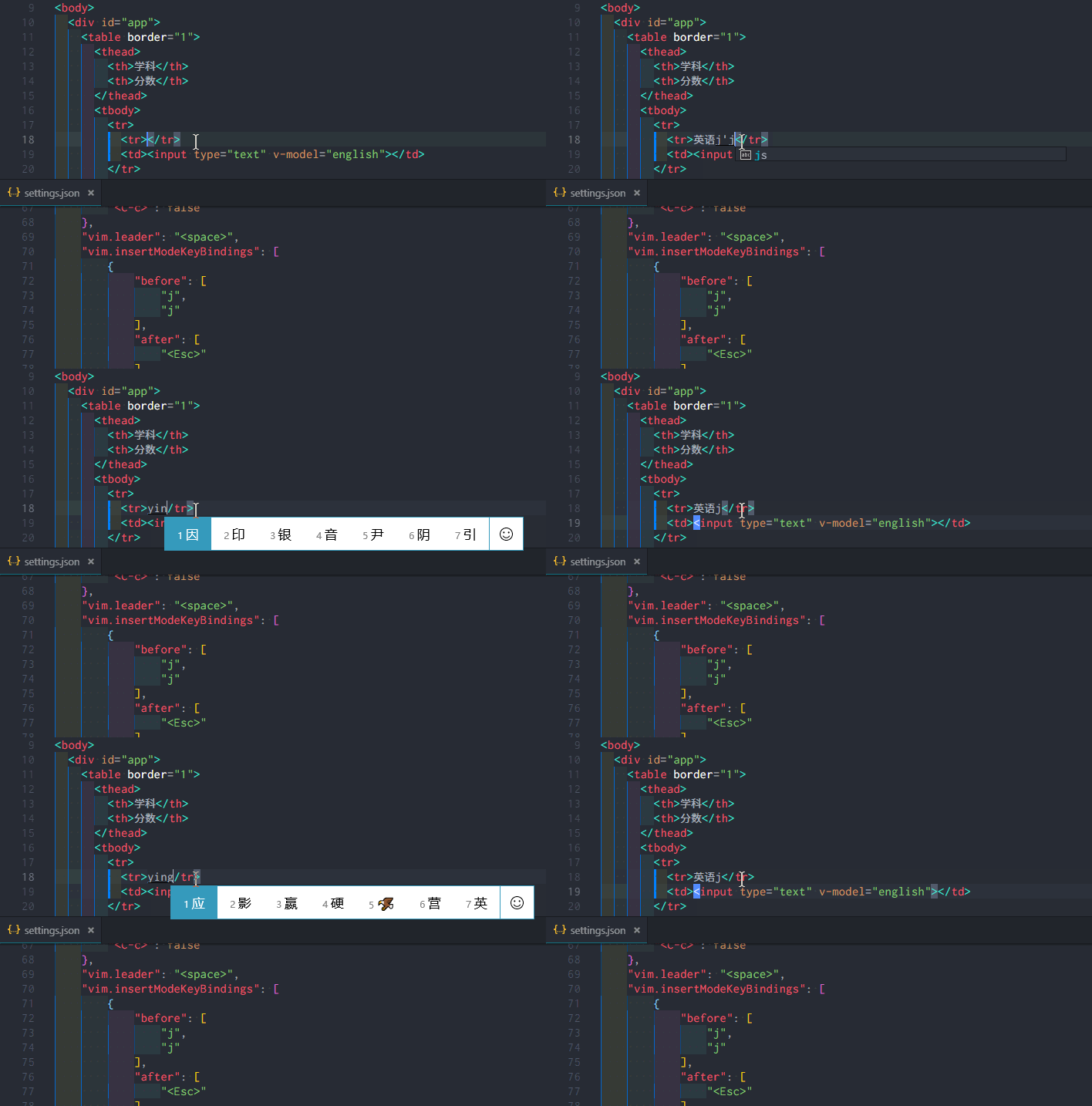
- There is no error if you wait more than one second after switching the input method
- The GIF below has two comparisons
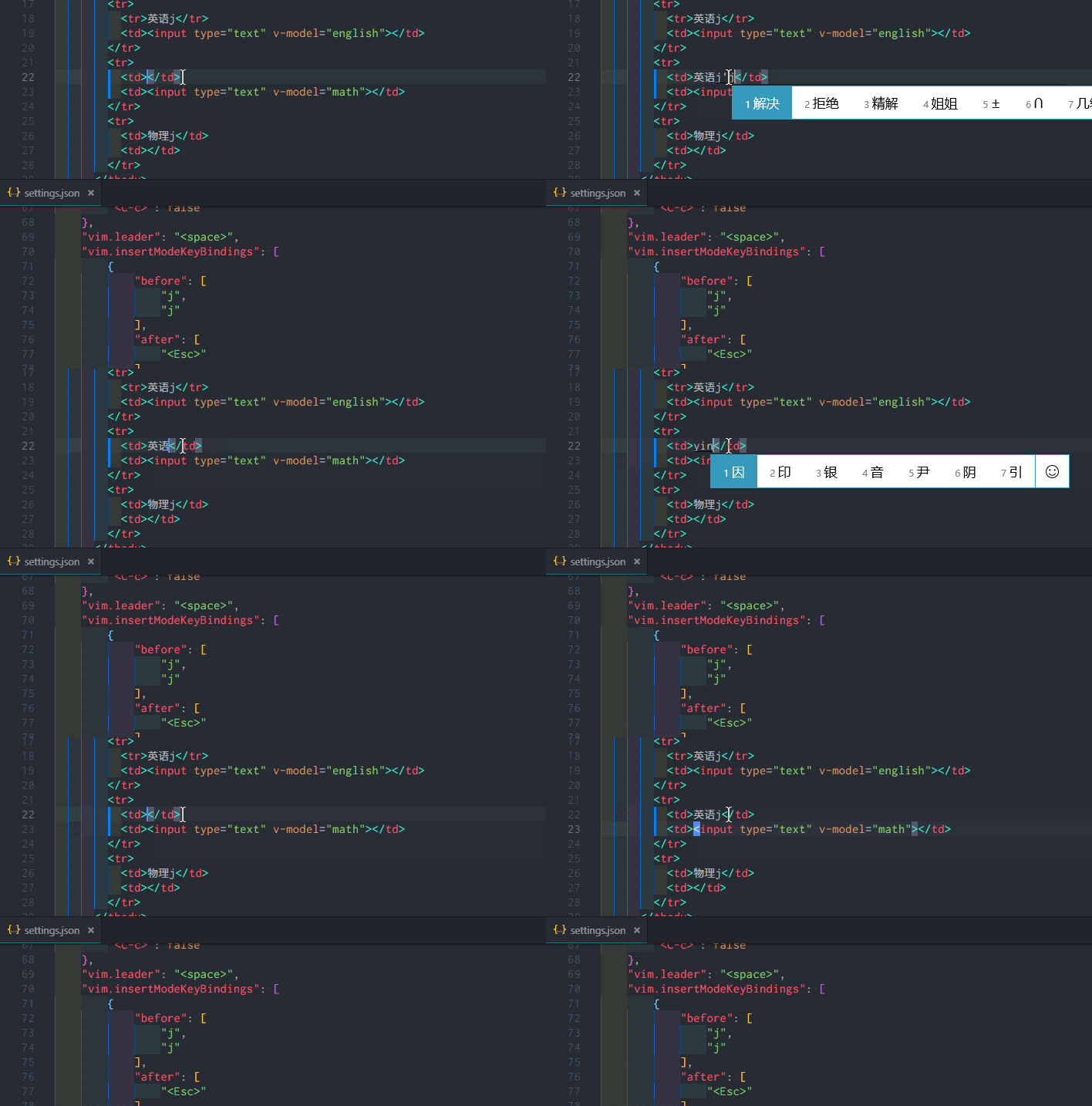
Environment (please complete the following information):
- Extension (VsCodeVim) version: 1.4.0
- VSCode version: 1.33.0
- OS: Windows_NT x64 10.0.17763
Additional context
- The problem rate is high when using bluetooth keyboard.
- This occasionally happens when you use the built-in keyboard on your laptop.
- Not sure if it's the keyboard lag.
Contributor guide
First steps
- Read the whole issue, then the project's contributing guide.
- Comment on the issue to say you are picking it up — it saves two people doing the same work.
- Fork the repository and make your change on a branch.
- Open a pull request that references the issue number.
Research direction
Start by reproducing the issue in VSCodeVim 1.4.0 on Windows with a Chinese input method, following the listed timing and double-click steps. Inspect the handling of insertModeKeyBindings and keyboard input around the input-method switch. Done means the previous input is ignored after switching and double-clicking J exits insert mode without retaining J or moving the cursor.
Written by the indexing model from the issue text.
Assessment
- Tech stack
- typescript, vscode
- Domain
- tooling
- Issue type
- Bug
- Difficulty
- 4/5
- Estimated time
- 3-5 days
- Activity status
- Stale
- Clarity
- Mostly clear
- Newbie friendliness
- 38/100