Bug: Mac OS Multiple Line Highlight and Tab to Indent Fails
Nobody has claimed this yet.
- Dominant language
- TypeScript
- Stars
- 15.2k
- Forks
- 1.5k
- Avg merge
- 3d 18h
- Merged PRs (30d)
- 6
Description
Highlighting multiple lines and then hitting tab to indent does not work. Using shift-tab to undent (de-indent?) - works as expected.
VSCode Version: 1.17.2
OS Version: mac OS sierra - 10.12.6
Steps to Reproduce:
highlight multiple lines
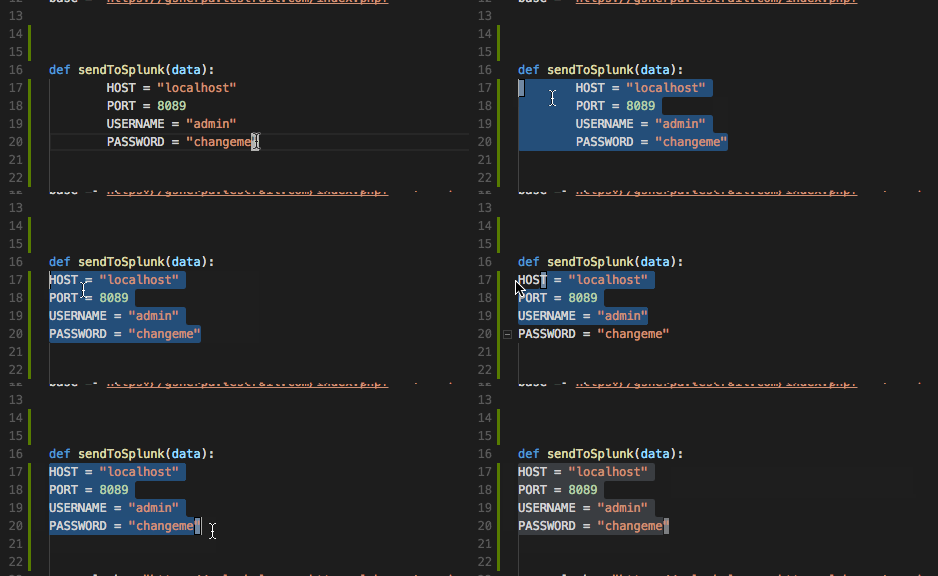
click tab - no effect
if pre-indented - shift-tab works as expected
Extensions:
vscodevim - 0.10.2
donjayamanne.python 0.7.0
esbenp.prettier-vscode 0.24.0
PeterJausovec.vscode-docker 0.0.20
ms-vscode.azure-account 0.1.3
Reproduces without extensions: No
Works as expected without the extensions...
Buggy capture - imagine tab being hit where nothing happens...
Contributor guide
First steps
- Read the whole issue, then the project's contributing guide.
- Comment on the issue to say you are picking it up — it saves two people doing the same work.
- Fork the repository and make your change on a branch.
- Open a pull request that references the issue number.
Research direction
No source file or test is named. Start by reproducing the multi-line selection and Tab behavior with the listed extension setup, then compare it with the no-extension case and inspect the relevant keybinding or indentation handling. Done means Tab indents selected lines while Shift-Tab continues to de-indent them.
Written by the indexing model from the issue text.
Assessment
- Tech stack
- typescript, vscode
- Domain
- tooling
- Issue type
- Bug
- Difficulty
- 4/5
- Estimated time
- 3-5 days
- Activity status
- Stale
- Clarity
- Mostly clear
- Newbie friendliness
- 35/100