TreeMama / TreeMama/iSeaTree-React-Prototype
V 4+ : (GAME PLAY ENHANCEMENT) ADD the Find an Acorn Challenge & Find a Pinecone Challenge
Nobody has claimed this yet.
- Dominant language
- TypeScript
- Stars
- 16
- Forks
- 9
- Avg merge
- 20h 52m
- Merged PRs (30d)
- 1
Description
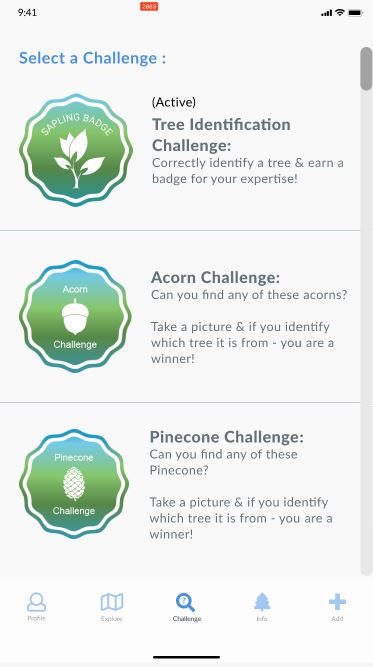
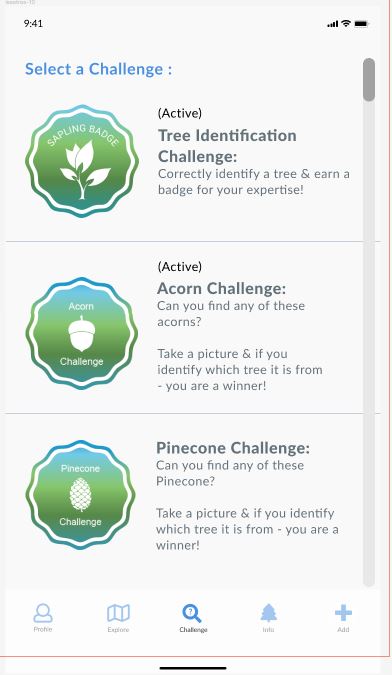
ToDO: ADD the 'Challenge' menu to the nav bar and add GAME RULES / BADGE AWARDING for the 'Find an Acorn' and 'Find a Pinecone' CHALLENGES
- Design a mockup of the menu (Figma)
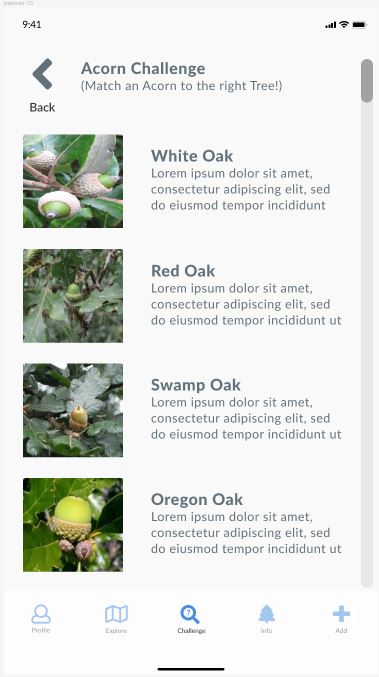
- (Backend) Query out from the species.json all the Oak trees (Find an Acorn) and all the Conifer trees (Find a Pinecone)
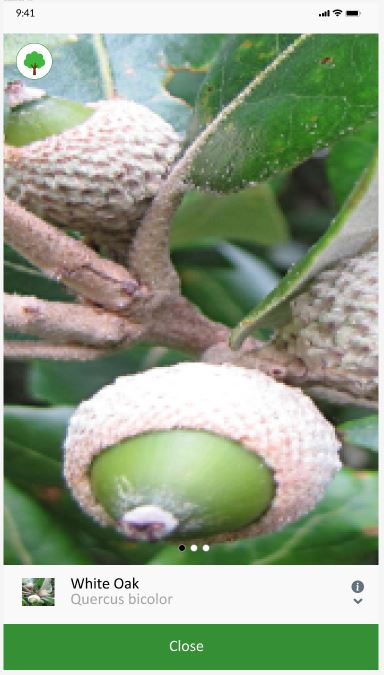
- (Backend) Identify Creative Commons (copyright) acorn and pinecone images listed within the current species.json
- (Backend) modify species.json just for the trees that acorn/pinecone photos can be found for. Add a field called 'Acorn_Pic' (Oak trees only) and 'Pinecone_Pic' (Conifer trees only).
- (Backend) Load images into github, resize, link them in the species.json (i.e. Acorn_Pic'). Prep them for load into AWS.
- (Front-end) create the 'Challenge' menu. Add the compass icon to the nav bar (if it is not already there)
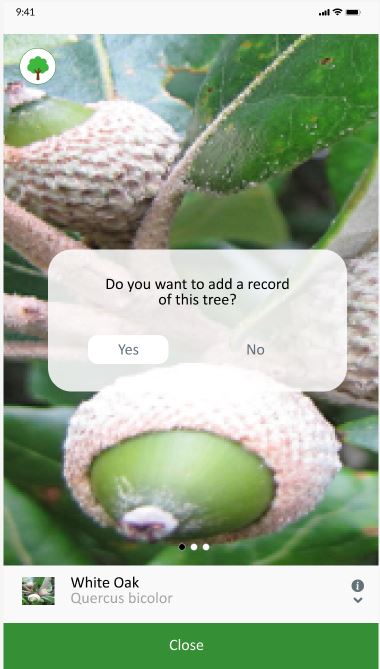
- (Front-end) create the 'Acorn' & 'Pinecone' photo display menus (see mockup below)
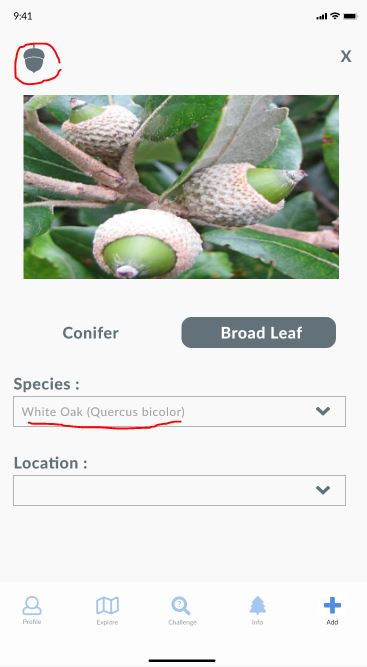
- (Front-end & Backend) add the acorn/pinecone icons in the upper left of the 'Add data menu'. Make sure the upper right 'Clear' deletes these icons and removes the challenge from the user's gameplay (i.e. once the 'Clear' button is selected all cases of 'findAcorn' and 'findPinecone' are set to = FALSE and the icon in the upper left disappears)
Proposed game rules:
-
The badges for these challenges CAN ONLY be awarded once. Once the user has been awarded a badge - the same badge cannot be awarded again (Note: design a 5X badge for both Acorn and Pinecone challenge).
-
These badges can only be awarded IF isValidated = 'VALIDATED'
-
These are the badges for the challenges:
'Find an Acorn' - https://drive.google.com/drive/u/1/folders/1xfdA10EmlynVAN2NTx9hooRQh20W4dxh
'Find a Pinecone' - https://drive.google.com/drive/u/1/folders/1YB11NkoRIzPBCPVGg6nAz6C33z_SVbxd
- To be awarded a badge the user must HAVE BOTH fields entered as true.
'Find an Acorn' badge : 'findAcorn' = TRUE & isValidated = 'VALIDATED'
'Find a Pinecone' badge : 'findPinecone' = TRUE & isValidated = 'VALIDATED'
ML option :
ML trigger function in Firebase looks at all photos of isValidated = 'VALIDATED'. If a pinecone or an acorn is detected - then 'findAcorn'/'findPinecone' is set to TRUE. Once the tree is validated (i.e. isValidated = 'VALIDATED') the badge is awarded to the user.
Figma design/user workflow is here: https://www.figma.com/file/qPsbrgYovo3Tu7zgziql42/iSeaTree?node-id=4%3A1529
Contributor guide
No contributing guide indexed for this repository
First steps
- Read the whole issue, then the project's contributing guide.
- Comment on the issue to say you are picking it up — it saves two people doing the same work.
- Fork the repository and make your change on a branch.
- Open a pull request that references the issue number.
Research direction
Start by locating species.json and the existing navigation, Add Data, badge, and Firebase trigger entry points. Review the Figma workflow and current validated-photo behavior before separating the data, image, frontend, and badge requirements. Done means both challenges work end to end, including one-time validated badge awarding and clearing the challenge state.
Written by the indexing model from the issue text.
Assessment
- Tech stack
- firebase, typescript
- Domain
- full-stack, mobile
- Issue type
- Feature
- Difficulty
- 5/5
- Estimated time
- Over a week
- Activity status
- Stale
- Clarity
- Mostly clear
- Newbie friendliness
- 25/100