TheHive-Project / TheHive-Project/Cortex
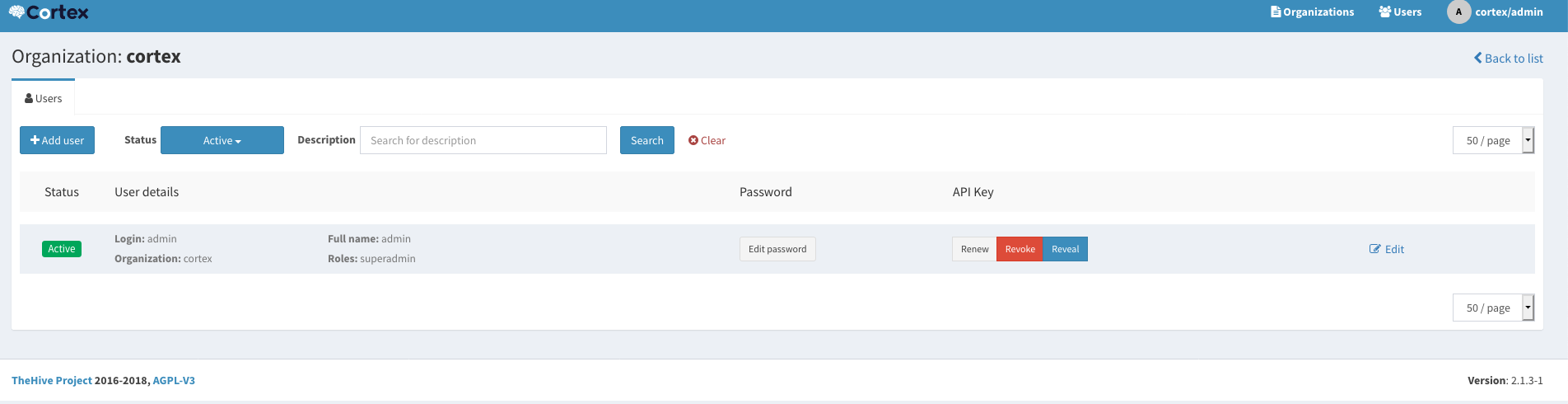
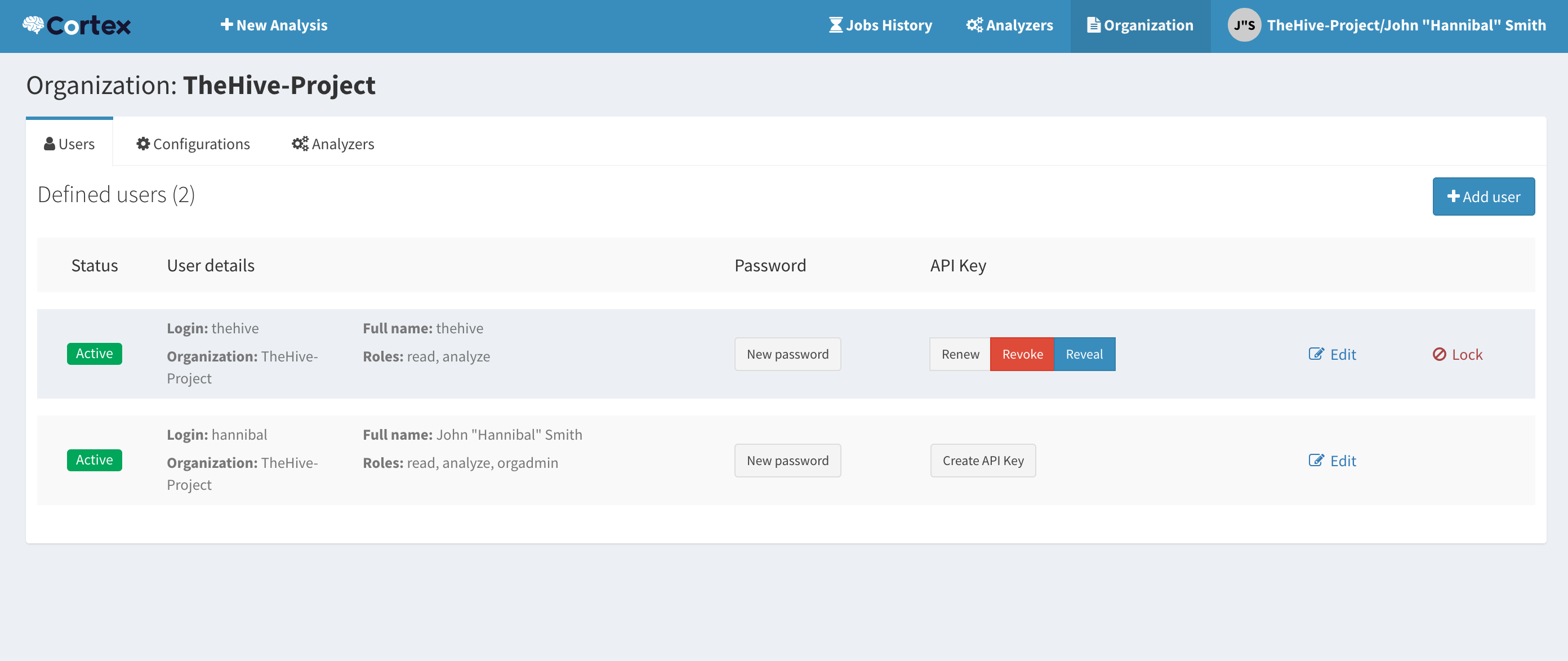
[Bug] Cortex "Organization > Configuration and Organization > Analyzers" Missing On GUI
Nobody has claimed this yet.
- Dominant language
- Scala
- Stars
- 1.6k
- Forks
- 264
- PR merge metrics
- No merged PRs in 30d
Description
Request Type
Potential bug.
Problem Description
I am currently trying to deploy Cortex inside Docker using the following Docker compose:
version: "2"
services:
  elasticsearch:
    image: docker.elastic.co/elasticsearch/elasticsearch:5.6.0
    environment:
      - http.host=0.0.0.0
      - transport.host=0.0.0.0
      - xpack.security.enabled=false
      - cluster.name=hive
      - script.inline=true
      - thread_pool.index.queue_size=100000
      - thread_pool.search.queue_size=100000
      - thread_pool.bulk.queue_size=100000
    ulimits:
      nofile:
        soft: 65536
        hard: 65536
    volumes:
      - /Users/brubraga/PycharmProjects/CTAMISPFeeder/Docker/thehivecontainer/es-db:/usr/share/elasticsearch/data
  cortex:
    image: thehiveproject/cortex:latest
    user: root
    ports:
      - "0.0.0.0:9001:9001"
However, when i access the GUI i see:
instead of (source: https://github.com/TheHive-Project/CortexDocs/blob/master/admin/quick-start.md#step-7-optional-create-an-account-for-thehive-integration):
Steps to Reproduce
- Deploy Docker cluster using Docker compose above
Contributor guide
No contributing guide indexed for this repository
First steps
- Read the whole issue, then the project's contributing guide.
- Comment on the issue to say you are picking it up — it saves two people doing the same work.
- Fork the repository and make your change on a branch.
- Open a pull request that references the issue number.
Research direction
Start by reproducing the missing GUI entries with the Docker Compose configuration in the issue, then compare the displayed interface with the linked CortexDocs quick-start screenshots. Done means the Organization > Configuration and Organization > Analyzers entries appear as expected after deployment.
Written by the indexing model from the issue text.
Assessment
- Tech stack
- docker, docker-compose, scala
- Domain
- devops, frontend
- Issue type
- Bug
- Difficulty
- 3/5
- Estimated time
- 1-2 days
- Activity status
- Stale
- Clarity
- Mostly clear
- Newbie friendliness
- 28/100