TelegramMessenger / TelegramMessenger/Telegram-iOS
iOS groups don't show selected icon (just folder icon)
Nobody has claimed this yet.
- Dominant language
- Swift
- Stars
- 9k
- Forks
- 2.9k
- PR merge metrics
- No merged PRs in 30d
Description
Description
When using the latest Telegram (iOS) with iOS 13.4, and the latest Windows 10 Telegram Desktop (2.0.1) the iOS app doesn't show the icon that has been selected for a group which isn't one of the standard icons (i.e. contacts, groups, bots) and just shows a folder. The Telegram desktop app does honour the setting, although it might be worth nothing that it doesn't appear you can select the icons in the iOS app (you can on the desktop app).
Expected Behavior
iOS version should show the selected icon, should also have a picker for icons like the desktop app.
Actual Behavior
Shows the 'folder' icon for the group
Steps to Reproduce
- Create new group (random name)
- Add a few particular chats
- Edit the icon in Telegram desktop
- Check Telegram iOS by holding the 'chats' button on the bottom bar.
Screenshots and Videos
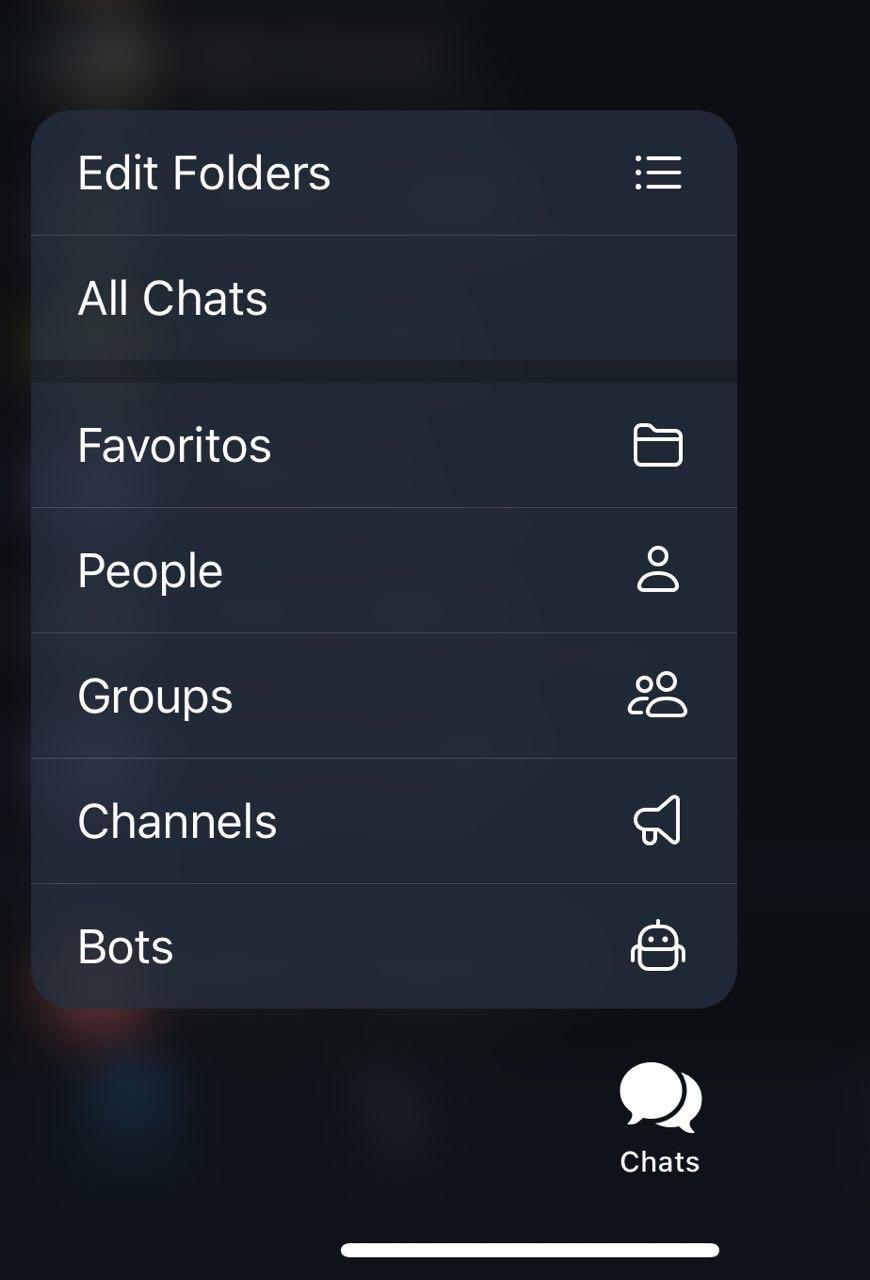

Environment
Device: iPhone XS
iOS version: 13.4
App version: 6.0
Contributor guide
First steps
- Read the whole issue, then the project's contributing guide.
- Comment on the issue to say you are picking it up — it saves two people doing the same work.
- Fork the repository and make your change on a branch.
- Open a pull request that references the issue number.
Research direction
No source files or tests are named. Reproduce the issue with an iOS 13.4 device and the described desktop-created group icon, then trace the iOS group icon display and editing entry points; done means custom selected icons render instead of the folder icon and an iOS picker is available.
Written by the indexing model from the issue text.
Assessment
- Tech stack
- ios, swift
- Domain
- mobile
- Issue type
- Bug
- Difficulty
- 4/5
- Estimated time
- 3-5 days
- Activity status
- Stale
- Clarity
- Mostly clear
- Newbie friendliness
- 35/100