TeamAmaze / TeamAmaze/AmazeFileManager
Modify bookmark path directly from Amaze Sidebar
Open
Nobody has claimed this yet.
Area-UIUX
Issue-Easy (good first issue)
Issue-Feature
- Dominant language
- Kotlin
- Stars
- 6.4k
- Forks
- 1.7k
- Avg merge
- 3d 9h
- Merged PRs (30d)
- 1
Description
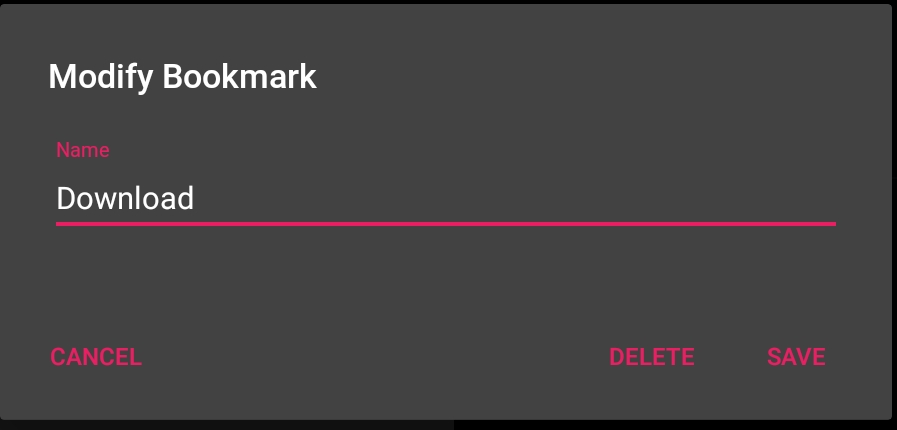
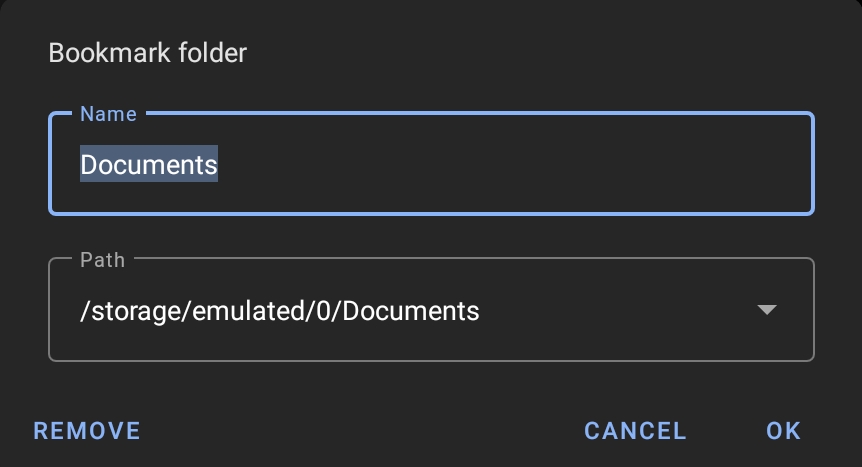
Currently we've option to delete & rename bookmark feature, but no option to change path.
Amaze Bookmark
MaterialFiles Bookmark
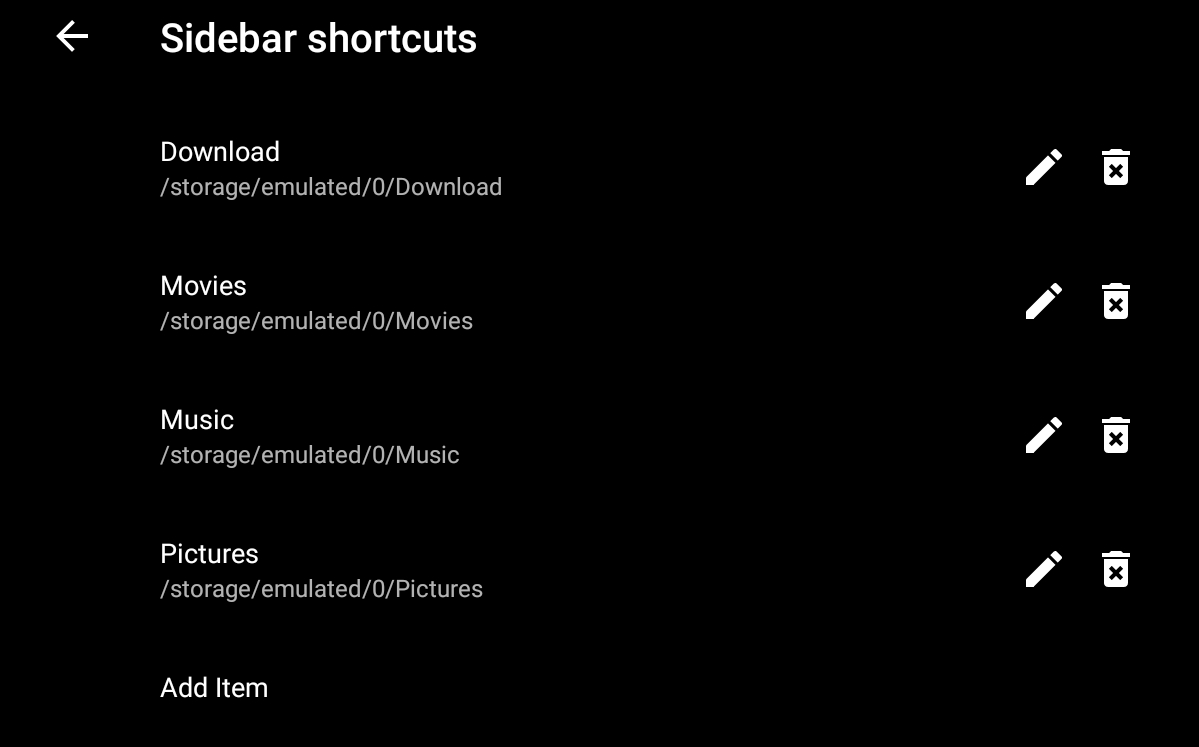
Though we've option to edit them from Settings> Sidebar> Bookmarks...
(currently it show them as shortcut but actually these are bookmars, check issue #2653)
Contributor guide
First steps
- Read the whole issue, then the project's contributing guide.
- Comment on the issue to say you are picking it up — it saves two people doing the same work.
- Fork the repository and make your change on a branch.
- Open a pull request that references the issue number.
Research direction
The issue references the Amaze Sidebar and Settings > Sidebar > Bookmarks; start by comparing those bookmark controls and the linked #2653 context. Done means the bookmark path can be changed directly from the Sidebar, alongside the existing rename and delete behavior.
Written by the indexing model from the issue text.
Assessment
- Tech stack
- android, kotlin
- Domain
- mobile
- Issue type
- Feature
- Difficulty
- 3/5
- Estimated time
- 1-2 days
- Activity status
- Stale
- Clarity
- Mostly clear
- Newbie friendliness
- 35/100