TeamAmaze / TeamAmaze/AmazeFileManager
Show contents in "Source Directory" for Non-Rooted devices
Nobody has claimed this yet.
- Dominant language
- Kotlin
- Stars
- 6.4k
- Forks
- 1.7k
- Avg merge
- 3d 9h
- Merged PRs (30d)
- 1
Description
Is your feature request related to a problem? Please describe.
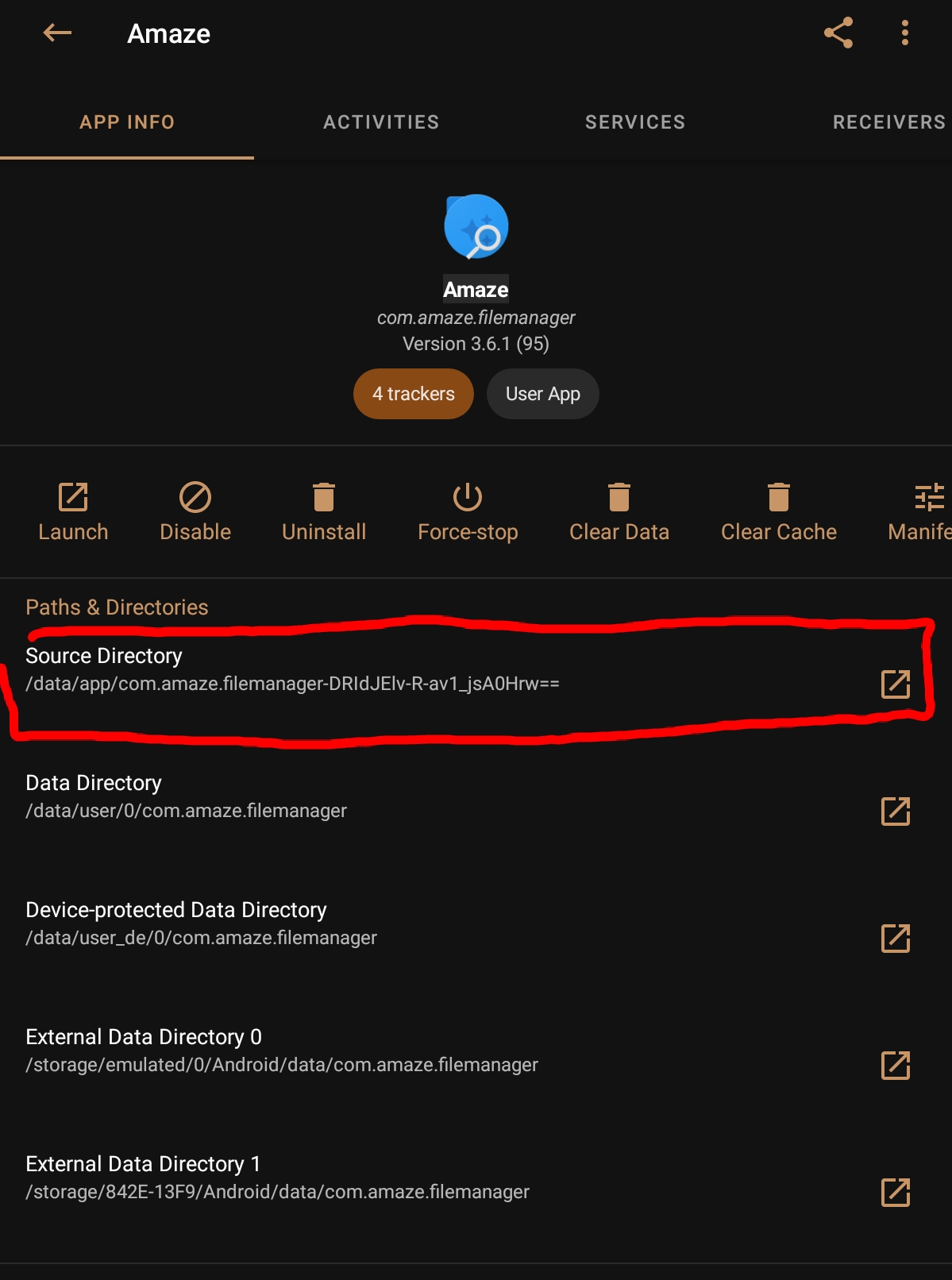
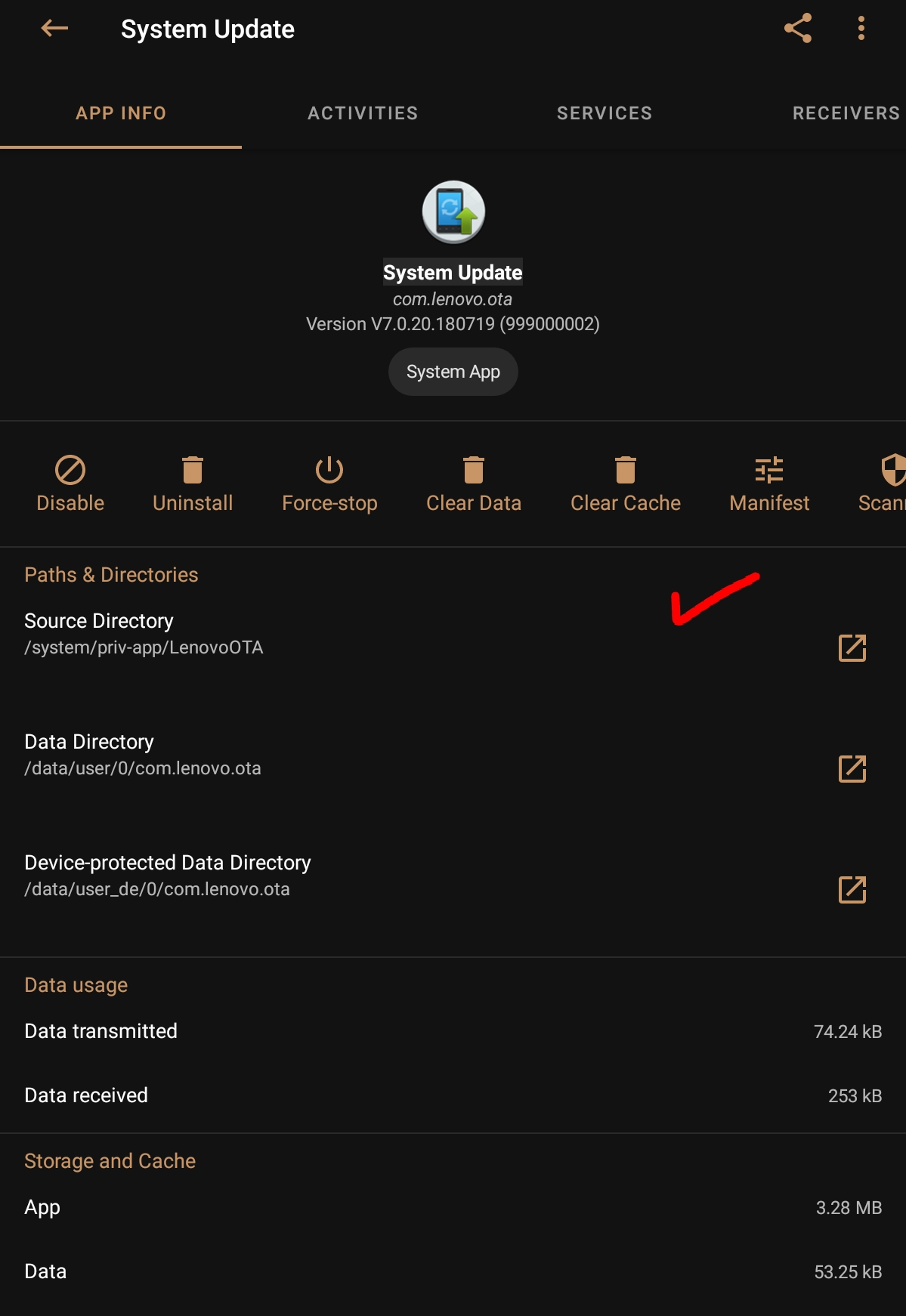
screenshot from AppManager app
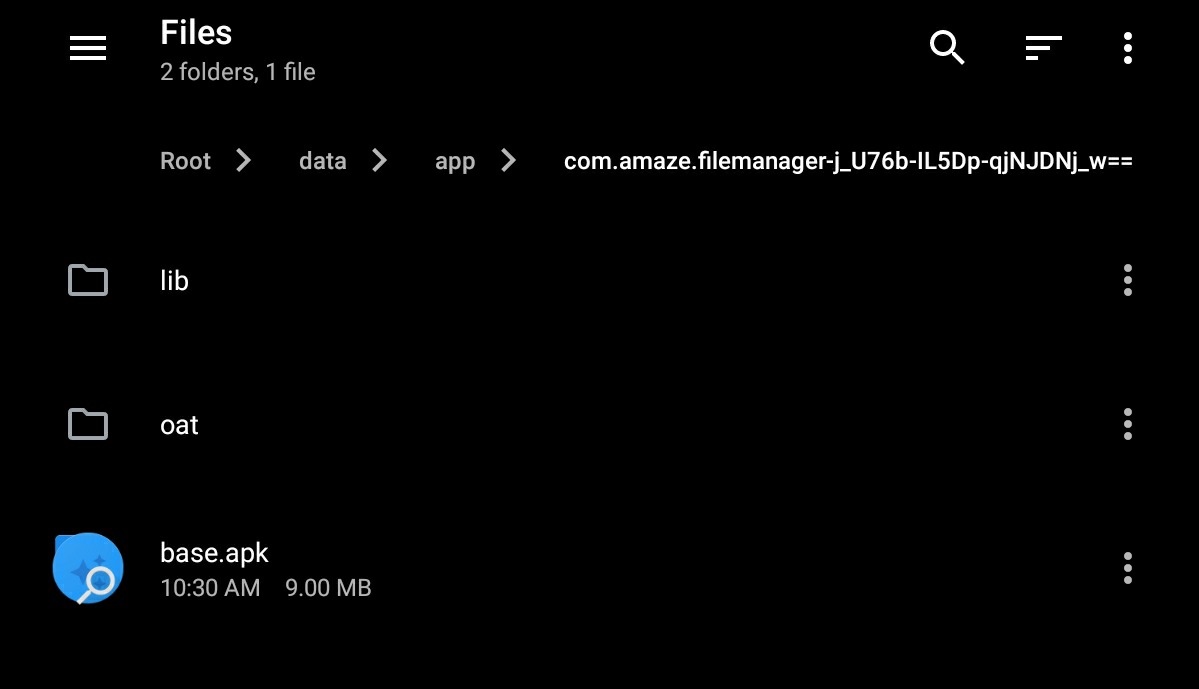
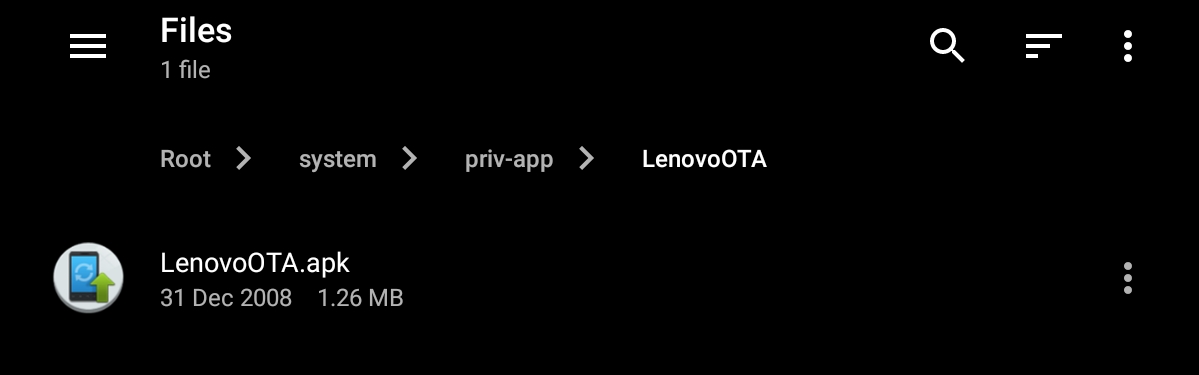
My device is not rooted but material files shows contents of that root folder, for some reason Amaze shows this folder empty.
Checked both my phone & tab (not rooted & both android 8.1.0).
Cant go directly to that path but possible from AppManager app.
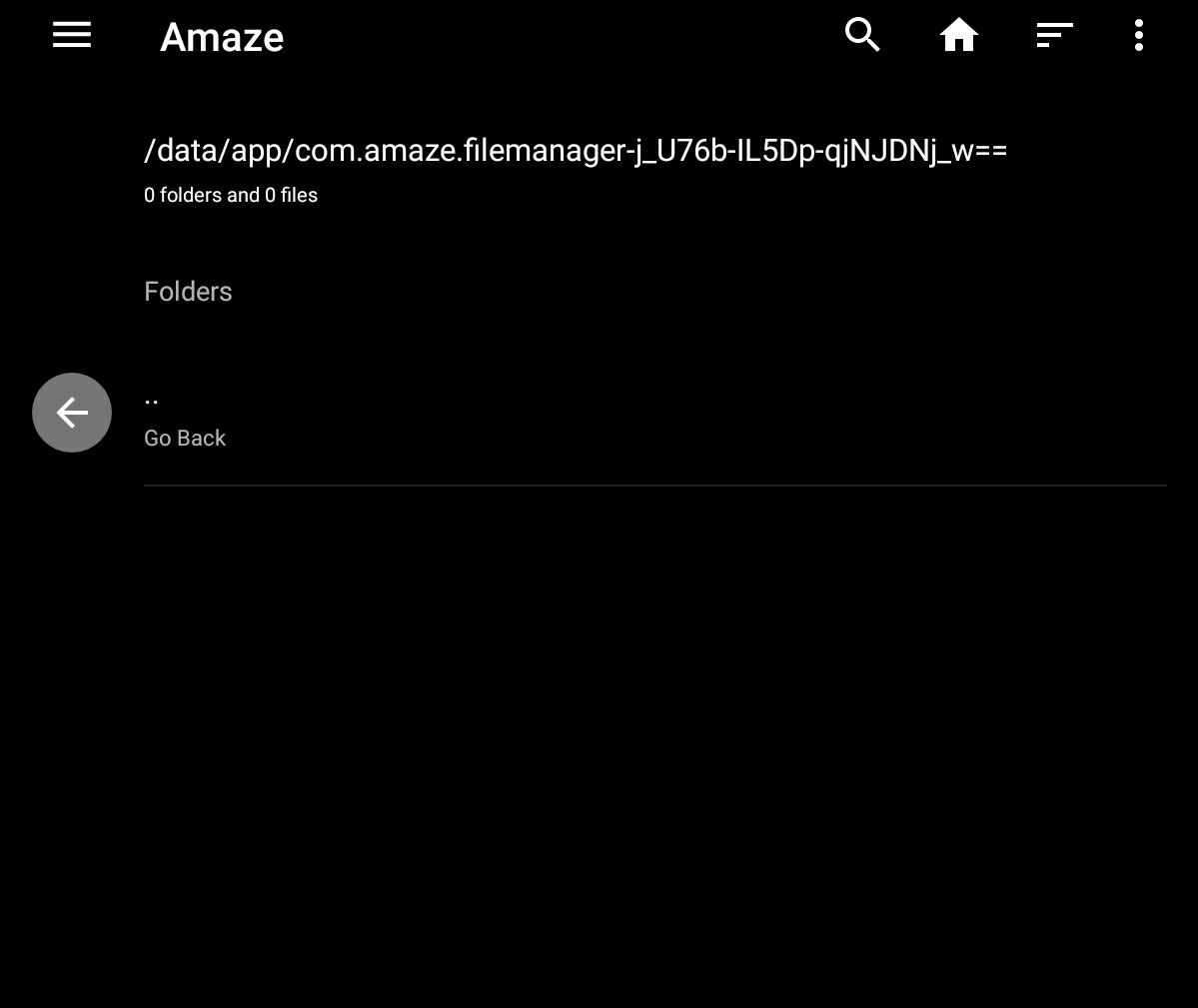
I had to enable Amaze's Root explorer unless its not possible to go that path. (+ Amaze's show hidden files & folders is turned on but still Amaze show this folder is empty)
& yes I can navigate around the root directories but all folders/paths are empty beside the one which opened though AppManager app. (check #2764 screen recording)
But ofcourse I cant delete those files without root access.
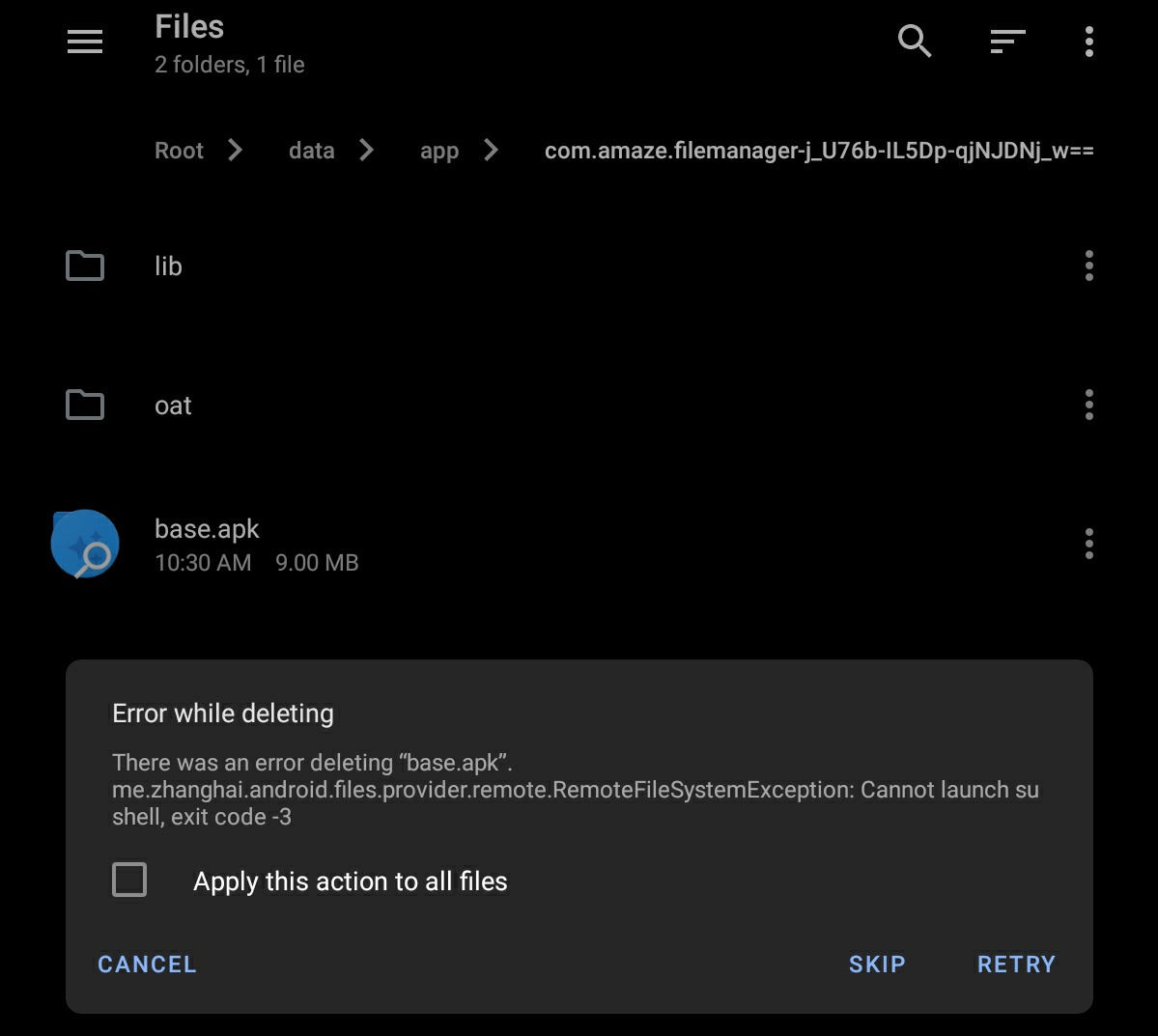
Its not just about installed/user apps, AppManager can open up that type of path for system apps as well. & MaterialFiles shows contents in that directory.
Ex of system apps:
1.System update
- System UI
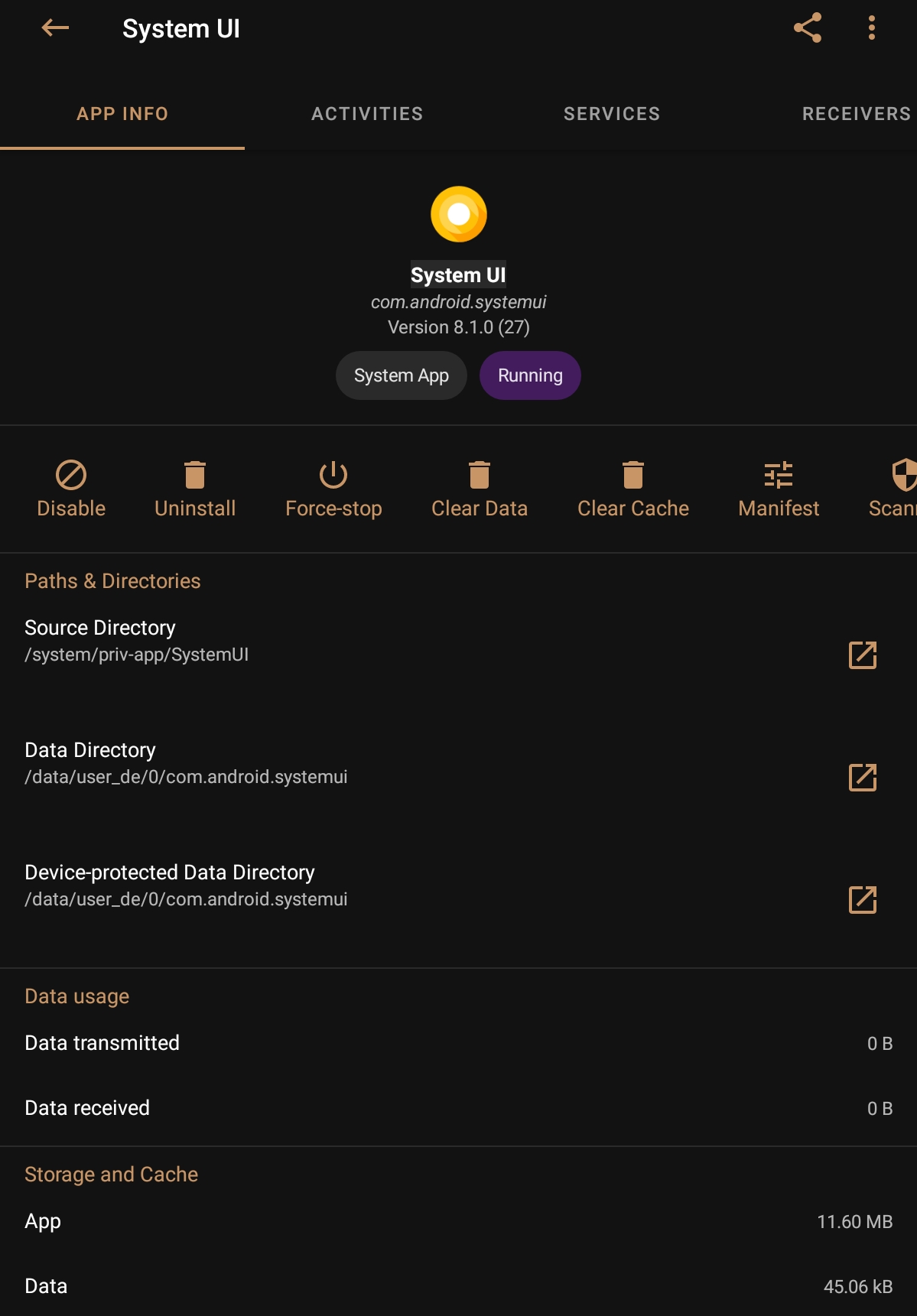
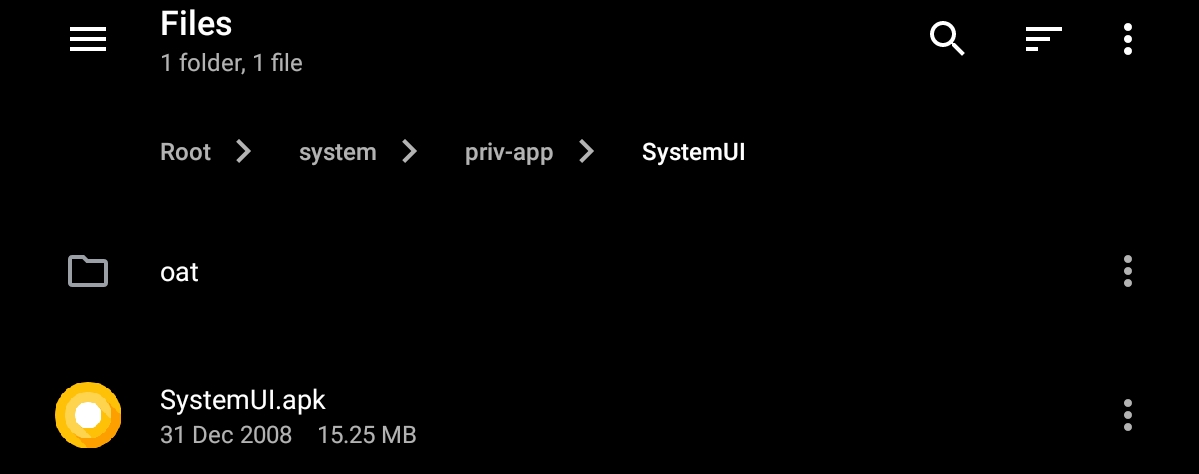
Similarly its possible to go playstore, playservice or any system app Source Directory, Data Directory, Device-protected Data Directory etc from AppManager app.
Another minor feature request👇🏿
When I click on any "Path & Directories" link from AppManager it shows MaterialFiles to open but not Amaze for some reason.🤷🏿♂️
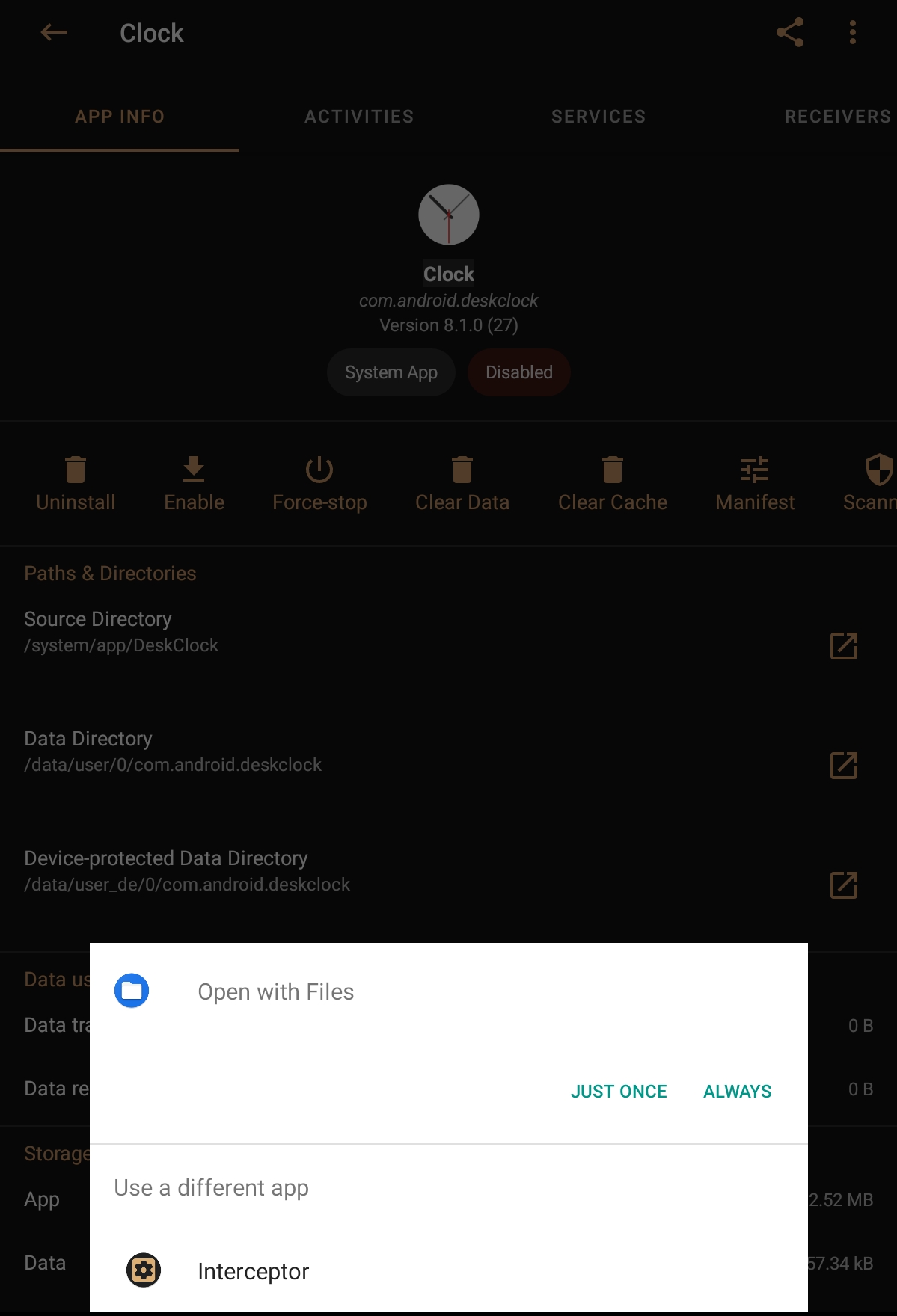
Describe the solution you'd like
Inshort 2 feature requests.
- Show option to open from Amaze app when click on any "Path & Directories" link from AppManager or any such type app.
- Show contents of "Data Directory" (just like MaterialFiles app) & if possible maybe other root directories as well
Thankyou🙏🏿
Contributor guide
First steps
- Read the whole issue, then the project's contributing guide.
- Comment on the issue to say you are picking it up — it saves two people doing the same work.
- Fork the repository and make your change on a branch.
- Open a pull request that references the issue number.
Research direction
Reproduce the behavior on Android 8.1 using AppManager and Amaze, then inspect how Amaze handles external path-opening requests and lists non-root-accessible directories. Done means Amaze is offered as an opener and displays directory contents where Android permits access without allowing unauthorized deletion.
Written by the indexing model from the issue text.
Assessment
- Tech stack
- android, kotlin
- Domain
- mobile
- Issue type
- Feature
- Difficulty
- 4/5
- Estimated time
- 3-5 days
- Activity status
- Stale
- Clarity
- Mostly clear
- Newbie friendliness
- 35/100