TASEmulators / TASEmulators/BizHawk
Genesis VDP viewer incorrectly captures background planes while in double resolution
Open
Nobody has claimed this yet.
App: EmuHawk
Core: Genplus-gx
Repro: Affects 2.6.2
- Dominant language
- C#
- Stars
- 2.8k
- Forks
- 468
- PR merge metrics
- No merged PRs in 30d
Description
Summary
VS mode forces interlace double resolution to be enabled, but VDP viewer captures it in an incorrect format, as if it was still normal resolution.
Repro
- Load Sonic 2 ROM
- Go to 2 PLAYER VS menu and select any zone
- Open VDP viewer
- You will see that all tiles are screwed up.
Output
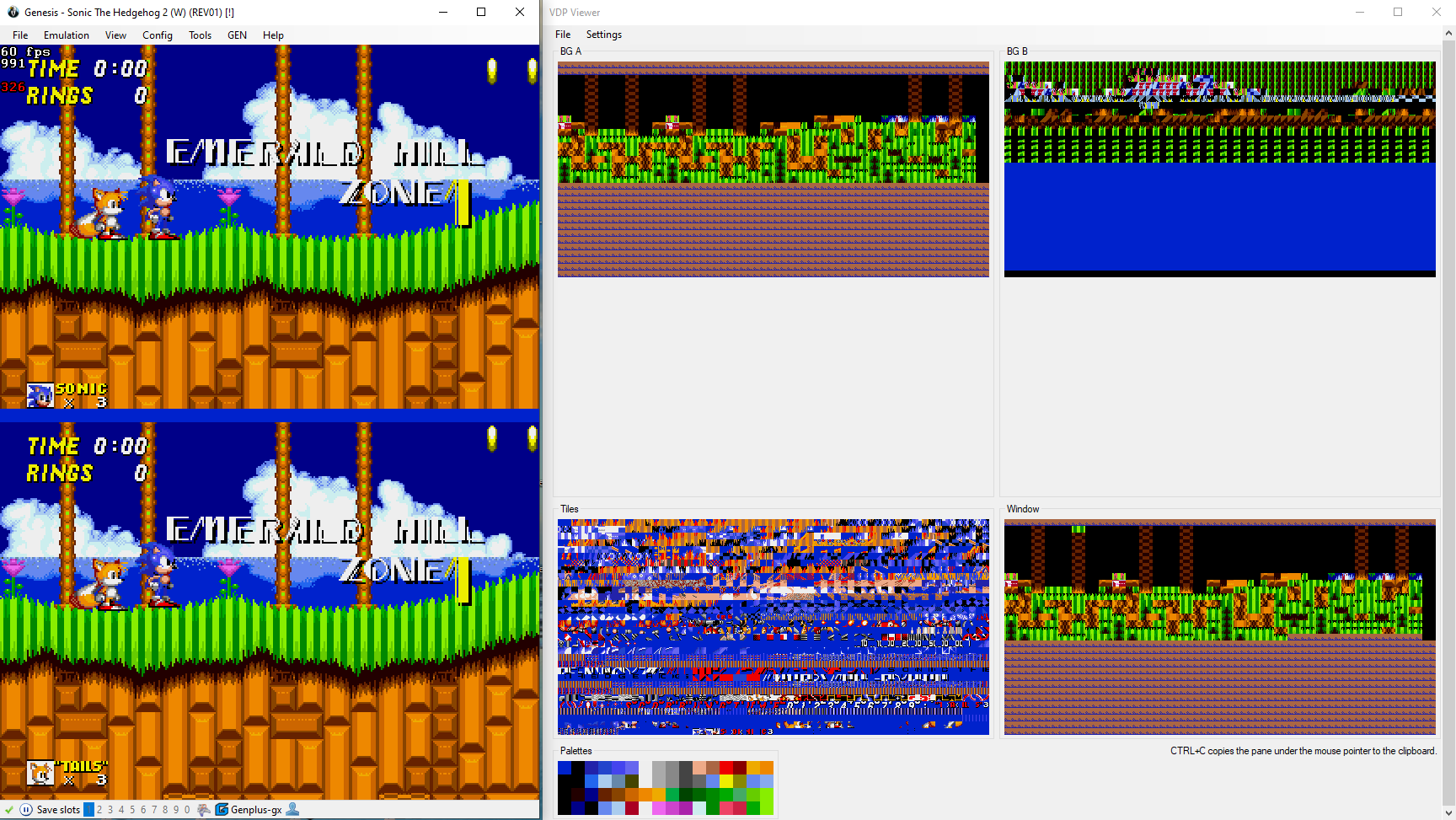
You need to click the image to view it properly.
Host env.
BizHawk 2.6.2 Win10 64bit
Contributor guide
First steps
- Read the whole issue, then the project's contributing guide.
- Comment on the issue to say you are picking it up — it saves two people doing the same work.
- Fork the repository and make your change on a branch.
- Open a pull request that references the issue number.
Research direction
Reproduce the issue in the VDP viewer by loading Sonic 2, entering the 2 PLAYER VS menu, selecting a zone, and opening the viewer. Start by tracing how VS mode enables interlace double resolution and how the VDP viewer captures background planes. Done means the tiles display correctly in double resolution.
Written by the indexing model from the issue text.
Assessment
- Tech stack
- csharp
- Domain
- computer-graphics
- Issue type
- Bug
- Difficulty
- 4/5
- Estimated time
- 3-5 days
- Activity status
- Stale
- Clarity
- Mostly clear
- Newbie friendliness
- 35/100