Paginate object not working properly when use with customer.orders in test mode
Nobody has claimed this yet.
- Dominant language
- Ruby
- Stars
- 11.9k
- Forks
- 1.5k
- Avg merge
- 17h 55m
- Merged PRs (30d)
- 3
Description
Current problem
https://shopify.dev/docs/themes/liquid/reference/objects/paginate#paginate-items
The paginate object total of items ({{ paginate.items }}) is not returning the real total of the object passed. The issue only happens when the object passed is customer.orders and the orders were submitted using the bogus payment method.
{% paginate customer.orders by 20 %}
Orders created by duplicating another order are counted
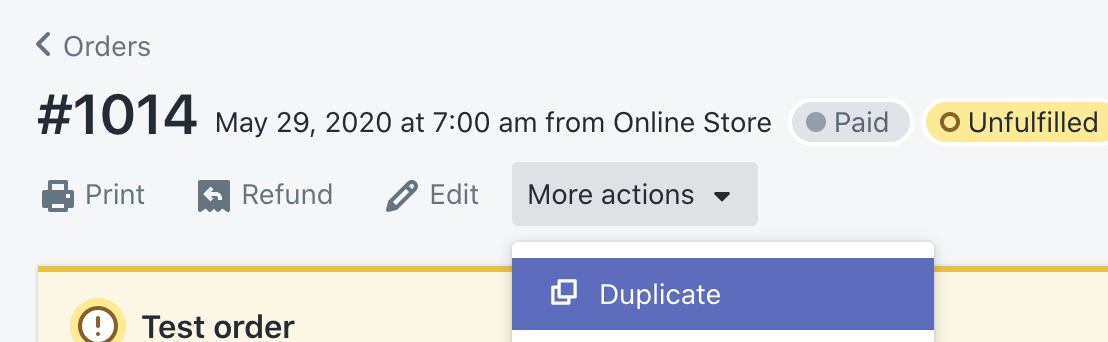
only if they are marked as paid or pending

Test example
The following test example was made using the default Debug theme that gets added when creating a new store.
The orders 1010, 1011, 1012, 1013 and 1014 were created in the frontend using the Bogus payment method to complete the transaction.
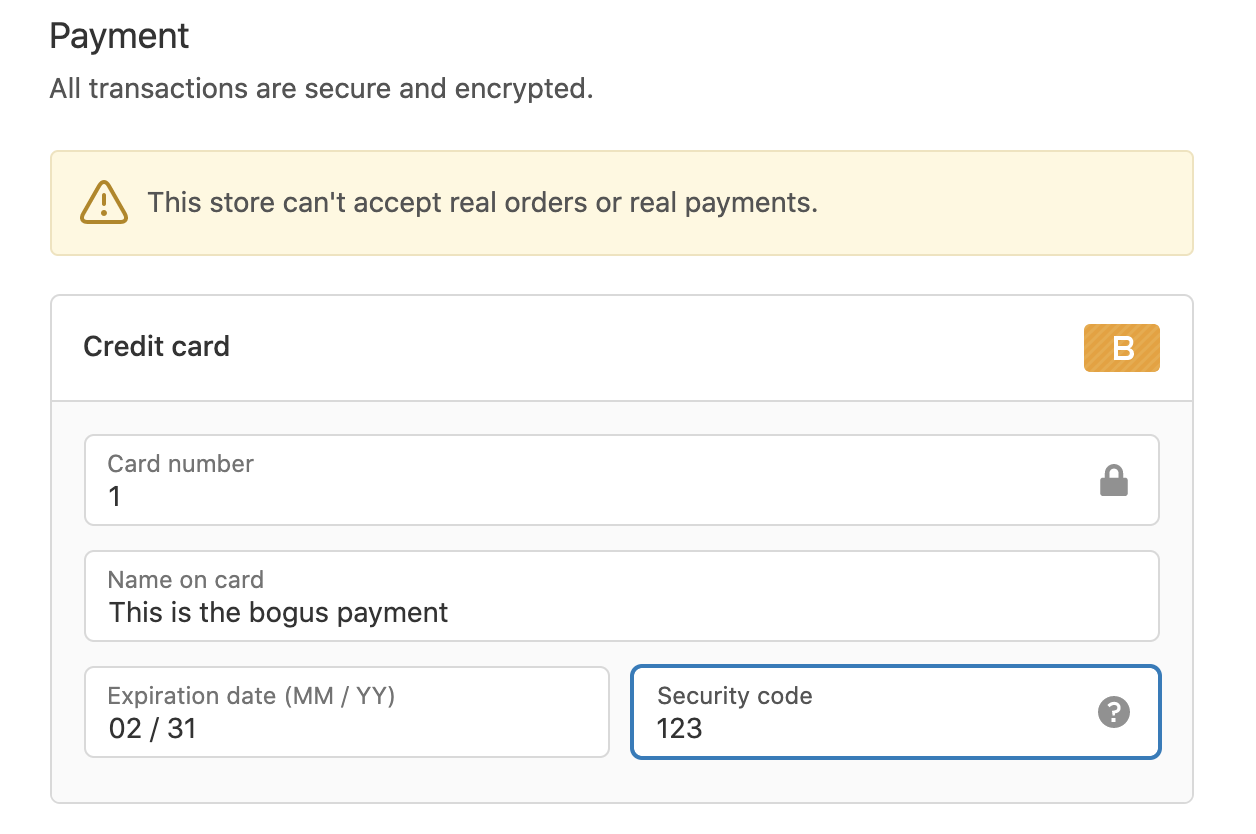
The order 1015 was created by duplicating the order 1014 and marking it as paid.
The next image is from the /account page, I've edited the liquid code and added some code to display the customer.orders.size value and the paginate.items value:
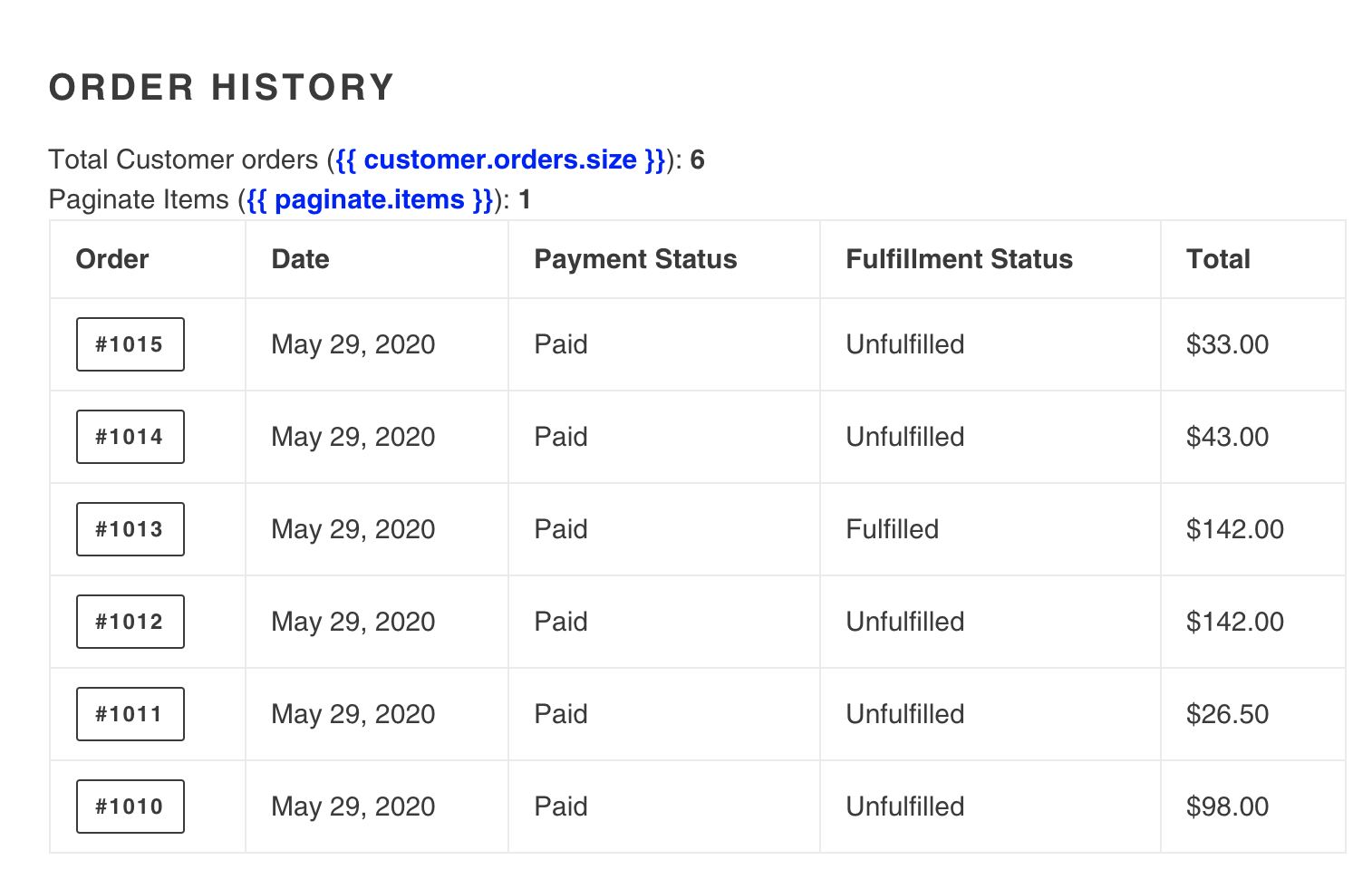
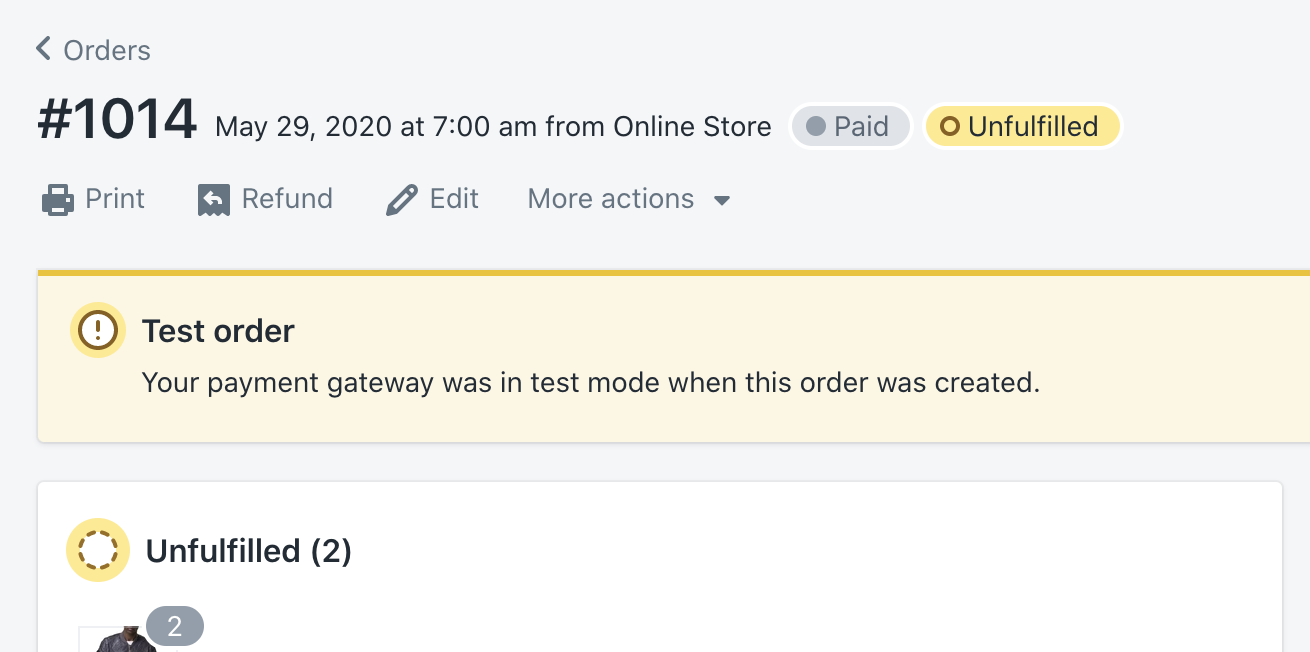
Note that the total orders here are 6 but paginate is only displaying 1 as total items. The 1 is related to the order 1015 that was the only that Shopify didn't mark as test order in the backend. The other orders, because they were made using the bogus payment method were marked as test orders:
Continuing, I added order 1016 by duplicating and order and marking it as paid in the backend. The order 1019 was also created by duplicating the order 1016 but using the Bogus payment method in the backend. The result, only the orders 1015 and 1016 are counted by the paginate object
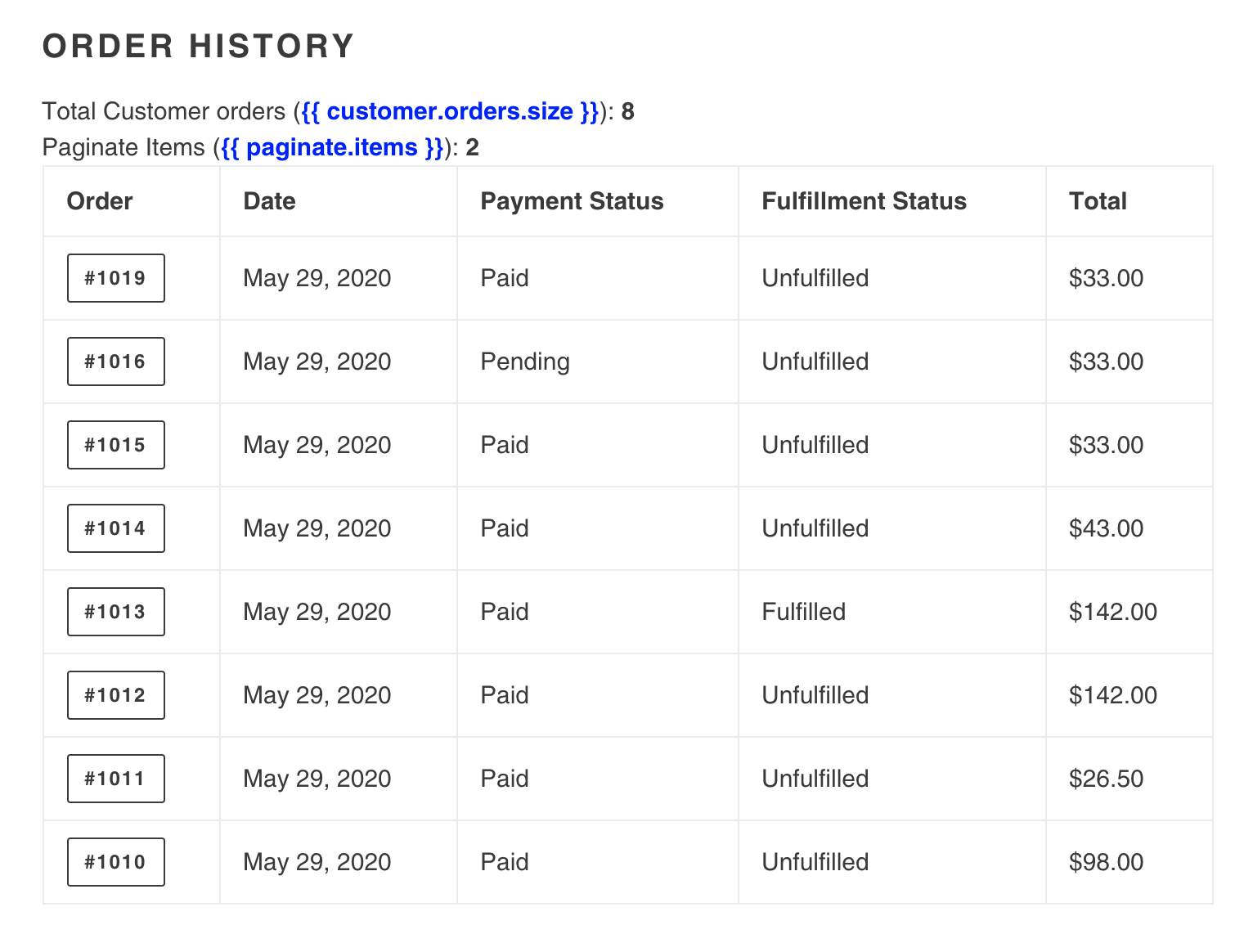
Editing the Debug theme files and modifying the paginate object code in customers/account.liquid line 11
From:
{% paginate customer.orders by 20 %}
to
{% paginate customer.orders by 2 %}
Checking the /account page, there are only 2 orders as that is what paginate detects. We know that they are 8 orders in total and we are expecting to see a pagination to see the rest:
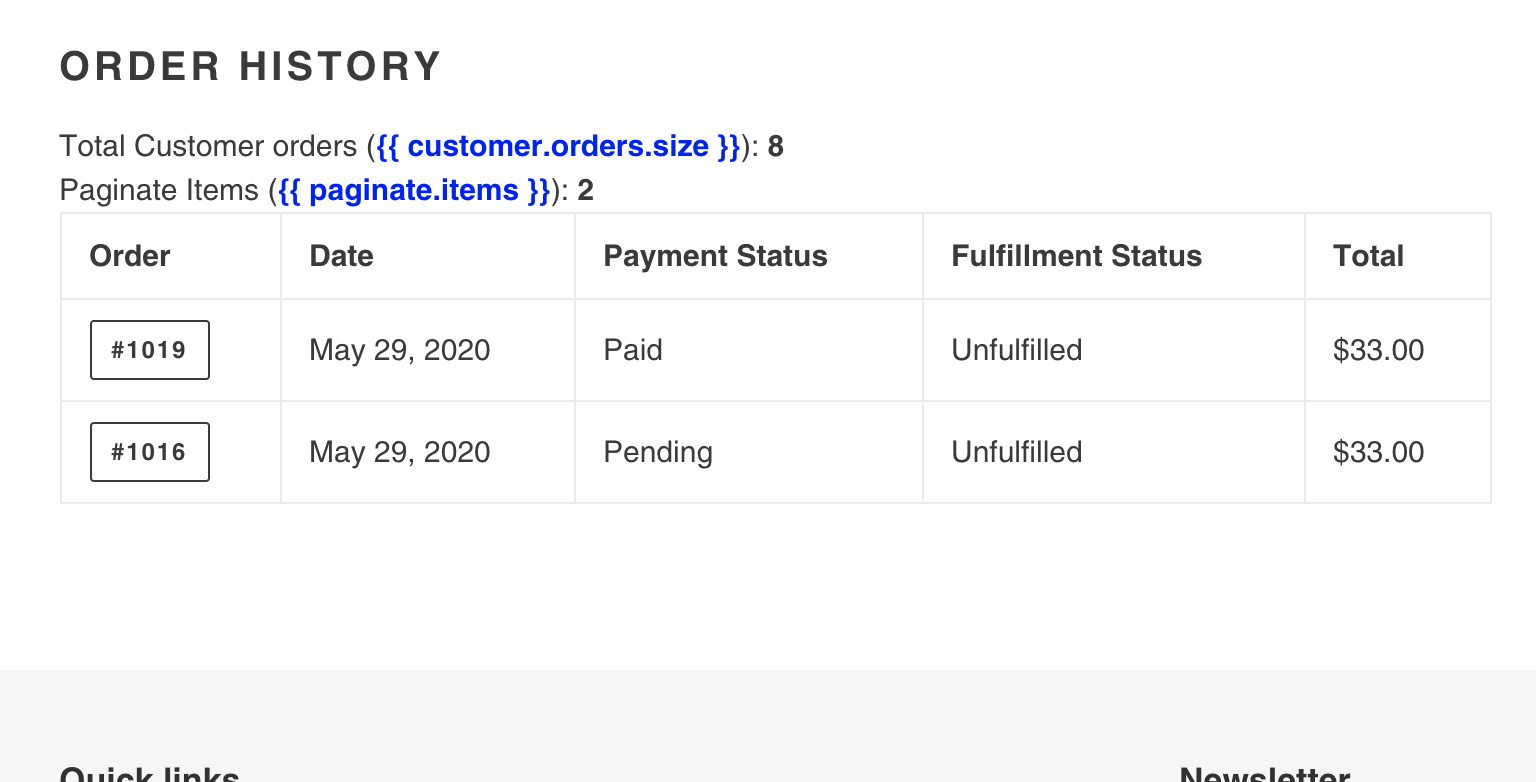
Updating the code again, and setting the paginate size to 1 order per page:
{% paginate customer.orders by 1 %}
We can now see the pagination appearing on the page, However we can only browse to page 2:
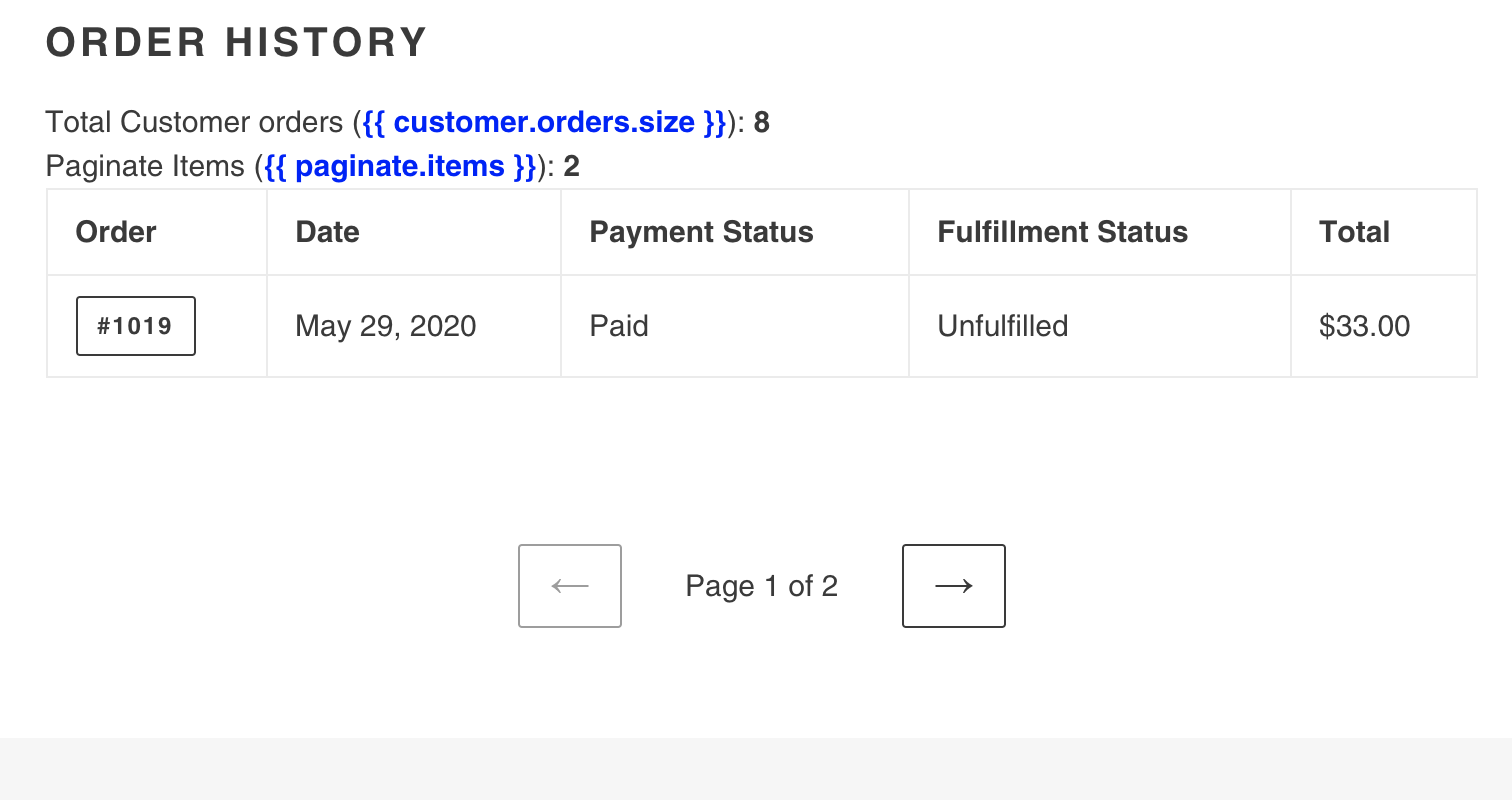
Now I've set the paginate page size to 5
{% paginate customer.orders by 5 %}
The result, we only see 5 orders displayed and no pagination shown:
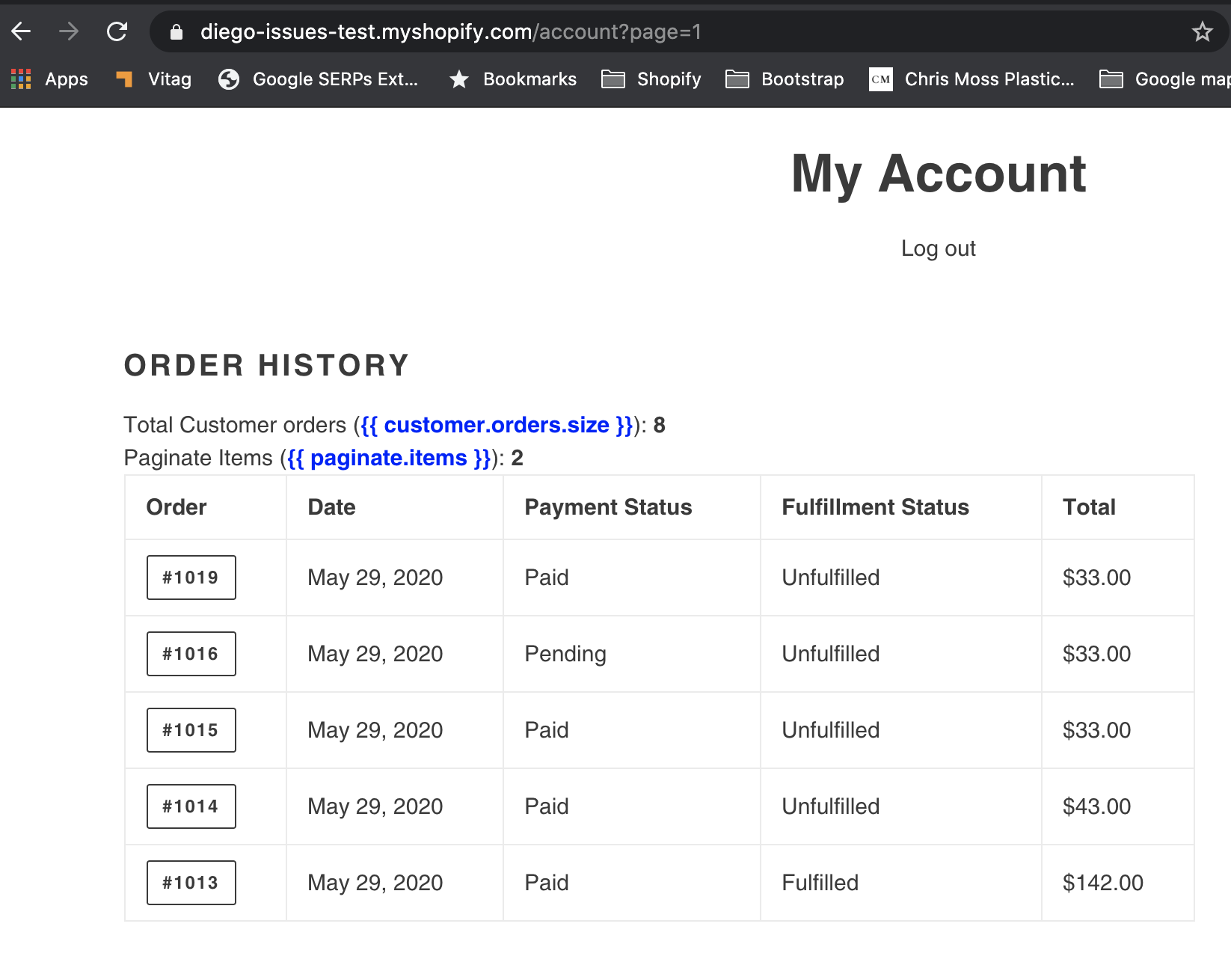
But we can manually change the url and set the page=2, then we see the missing orders:
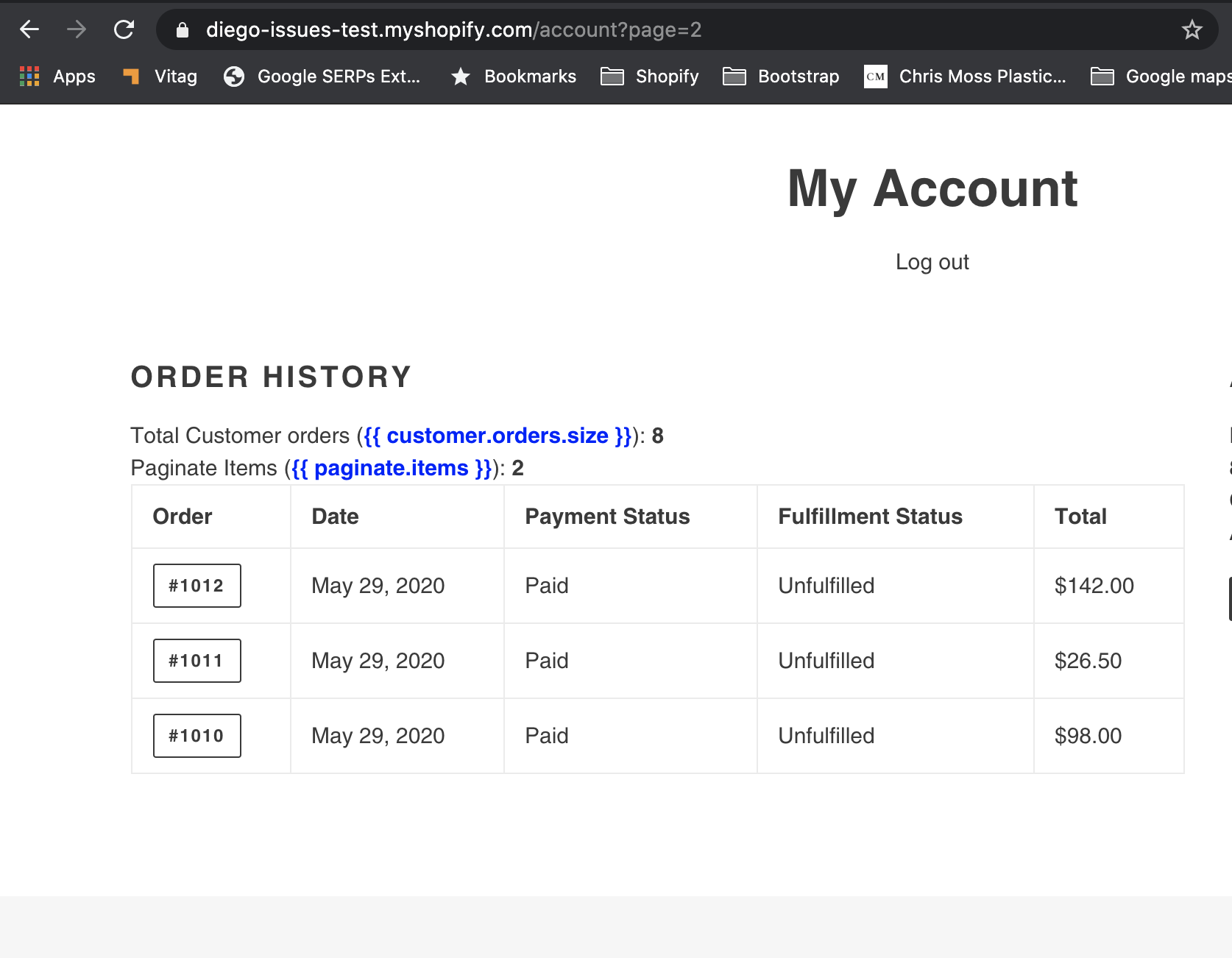
Expected behaviour
paginate.items should return the same number as the object passed as per documentation. There should not be any extra validation on type of payment.
In this particular case, the object passed is customer.orders and as per image 3, the object size is 6 and the expected value in paginate.items is 6 and not 2.
In case there is any reason to keep this behaviour, I would recommend an update to the documentation here:
https://shopify.dev/docs/themes/liquid/reference/objects/paginate#paginate-page_size
https://shopify.dev/docs/themes/liquid/reference/tags/theme-tags/#paginate
https://shopify.dev/docs/themes/files/customers-account-liquid
And include a note like these ones to alter other developers of this specific behaviour:

Steps to replicate
1- In any Shopify store, create a customer account.
2- Make some orders using the Bogus payment method. (Suggested 3 orders)
3- Create some from the backend by duplicating an existing order or creating one from draft and assign it to the same customer. (Suggested 3 orders).
4- Login as the customer and go to the /account link
5- Play with the paginate code, in any theme locate the customers/account.liquid file and edit the line that paginate the orders.
I hope this is the right place to report this issue, if no please help me out to get this to the right place.
Contributor guide
First steps
- Read the whole issue, then the project's contributing guide.
- Comment on the issue to say you are picking it up — it saves two people doing the same work.
- Fork the repository and make your change on a branch.
- Open a pull request that references the issue number.
Research direction
Start with customers/account.liquid in the default Debug theme and reproduce the issue using customer.orders with bogus-payment and duplicated orders. Compare customer.orders.size with paginate.items at page sizes 20, 2, 1, and 5, including manually selecting page 2. Done means the counts and pagination reflect all orders, or the referenced pagination documentation explains the behavior.
Written by the indexing model from the issue text.
Assessment
- Tech stack
- ruby
- Domain
- backend
- Issue type
- Bug
- Difficulty
- 4/5
- Estimated time
- 3-5 days
- Activity status
- Stale
- Clarity
- Mostly clear
- Newbie friendliness
- 35/100