SSWConsulting / SSWConsulting/SSW.Website
✨ Consulting CTA - Improve discoverability and contact conversion on Consulting Services landing page
@Calinator444 is already working on this.
Since May 7, 2026.
- Dominant language
- HTML
- Stars
- 14
- Forks
- 10
- Avg merge
- 13h 51m
- Merged PRs (30d)
- 38
Description
Requested by: @Calinator444 via YakShaver.ai 🦬
cc: @Calinator444, @designbyalex, @brookjeynes-ssw, @babakamyljanovssw
Hi Team!
🟥 Watch the video (1 min 58 sec)
Url from screen share: https://ssw.com.au/consulting
Pain
Improvements are required on the Consulting Services landing page to address usability and conversion feedback from Impeccable Critique. Users should be able to quickly find relevant services via a search bar and more easily contact an SSW expert. Add a prominent "Talk to an Expert" call-to-action to increase click-through conversions, ideally linking to a relevant named consultant (optionally based on selected filters). Before implementation, confirm alignment with Alex, who may already be redesigning these pages.
Acceptance Criteria
- A search bar is added to the top of the Consulting Services landing page to allow users to quickly find services without relying solely on filters.
- A prominent "Talk to an Expert" call-to-action block is visible on the Consulting Services landing page.
- The "Talk to an Expert" CTA links to a contact flow with an SSW account manager or consultant.
- If feasible, the CTA links to a named consultant relevant to the user’s selected filters or context.
- The changes are consistent with SSW Website (Dev - Next.js) design standards and do not negatively impact page performance.
- Implementation is confirmed to not conflict with any ongoing or planned redesign work by Alex.
Screenshot
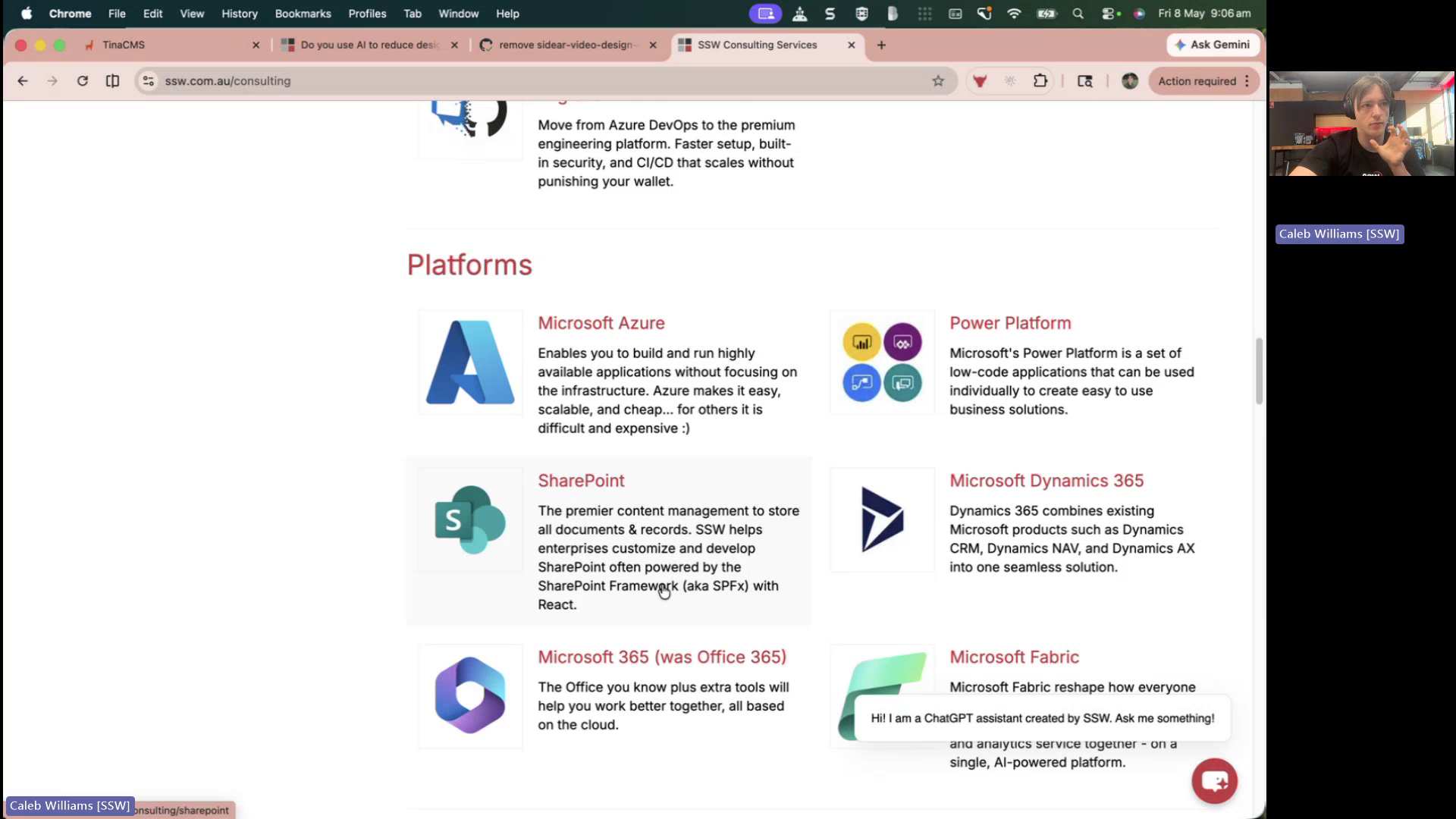
Figure: Consulting services page lacks clear ‘Talk to an Expert’ call to action
Contributor guide
No contributing guide indexed for this repository
First steps
- Read the whole issue, then the project's contributing guide.
- Comment on the issue to say you are picking it up — it saves two people doing the same work.
- Fork the repository and make your change on a branch.
- Open a pull request that references the issue number.
Assessment
This issue has not been assessed yet.