SSWConsulting / SSWConsulting/SSW.Website
✨ Registration URL Hint - Show contextual hint and live URL preview for event registration link
@0xharkirat is already working on this.
Since May 5, 2026.
- Dominant language
- HTML
- Stars
- 14
- Forks
- 10
- Avg merge
- 13h 51m
- Merged PRs (30d)
- 38
Description
Requested by: @PennyWalker via YakShaver.ai 🦬
cc: @0xharkirat, @PennyWalker, @wicksipedia, @adamcogan, @brookjeynes-ssw, @babakamyljanovssw
Hi Team!
🟥 Watch the video (2 min 14 sec)
Url from screen share: https://ssw.com.au/admin/index.html#/collections/edit/eventsCalendar/2026/May-User-Group---Talk-TBA
Pain
On the Tina Events page in the ⭐ SSW Website (Dev - Next.js), content editors are confused about what value to enter into the new Registration Link field. Add a contextual hint below the text field that explains the expected input with a simple example, and dynamically renders the resulting event URL. When the field is empty, the hint should show the default generated URL; as the user types, the hint should update in real time to reflect the overridden URL.
Acceptance Criteria
- A hint is displayed underneath the Registration Link text field on the Tina Events page.
- The hint is visible on initial page load before any input is entered.
- When the Registration Link field is empty, the hint shows the default generated event URL.
- As the user types into the Registration Link field, the hint dynamically updates to display the resulting URL.
- The hint includes a simple example (e.g. "Sydney-May") to guide users on the expected format.
- The hint text clearly indicates that only a short, simple value is required (not a full URL).
- The change does not affect existing events that already have a registration link configured.
Screenshot
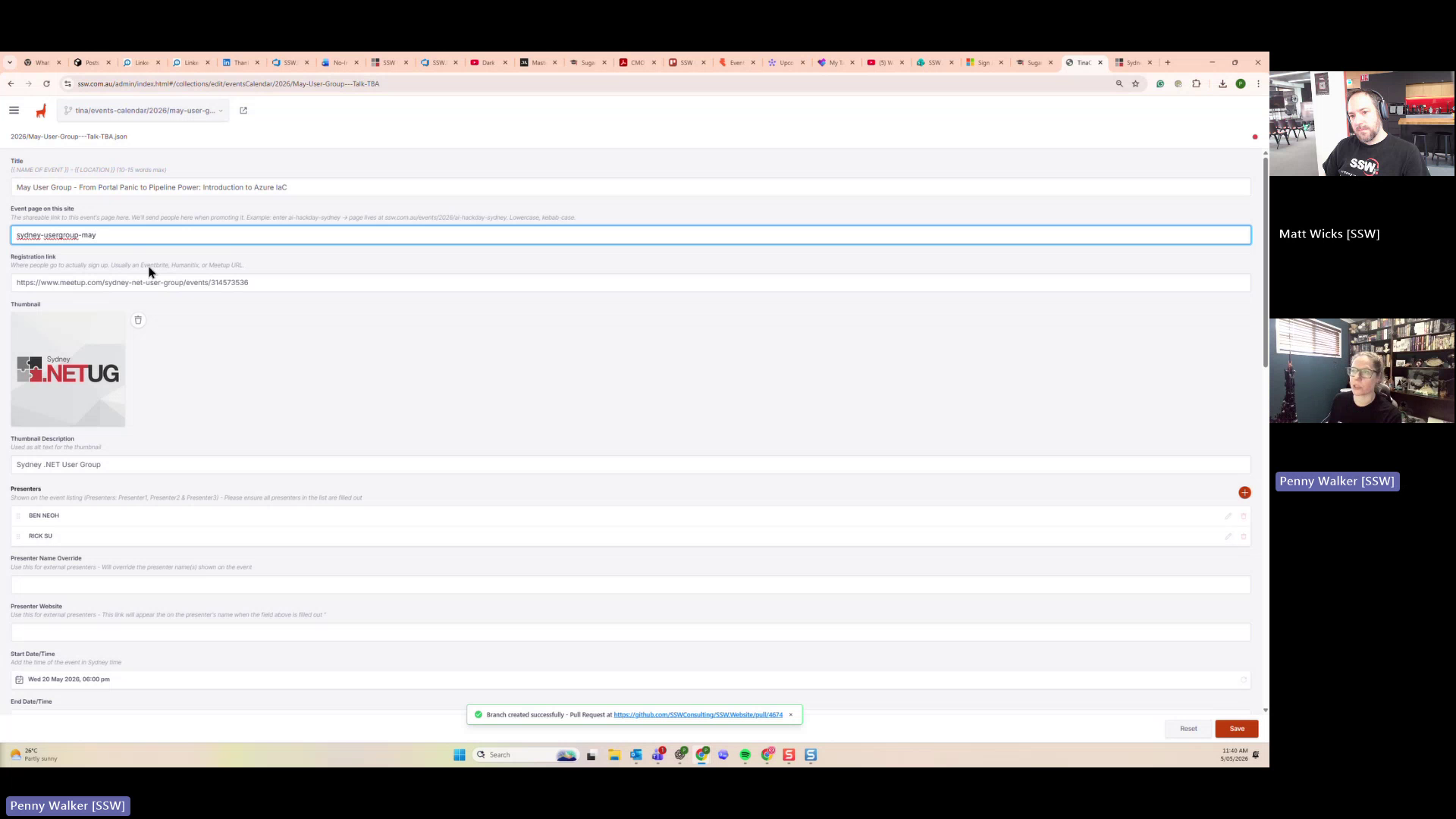
Figure: Missing example hint for event registration link input
Contributor guide
No contributing guide indexed for this repository
First steps
- Read the whole issue, then the project's contributing guide.
- Comment on the issue to say you are picking it up — it saves two people doing the same work.
- Fork the repository and make your change on a branch.
- Open a pull request that references the issue number.
Assessment
This issue has not been assessed yet.