SSWConsulting / SSWConsulting/SSW.Website
🐛 Bug - Uppercase URL paths fail to load due to forced lowercasing
Nobody has claimed this yet.
- Dominant language
- HTML
- Stars
- 14
- Forks
- 10
- Avg merge
- 13h 51m
- Merged PRs (30d)
- 38
Description
Requested by: @amankumarrr via YakShaver.ai 🦬
cc: @amankumarrr, @Calinator444, @brookjeynes-ssw, @adamcogan, @babakamyljanovssw
Hi Team!
🟥 Watch the video (1 min 33 sec)
Url from screen share: https://app-sswwebsite-9eb3-staging.azurewebsites.net/consulting/AI-Powered-Phone-system
Pain
On the ⭐ SSW Website (Dev - Next.js), pages fail to render when a user navigates to a URL containing uppercase characters in the path. This is caused by a Cloudflare transformation rule that forces all URI paths to lowercase. Since Next.js routing is now case-sensitive, lowercasing the path results in routes not being found. The Cloudflare rule should be disabled or updated, or an alternative fix implemented, to ensure uppercase and lowercase URLs resolve correctly.
Acceptance Criteria
- Pages load correctly when accessed using uppercase, lowercase, or mixed-case URL paths.
- Cloudflare no longer forces all URI paths to lowercase, or an equivalent fix is implemented.
- Next.js routing behaves consistently with the deployed Cloudflare configuration.
- No regression is introduced for existing lowercase URLs or static assets.
- The fix is verified on the SSW Website (Dev - Next.js) environment.
Reproduce Steps
- Navigate to the SSW website using a URL with an uppercase character in the path (e.g. https://www.ssw.com.au/Consulting).
- Observe that the page does not load or shows no content.
- Change the same URL path to all lowercase (e.g. https://www.ssw.com.au/consulting).
- Observe that the page loads correctly.
Screenshot
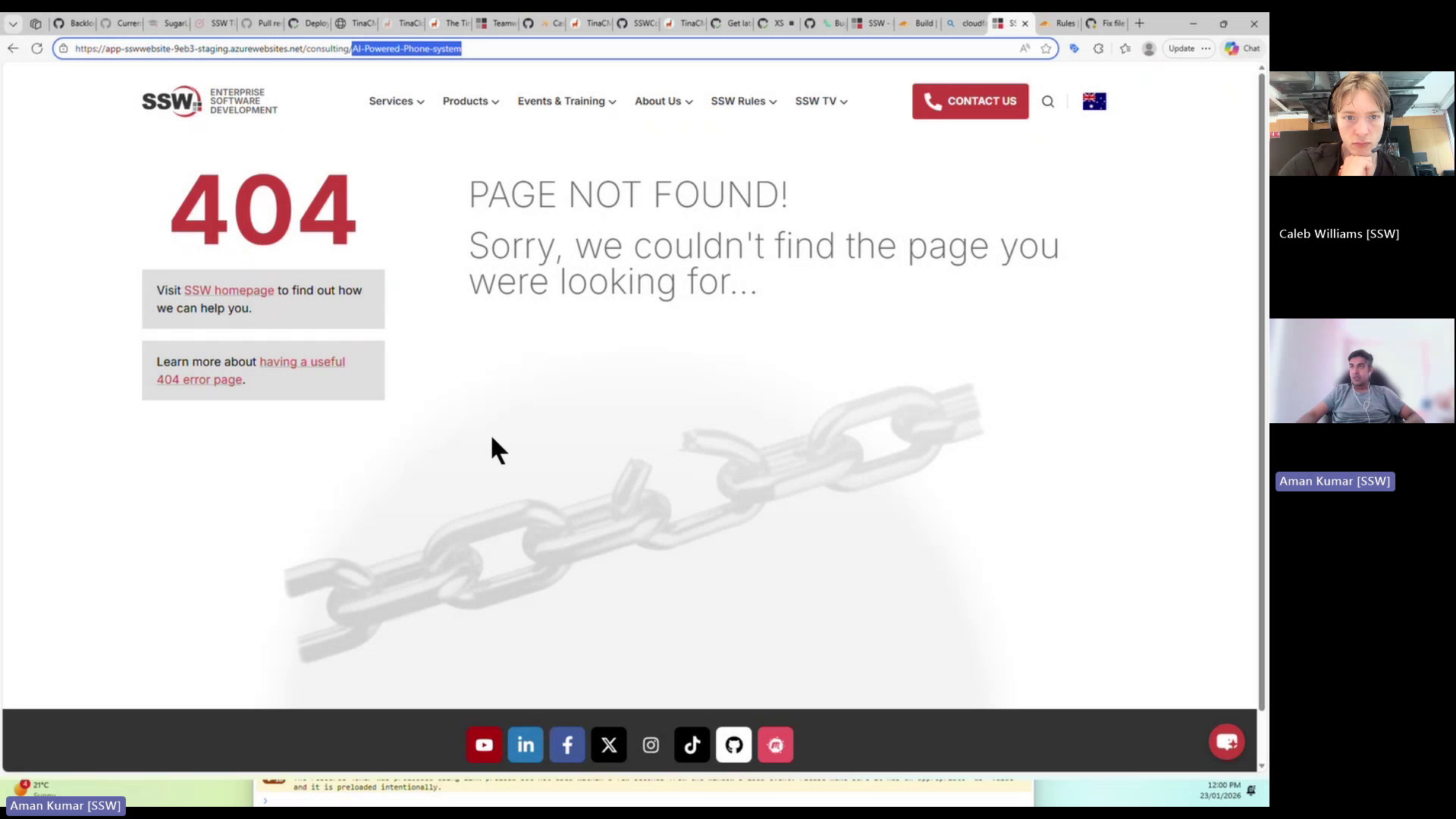
Figure: Uppercase URL paths render blank due to forced lowercasing
Contributor guide
No contributing guide indexed for this repository
First steps
- Read the whole issue, then the project's contributing guide.
- Comment on the issue to say you are picking it up — it saves two people doing the same work.
- Fork the repository and make your change on a branch.
- Open a pull request that references the issue number.
Research direction
No repository files are named; start by checking the Cloudflare transformation rule and the deployed Next.js routing configuration for the SSW Website Dev environment. Reproduce the issue with uppercase, lowercase, and mixed-case paths, then verify that all resolve correctly without regressing lowercase URLs or static assets.
Written by the indexing model from the issue text.
Assessment
- Tech stack
- nextjs
- Domain
- devops, web-dev
- Issue type
- Bug
- Difficulty
- 4/5
- Estimated time
- 3-5 days
- Activity status
- Stale
- Clarity
- Mostly clear
- Newbie friendliness
- 45/100