SSWConsulting / SSWConsulting/SSW.Tiger
✨ Team-Specific Context - Allow per-team contextual profiles to improve sprint review analysis accuracy
Nobody has claimed this yet.
- Dominant language
- JavaScript
- Stars
- 1
- Forks
- 1
- Avg merge
- 2d 12h
- Merged PRs (30d)
- 2
Description
Requested by: @suiyangqiu via YakShaver.ai 🦬
cc: @SamBWagner, @bradystroud, @suiyangqiu, @yaqi-lyu, @calumjs, @joshbermanssw
Hi Team!
🟥 Watch the video (2 min 24 sec)
Url from screen share: https://dashboards.sswtiiger.com/general/2026-04-16-101031
Pain
SSW.Tiger currently performs sprint review and risk analysis without sufficient understanding of the specific project context, which can result in misleading or low-value insights (e.g., calling out issues that are expected or intentionally discovered through Bench Masters reviews). Introduce a per-project context profile that allows teams to define background information, constraints, goals, and known realities of a project. This context should be automatically provided to the SSW.Tiger agent whenever it performs sprint review, risk radar, or similar analyses, enabling more accurate and relevant insights.
Acceptance Criteria
- Users can create and edit a context profile for each project in SSW.Tiger
- A project context profile supports free-text context such as project goals, team structure, known risks, and operating assumptions
- The defined project context is automatically included in all sprint review, risk radar, and analysis prompts for that project
- SSW.Tiger analysis output reflects awareness of the provided project context
- Project context profiles are persisted and reused across multiple analyses
- If no project context is defined, SSW.Tiger continues to function with existing default behavior
Screenshot
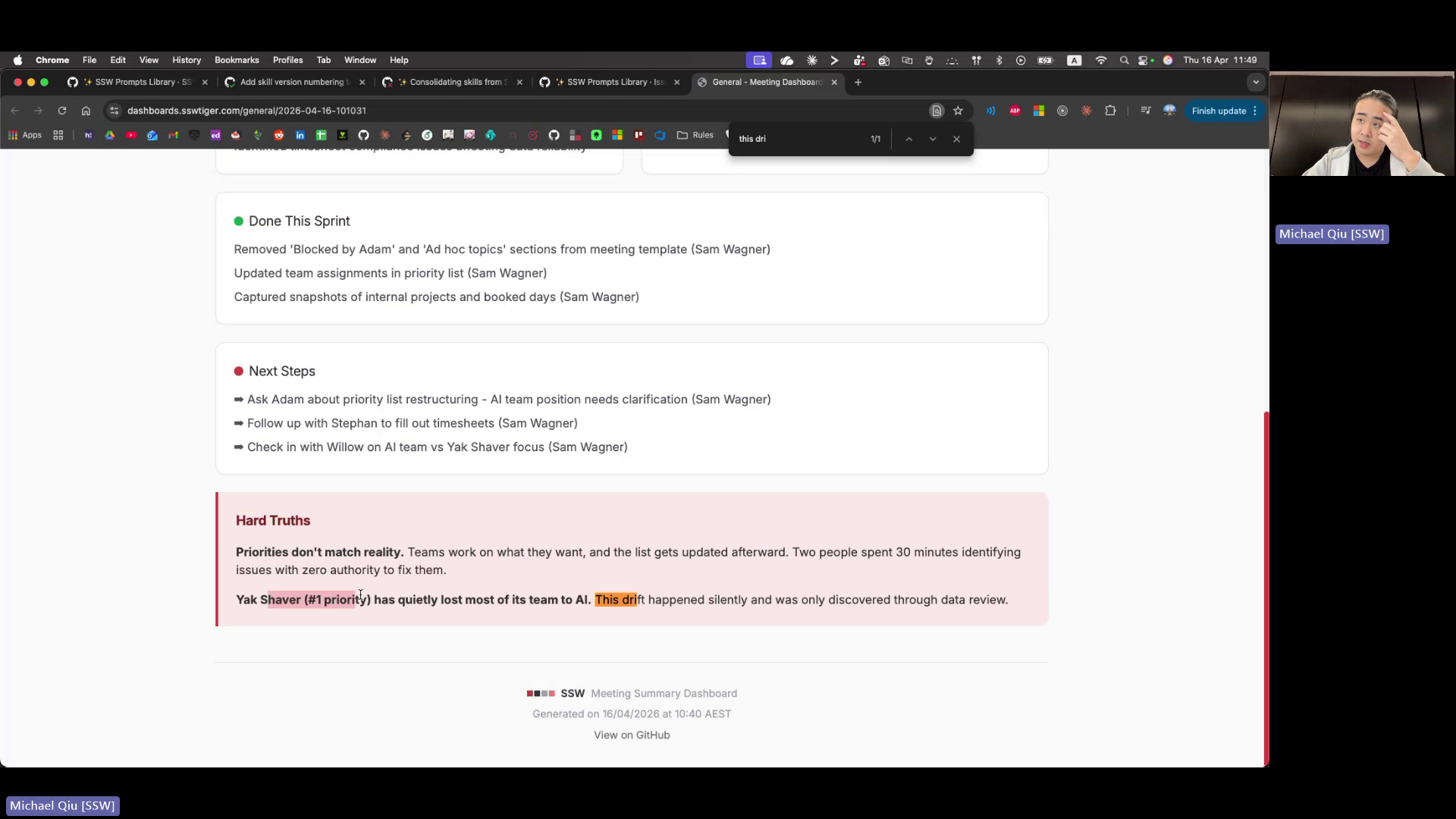
Figure: Risk radar flags 'silent drift' without project context
Contributor guide
No contributing guide indexed for this repository
First steps
- Read the whole issue, then the project's contributing guide.
- Comment on the issue to say you are picking it up — it saves two people doing the same work.
- Fork the repository and make your change on a branch.
- Open a pull request that references the issue number.
Research direction
Start by tracing where project settings are created and persisted, then locate the sprint review, risk radar, and other analysis prompt entry points. Define how a free-text project context is edited, reused across analyses, and omitted when unset; done means all listed analyses reflect saved context while preserving existing behavior without it.
Written by the indexing model from the issue text.
Assessment
- Tech stack
- javascript
- Domain
- ai
- Issue type
- Feature
- Difficulty
- 5/5
- Estimated time
- Over a week
- Activity status
- Quiet
- Clarity
- Mostly clear
- Newbie friendliness
- 42/100