SSWConsulting / SSWConsulting/SSW.Tiger
🧠 Tiger Portal - Building a Tiger Portal
@suiyangqiu is already working on this.
Since May 18, 2026.
- Dominant language
- JavaScript
- Stars
- 1
- Forks
- 1
- Avg merge
- 2d 12h
- Merged PRs (30d)
- 2
Description
Cc: @suiyangqiu @calumjs @joshbermanssw @yaqi-lyu
Hi Tiger team
Pain
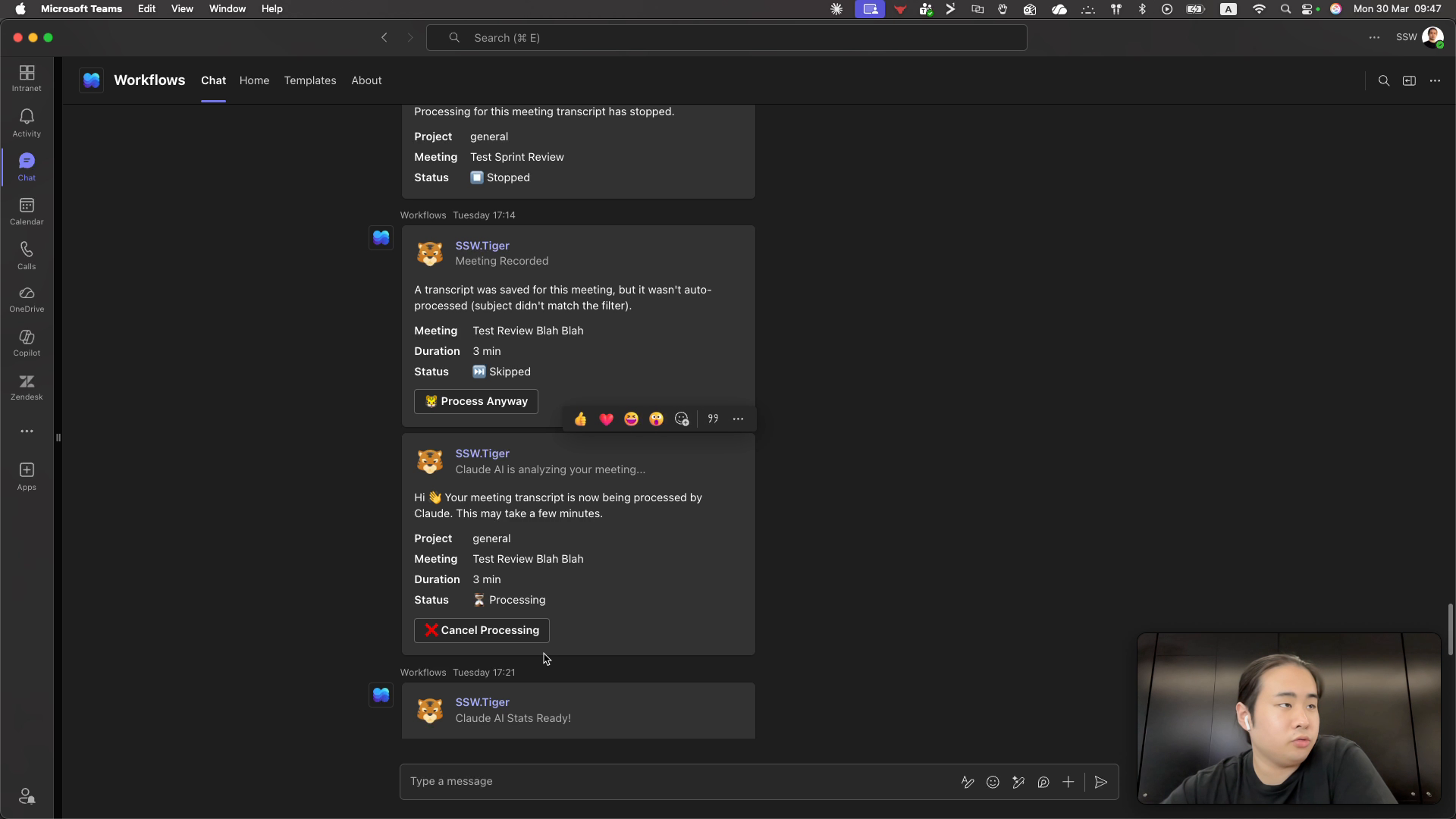
When Tiger processes a dashboard, it sends participants messages, but there is no consolidated place to view a historical list of generated dashboards. The only way to find past dashboards is to dig through message history, which is slow and makes it hard to compare results over time (e.g., today vs 3 months ago).
Suggested Solution
Create a Tiger Portal and add a “Dashboard History” area in the Tiger portal that lists all dashboards generated for the user (or organization) and allows opening past dashboards so results can be compared over time.
Regarding the Tiger Portal, once users log into the portal, they should be able to see which meetings just got their dashboards sent in for processing, which meetings just completed, etc.
- These teams should be something that people can follow, and should include the relevant YouTube url or Teams link where relvant (for public and private sprint summaries respectively)
Acceptance Criteria
Acceptance Criteria defines the requirements that must be met for the story to be completed. This is WHAT must be done.
See https://www.ssw.com.au/rules/acceptance-criteria.
- A Tiger portal page exists that lists previously generated dashboards for the signed-in user (or their org) with generated date/time and identifying details (e.g., dashboard name/client/repo).
- A user can open a selected historical dashboard from the list.
- The list supports basic filtering and sorting by generated date.
- Access is restricted so users only see dashboards they are authorized to view.
Tasks
Tasks help developers to track small bits of work needed to meet the ACs. This is HOW the work will be done.
- [ ] Identify the data source(s) for generated dashboards and the fields required for history.
- [ ] Define the authorization rules for which users can view which dashboard history items.
- [ ] Add backend API endpoint to return paged dashboard history for the current user.
- [ ] Persist dashboard generation metadata required for history (if not already stored).
- [ ] Add Tiger portal UI page for “Dashboard History”.
- [ ] Add filtering by date range.
- [ ] Add sorting by generated date.
- [ ] Add UI action to open a selected historical dashboard.
- [ ] Add tests for dashboard history authorization.
- [ ] Add tests for dashboard history API.
More Information
Requested capability: compare dashboard results over time (e.g., today vs 3 months ago) without relying on message history.
Screenshots
Thanks!
Contributor guide
No contributing guide indexed for this repository
First steps
- Read the whole issue, then the project's contributing guide.
- Comment on the issue to say you are picking it up — it saves two people doing the same work.
- Fork the repository and make your change on a branch.
- Open a pull request that references the issue number.
Assessment
This issue has not been assessed yet.