SSWConsulting / SSWConsulting/SSW.Rules
🐛 Netlify CMS - API Error saving changes
@JackDevAU is already working on this.
Since Jan 6, 2022.
- Dominant language
- TypeScript
- Stars
- 26
- Forks
- 17
- Avg merge
- 14h 39m
- Merged PRs (30d)
- 2
Description
Cc: @adamcogan @brydeno @camillars @JackDevAU @pierssinclairssw @UlyssesMaclaren @tiagov8 @tkapa @chrisschultzssw
Hi Team,
Describe the Bug
Some users are getting an error when they try to save some changes on Netlify CMS. This issue could effect all users and should be considered a priority.
To Reproduce
The steps to reproduce are still under investigation. We believe it could be related to forks being outdated.
Expected Behavior
The rule changes should save without errors.
Tasks
- Investigate how to reproduce the issues
- Fix
- Create an issue on the Netlify CMS repo if the issue could occur for other Netfily CMS users
More Information
After a quick investigation with @JackDevAU, we found that the error is thrown when Netlify CMS tries to make this request.
https://api.github.com/repos/SSWConsulting/SSW.Rules.Content/compare/main...JackDevAU:cms/JackDevAU/SSW.Rules.Content/rule/appointments-do-you-show-all-the-necessary-information-in-the-subject/rule
The JackDevAU:cms/JackDevAU/SSW.Rules.Content/rule/appointments-do-you-show-all-the-necessary-information-in-the-subject/rule branch did not exist, which is why the request failed.
After updating @JackDevAU fork, the problem stopped happening - it is not clear why.
To fix the issue, it needs to be investigated why the branch wasn't created.
Could be related to https://github.com/netlify/netlify-cms/issues/2827
Screenshots
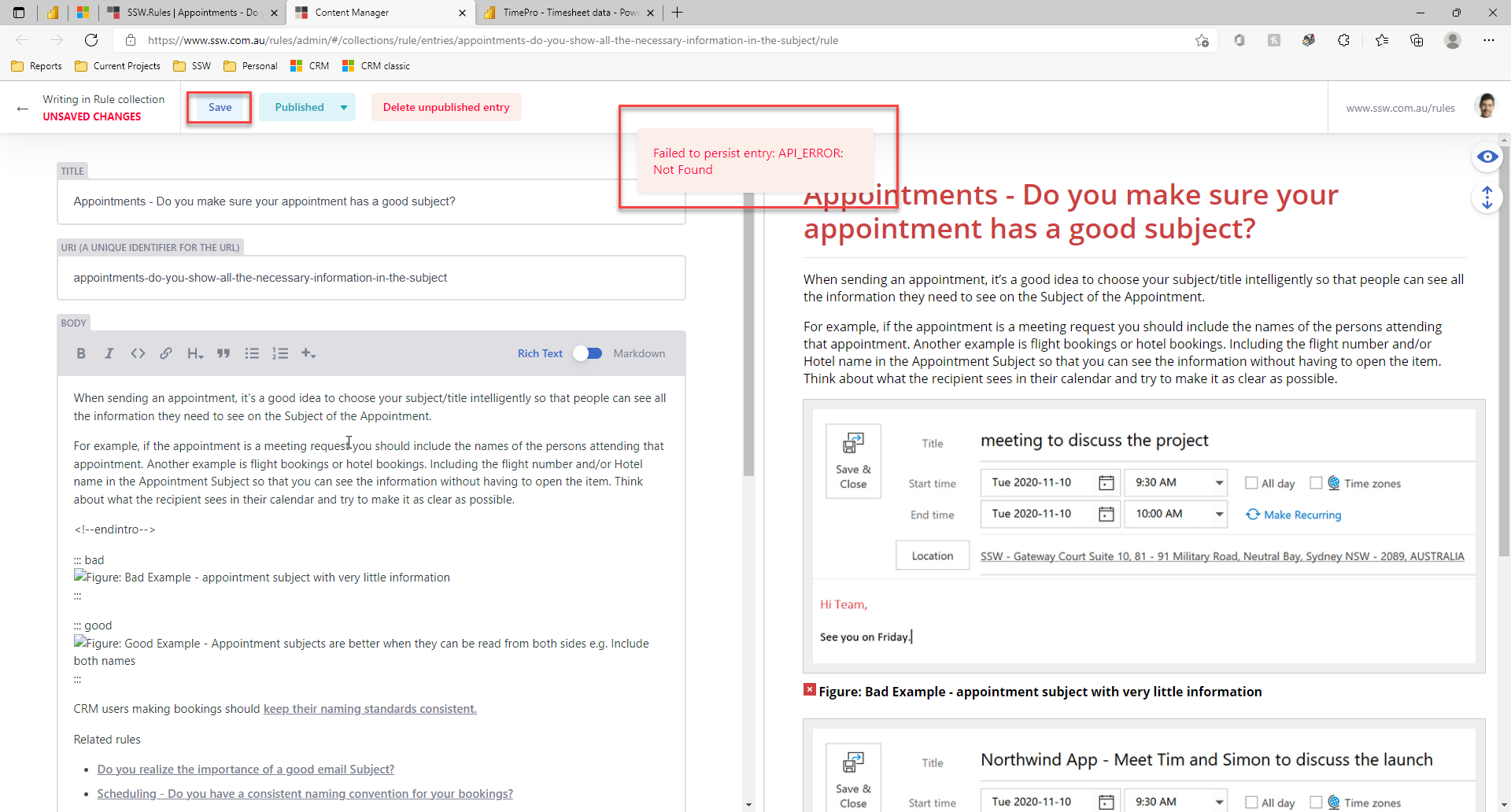
Figure: Error when trying to save rules
Thanks!
Contributor guide
No contributing guide indexed for this repository
First steps
- Read the whole issue, then the project's contributing guide.
- Comment on the issue to say you are picking it up — it saves two people doing the same work.
- Fork the repository and make your change on a branch.
- Open a pull request that references the issue number.
Assessment
This issue has not been assessed yet.