SSWConsulting / SSWConsulting/SSW.Rules
♻️ SSW.Rules.Widget - Make the widget fail gracefully
Open
Nobody has claimed this yet.
- Dominant language
- TypeScript
- Stars
- 26
- Forks
- 17
- Avg merge
- 14h 39m
- Merged PRs (30d)
- 2
Description
Cc: @pierssinclairssw, @christianmorfordwaitessw, @tkapa
Hi @theixdev
Pain
Currently there is no visual cue if the Widget encounters an error.
What code could be improved?
- Add a visual cue to tell the user if there is an issue with the Widget . i.e. "{error}: Service Unavailable"
Tasks
- Investigate how we are handling errors
- Add feedback to the user when an error has been hit
More Information
- Check out GitHub's rate limiting docs here
Screenshots
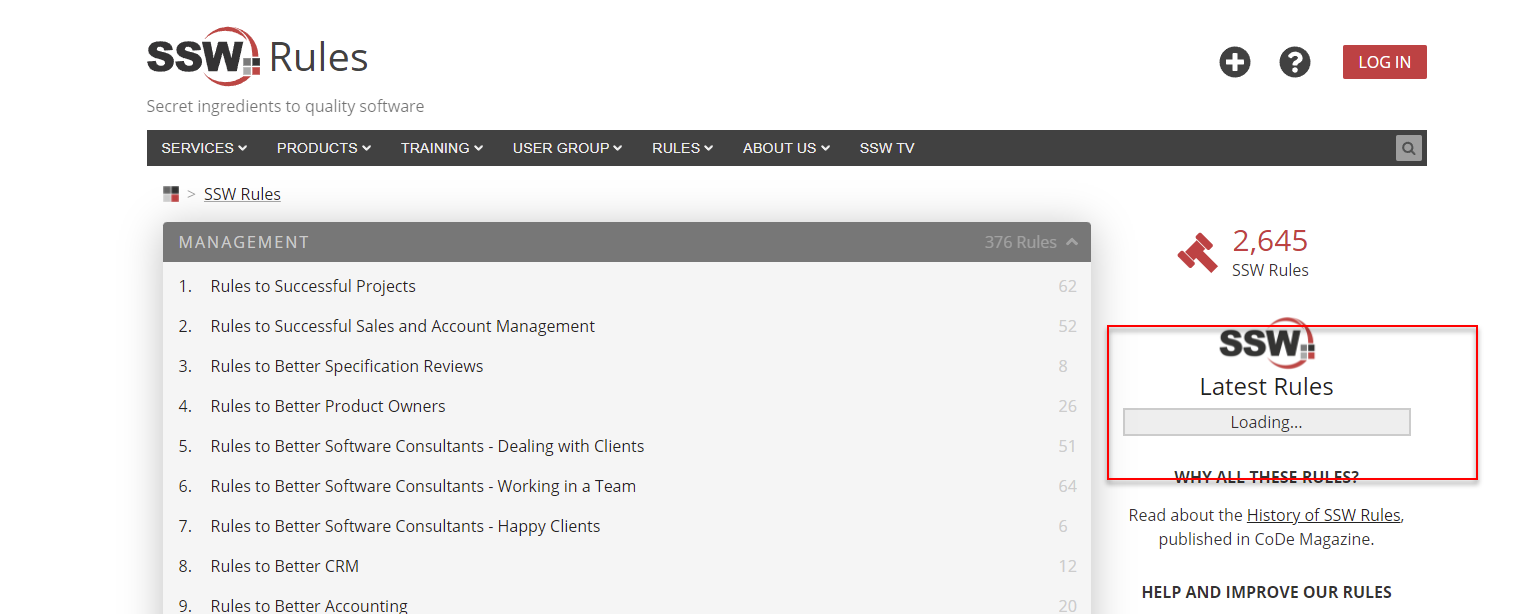
Figure: constantly loading when hitting the Rate limit
Thanks!
Contributor guide
No contributing guide indexed for this repository
First steps
- Read the whole issue, then the project's contributing guide.
- Comment on the issue to say you are picking it up — it saves two people doing the same work.
- Fork the repository and make your change on a branch.
- Open a pull request that references the issue number.
Research direction
Start by locating the SSW.Rules.Widget code that handles loading and errors, then reproduce the GitHub rate-limit case described in the screenshot. Done means the widget shows a clear visual error such as “Service Unavailable” instead of remaining in a constant loading state.
Written by the indexing model from the issue text.
Assessment
- Tech stack
- nextjs, typescript
- Domain
- frontend
- Issue type
- Bug
- Difficulty
- 3/5
- Estimated time
- 1-2 days
- Activity status
- Stale
- Clarity
- Mostly clear
- Newbie friendliness
- 42/100