SSWConsulting / SSWConsulting/SSW.Rules
UI - Rules Dark Mode
Nobody has claimed this yet.
- Dominant language
- TypeScript
- Stars
- 26
- Forks
- 17
- Avg merge
- 14h 39m
- Merged PRs (30d)
- 2
Description
(Checked by @taineriley1)
As per my conversation with @tiagov8, @bradystroud, @Hona @adamcogan i've made some mockups for a Rules dark mode!
Option 1: A sun/moon icon is added to the top acting as a toggle between light and dark mode (shown in mockups below)
Option 2: We could add this as a toggle in the account dropdown, but this would require users to have an account and be logged in before they can toggle dark mode.
Option 3: We could replace the help icon with a settings dropdown menu, including the light/dark mode and the help buttons inside. This creates space for any functionality we want to include in the future.
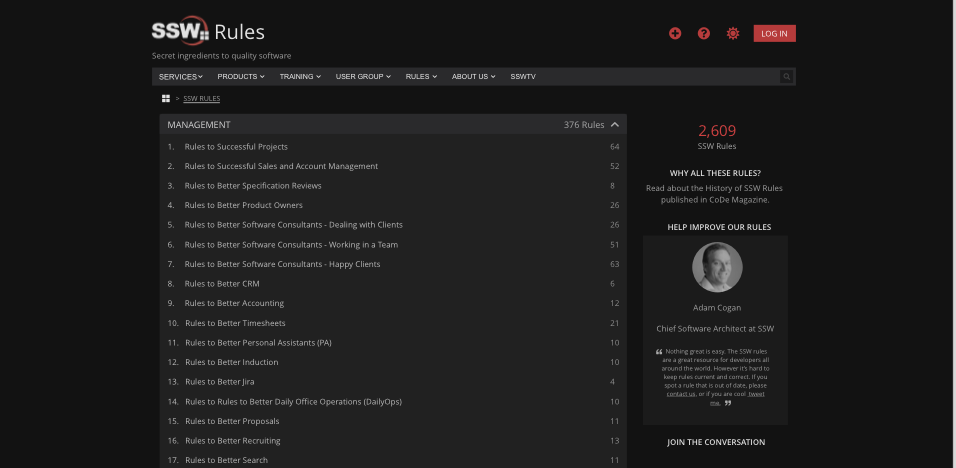
Figure: Rules homepage in dark mode
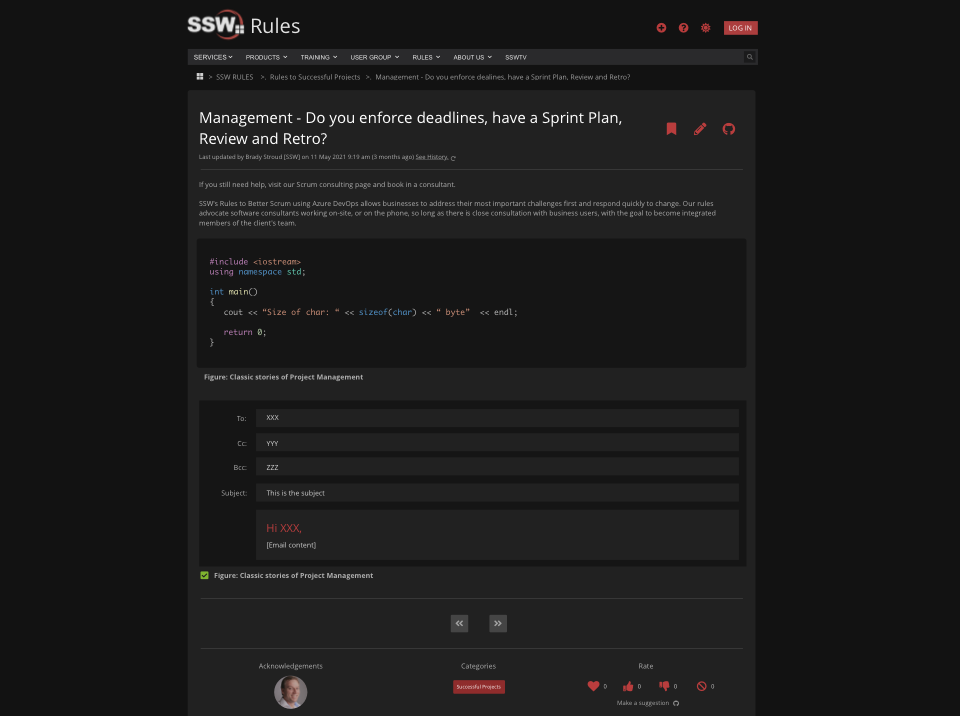
Figure: Rule page in dark mode, showing an email and code block
- Implement a dark mode theme
Contributor guide
No contributing guide indexed for this repository
First steps
- Read the whole issue, then the project's contributing guide.
- Comment on the issue to say you are picking it up — it saves two people doing the same work.
- Fork the repository and make your change on a branch.
- Open a pull request that references the issue number.
Research direction
The issue names no files, tests, or entry points; start by reviewing the existing Rules UI and its theme or settings structure. Resolve which of the three toggle placements is intended, then verify the dark-mode result against the homepage and rule-page mockups, including email and code blocks.
Written by the indexing model from the issue text.
Assessment
- Tech stack
- nextjs, typescript
- Domain
- design, frontend
- Issue type
- Feature
- Difficulty
- 5/5
- Estimated time
- Over a week
- Activity status
- Stale
- Clarity
- Needs clarification
- Newbie friendliness
- 25/100