SSWConsulting / SSWConsulting/SSW.Rules
Netlify CMS - Add help info to rule editor
Nobody has claimed this yet.
- Dominant language
- TypeScript
- Stars
- 26
- Forks
- 17
- Avg merge
- 14h 39m
- Merged PRs (30d)
- 2
Description
cc: @adamcogan @pierssinclairssw @bradystroud
Hi,
In the Netlify CMS editor, there is currently no instructions or help for users to access when editing a rule. We have added some instructions to the default text in the body field, but this only shows in new rules and not when editing existing rules.
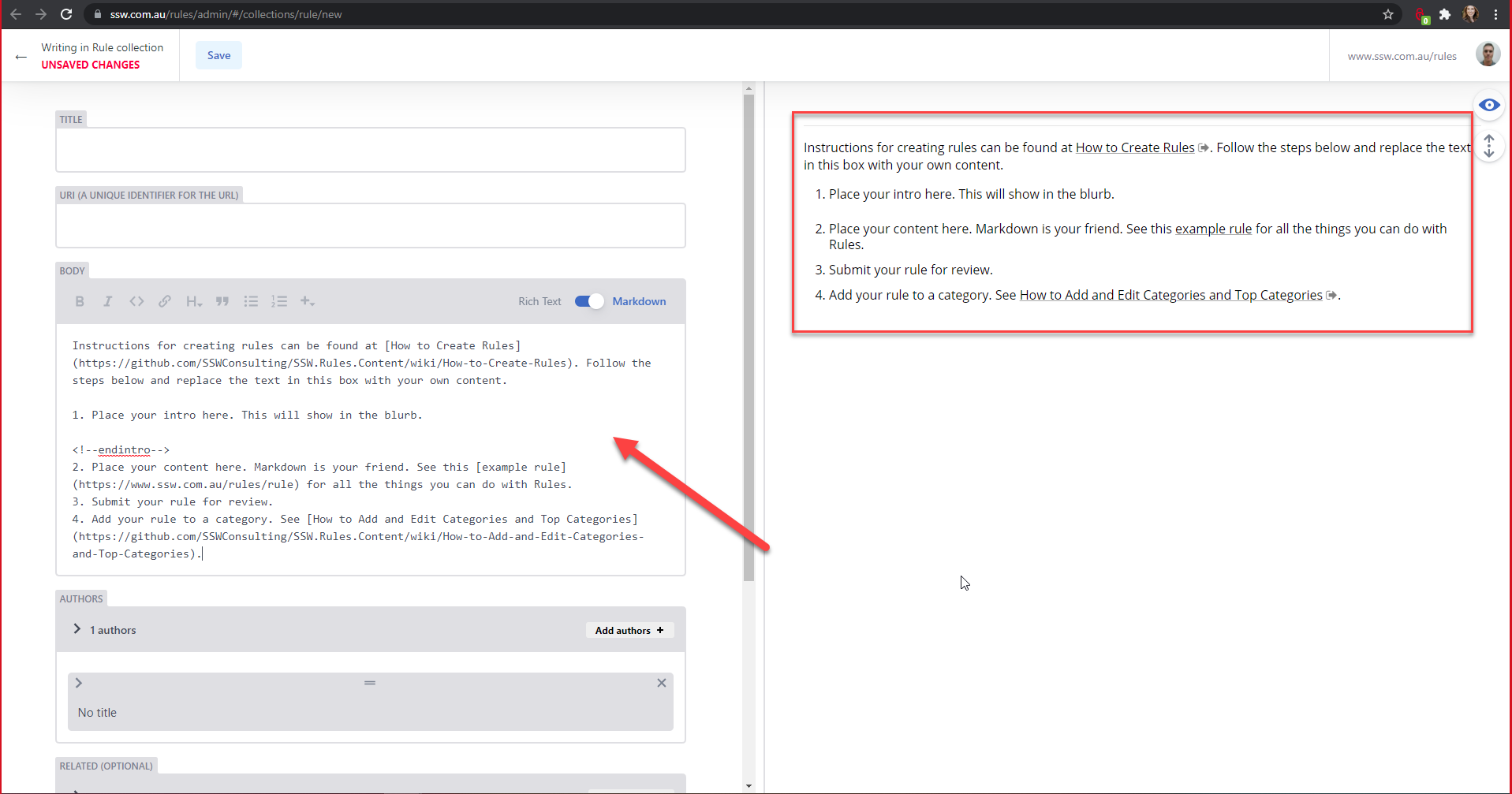
Figure: Text added to the default value of the body field
- Investigate ways to add help text to the Netlify CMS editor
- Add help text to the editor
There is an option on each field called hint which allows short instructions to display below a field. Links can be added to this text (e.g. to the Example Rule https://www.ssw.com.au/rules/rule). This could be suitable, however the text is quite small and not very visible.
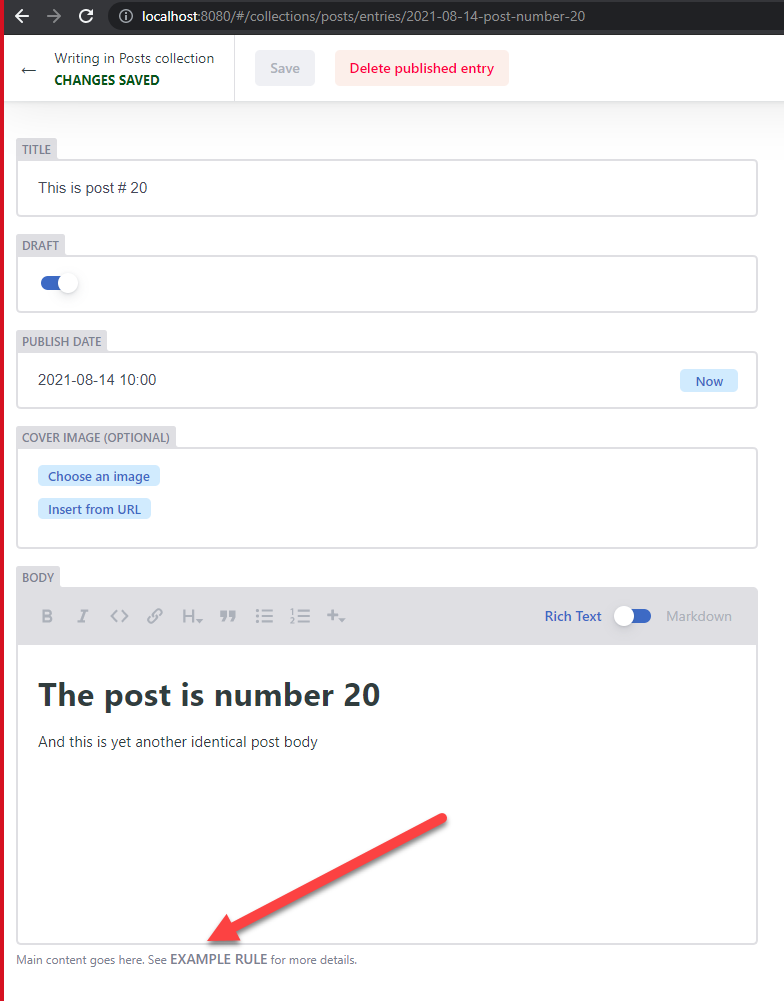
Figure: Text added with the hint option
Contributor guide
No contributing guide indexed for this repository
First steps
- Read the whole issue, then the project's contributing guide.
- Comment on the issue to say you are picking it up — it saves two people doing the same work.
- Fork the repository and make your change on a branch.
- Open a pull request that references the issue number.
Research direction
Locate the Netlify CMS rule-editor configuration and the body field mentioned in the issue. Compare the existing default text with the field's hint option, then verify the chosen help text and links are visible when editing both new and existing rules.
Written by the indexing model from the issue text.
Assessment
- Tech stack
- typescript
- Domain
- documentation, frontend
- Issue type
- Feature
- Difficulty
- 3/5
- Estimated time
- 1-2 days
- Activity status
- Stale
- Clarity
- Mostly clear
- Newbie friendliness
- 35/100