SSWConsulting / SSWConsulting/SSW.Rules
Pipelines - Hate this – I want to see the name of my latest pull request
Nobody has claimed this yet.
- Dominant language
- TypeScript
- Stars
- 26
- Forks
- 17
- Avg merge
- 14h 39m
- Merged PRs (30d)
- 2
Description
(copy of @adamcogan's email)
cc: @pierssinclairssw
Hey @bradystroud,
I just approved a Pull Request related to awesome-documentation/rule.md
When I look at Pipelines - Runs for Production (visualstudio.com) I see a lot of repetition
- Can we fix this to have more meaningful names?
- Is this a Gatsby problem?
- Is there something in the documentation?
- Can you include ‘done – checked by Piers or Matt W?
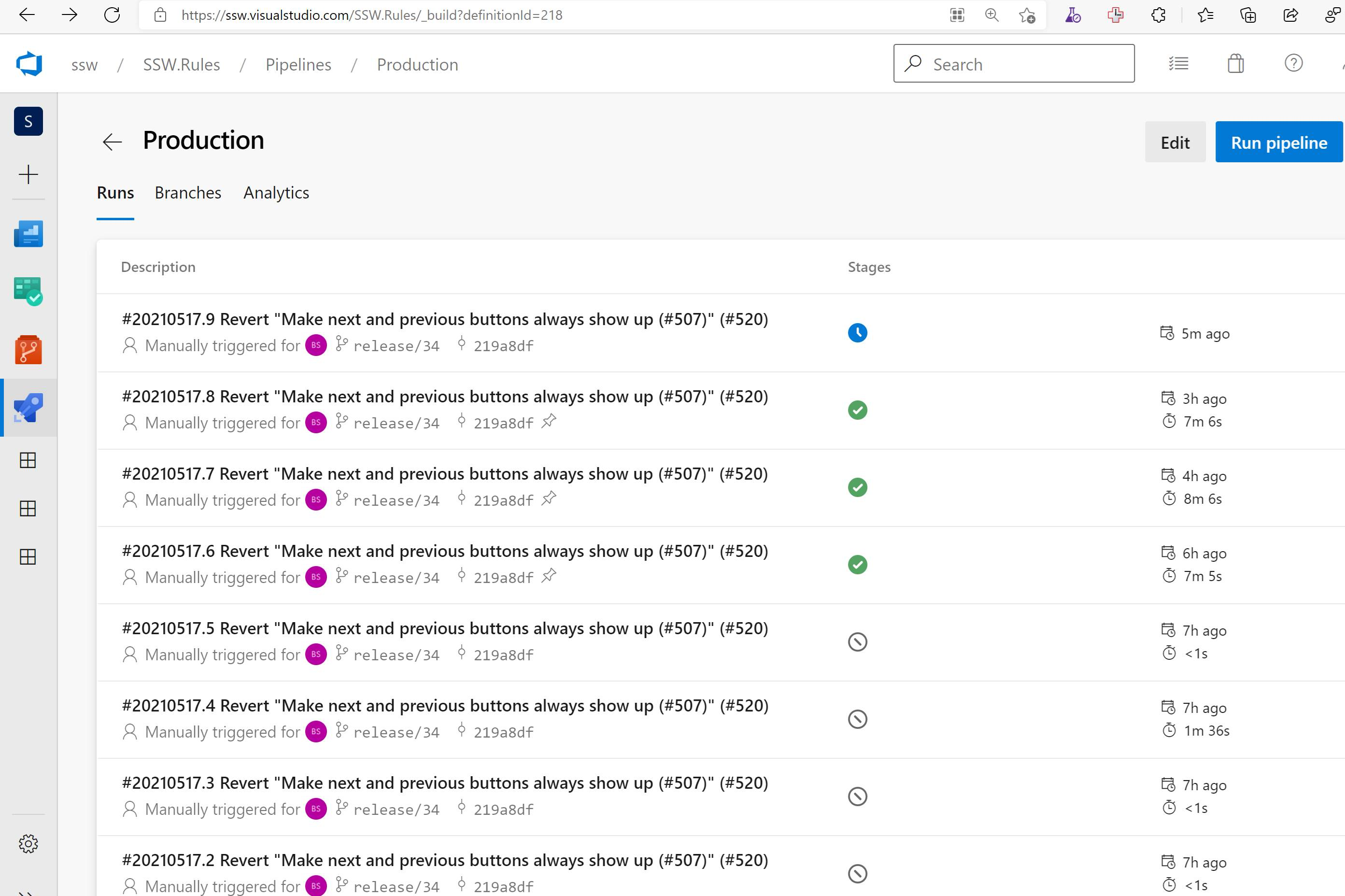
Figure: Hate this – I want to see the name of my latest pull request
Contributor guide
No contributing guide indexed for this repository
First steps
- Read the whole issue, then the project's contributing guide.
- Comment on the issue to say you are picking it up — it saves two people doing the same work.
- Fork the repository and make your change on a branch.
- Open a pull request that references the issue number.
Research direction
No files or tests are named. Start by identifying the configuration behind Pipelines - Runs for Production and determine whether run names come from Gatsby, the documentation, or Azure DevOps. Done means the latest pull request name is visible and the requested approval information is represented.
Written by the indexing model from the issue text.
Assessment
- Tech stack
- azure
- Domain
- ci-cd, devops
- Issue type
- Feature
- Difficulty
- 5/5
- Estimated time
- Over a week
- Activity status
- Stale
- Clarity
- Needs clarification
- Newbie friendliness
- 20/100