SSWConsulting / SSWConsulting/SSW.Rules
SSW Rules - Dashboard Build Widget
Nobody has claimed this yet.
- Dominant language
- TypeScript
- Stars
- 26
- Forks
- 17
- Avg merge
- 14h 39m
- Merged PRs (30d)
- 2
Description
@wicksipedia @william-liebenberg @bradystroud @JackLeerson @SebastienBoissiere
On Azure DevOps we have both SSW Rules and SSW Rules Content building in the production pipeline. The SSW Rules website builds take much longer than SSW Rules Content changes. We need to be able to visualize these changes so that abnormalities in build times are easily spotted.
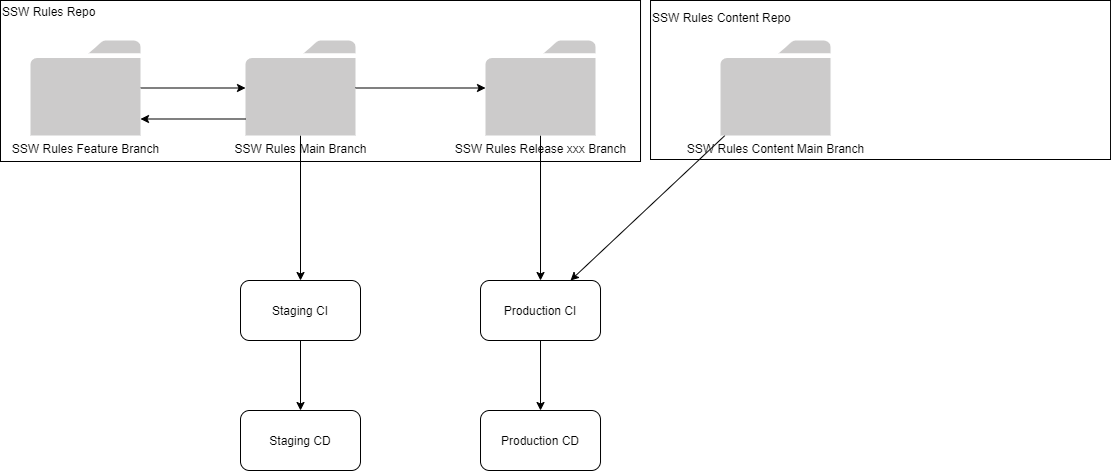
Figure: From https://github.com/SSWConsulting/SSW.Rules/blob/main/_docs/images/DevOps%20Release%20Management%20Architecture.png
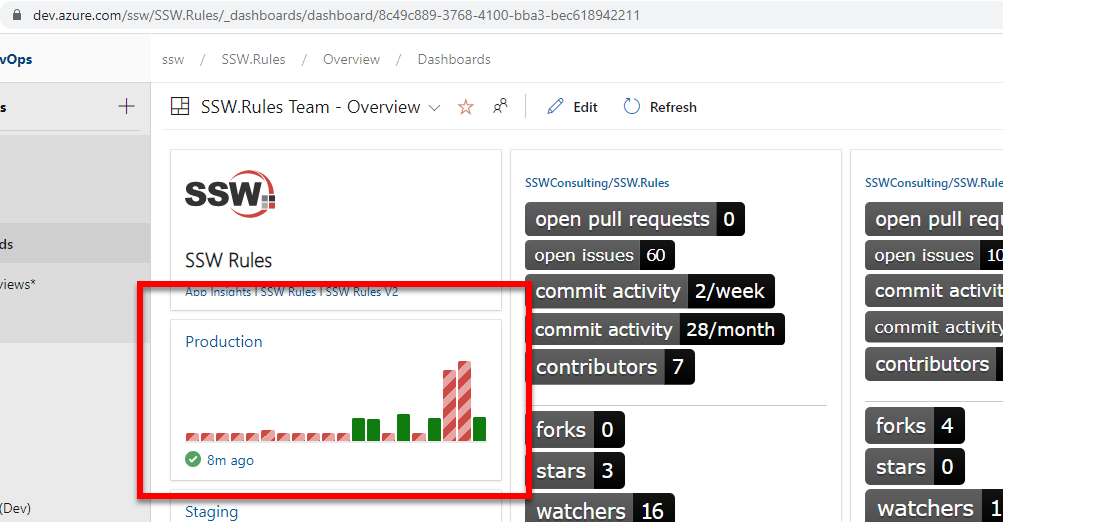
Figure: The production build times – We could move this functionality to GitHub Actions
Based on my research, to address this issue we have 4 options:
Option # 1 Migrate the CI/CD process to GitHub Actions (recommended)
a) Using GitHub actions would allow us to filter the workflow triggers by event type. SSW Rules Content would trigger the workflow via a repository dispatch event as per https://github.community/t/trigger-a-workflow-from-another-workflow/17395 while the website would trigger it via a push/pull request event. This means that we could filter the builds to show only content builds or only website builds.
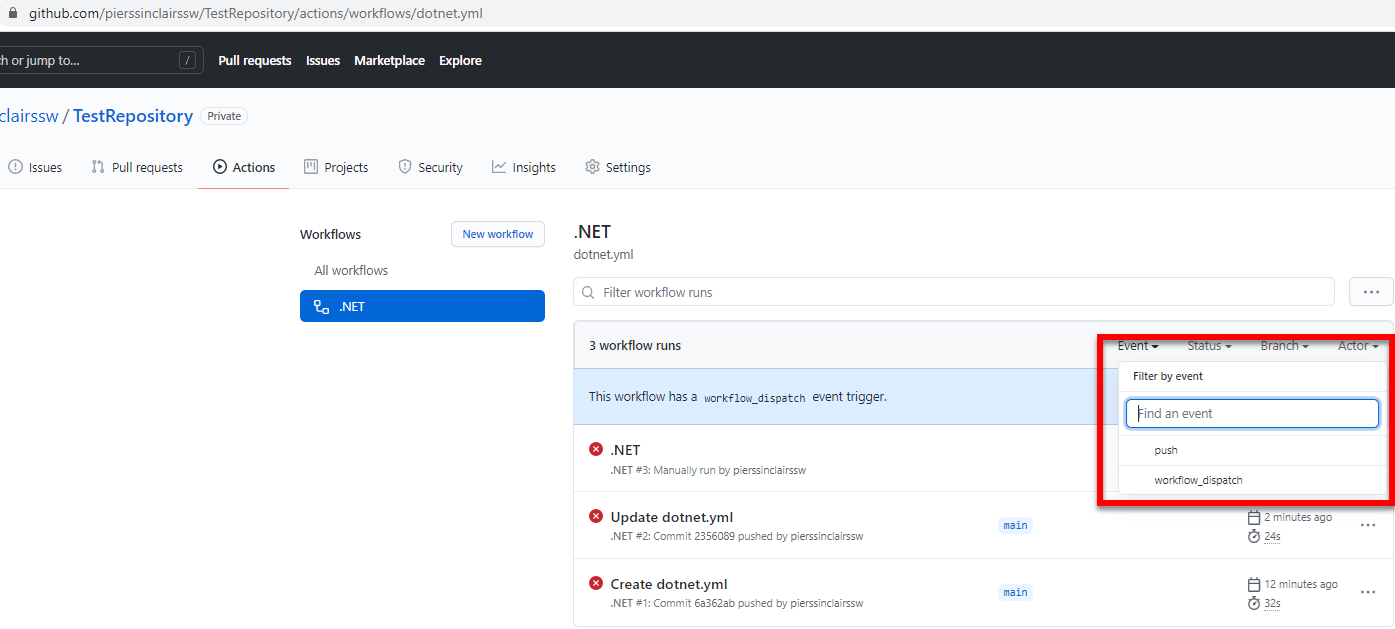
Figure: How to filter by event type
b) This solution is recommended because we plan to migrate everything to GitHub anyway.
c) One potential problem with this solution is that examining workflow run times is in a list rather than a graph.
Option # 2 Do nothing
a) It may not be worth fixing this issue because it will not be a trivial task
Option # 3 Create a PowerBI report to visualize the problem
a) This method allows for visualization of the issue without affecting how the current pipelines work.
Option # 4 Create a separate build pipeline for SSW Rules Content in Azure DevOps (not recommended)
a) This option is the only way to accomplish this completely in Azure DevOps but it is not recommended because it will make the deployment process confusing and inconsistent. For example, it will not be clear what the most recently deployed build is.
Course of Action
As per my conversation with @adamcogan ,
- Action # 3 for now and once we have one month of data if it still makes sense then Action # 1
Contributor guide
No contributing guide indexed for this repository
First steps
- Read the whole issue, then the project's contributing guide.
- Comment on the issue to say you are picking it up — it saves two people doing the same work.
- Fork the repository and make your change on a branch.
- Open a pull request that references the issue number.
Research direction
No files, tests, or code entry points are mentioned. Start by reviewing the production pipeline build-time data and the documented options, especially the proposed PowerBI report; done means build-time differences between SSW Rules and SSW Rules Content are visualized so abnormalities can be spotted.
Written by the indexing model from the issue text.
Assessment
- Tech stack
- azure, github-actions
- Domain
- devops, observability
- Issue type
- Feature
- Difficulty
- 5/5
- Estimated time
- Over a week
- Activity status
- Stale
- Clarity
- Mostly clear
- Newbie friendliness
- 30/100