SSWConsulting / SSWConsulting/SSW.Rules
🦙 Bug - TinaCMS Dependency - Editing rules from Tina dashboard opens wrong site
Nobody has claimed this yet.
- Dominant language
- TypeScript
- Stars
- 26
- Forks
- 17
- Avg merge
- 14h 39m
- Merged PRs (30d)
- 2
Description
Requested by: @GordonBeeming via YakShaver.ai 🦬
cc: @GordonBeeming, @Marxoz, @PothieuG, @Freego1783
Hi Team!
🟥 Watch the video (1 min 3 sec)
Url from screen share: https://www.ssw.com.au/admin/index.html
Pain
When editing rules from the Rules V3 (TinaCMS) project settings, clicking "Edit with Tina" redirects the user to the SSW.Admin domain instead of the Rules editing environment. This results in access denied errors for users without SSW access and, even if access is granted, leads to editing the wrong website. This creates a broken flow and poor user experience for managing rules.
Acceptance Criteria
- Clicking "Edit with Tina" from Rules V3 (TinaCMS) project settings opens the correct Rules editing environment
- Users without access to SSW.Admin are no longer redirected to that domain when editing rules
- Rules are editable only within the intended Rules V3 (TinaCMS) context
- No access denied error occurs when a user has valid permissions for Rules V3
- The domain used for rule editing matches the domain where rules are configured
Reproduce Steps
- Log in to the Tina dashboard
- Navigate to Project Settings for Rules V3 (TinaCMS)
- Go to the Rules section where domains are listed
- Click "Edit with Tina" on a rule
- Observe that the user is redirected to the SSW.Admin domain instead of the Rules editor
Screenshot
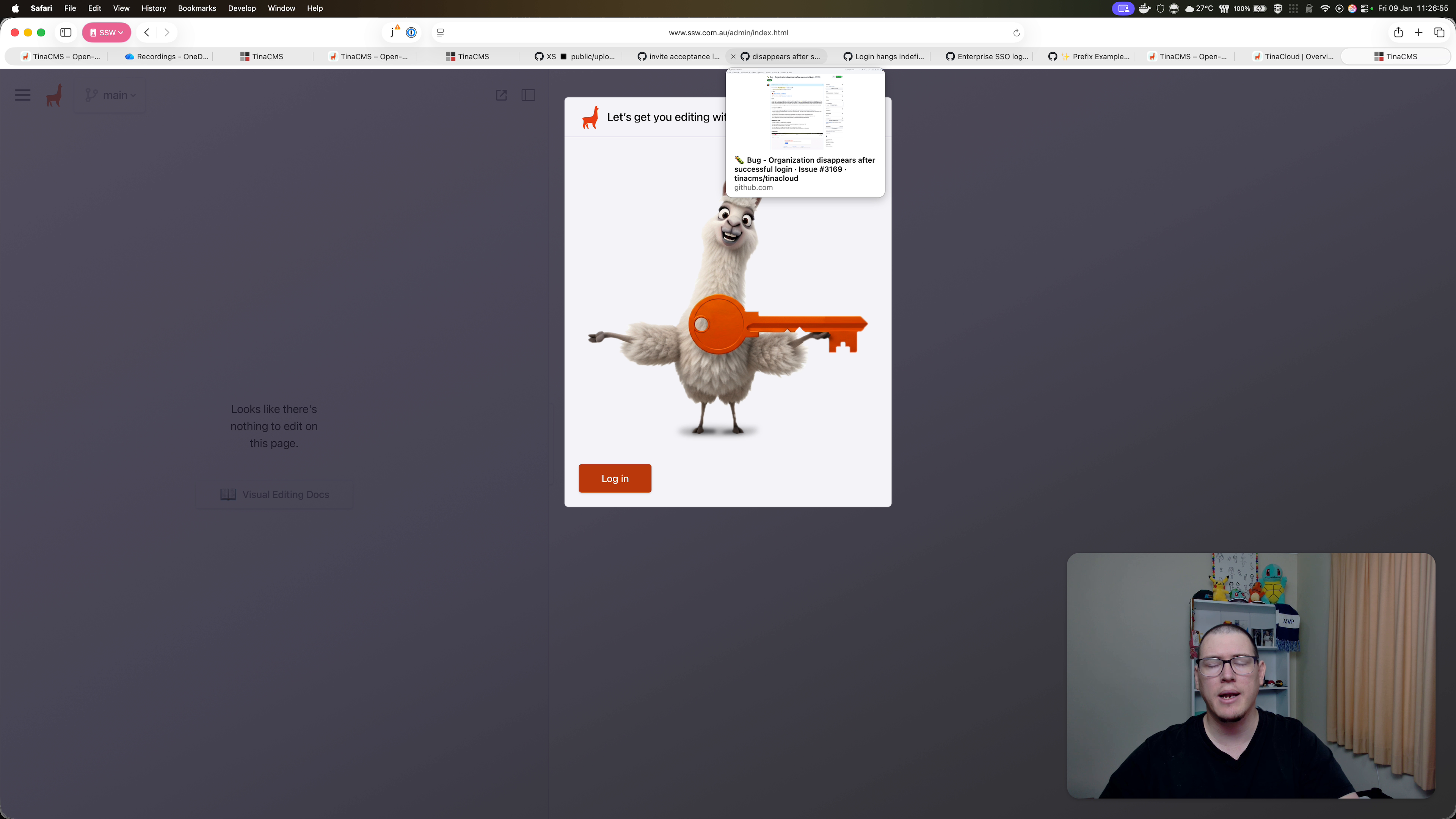
Figure: Rules edit link opens SSW.Admin instead of rules editor
Contributor guide
No contributing guide indexed for this repository
First steps
- Read the whole issue, then the project's contributing guide.
- Comment on the issue to say you are picking it up — it saves two people doing the same work.
- Fork the repository and make your change on a branch.
- Open a pull request that references the issue number.
Research direction
No files or tests are named. Reproduce the redirect from the Tina dashboard's Rules V3 project settings, then trace the "Edit with Tina" link and its domain configuration in the Rules application. Done means the link opens the Rules editing environment, avoids SSW.Admin, and works for users with valid Rules V3 permissions.
Written by the indexing model from the issue text.
Assessment
- Tech stack
- nextjs, typescript
- Domain
- frontend, web-dev
- Issue type
- Bug
- Difficulty
- 4/5
- Estimated time
- 3-5 days
- Activity status
- Stale
- Clarity
- Mostly clear
- Newbie friendliness
- 45/100