SSWConsulting / SSWConsulting/SSW.Rules
✨ OSSinsights Widget Integration - Display Issue History in README
Nobody has claimed this yet.
- Dominant language
- TypeScript
- Stars
- 26
- Forks
- 17
- Avg merge
- 14h 39m
- Merged PRs (30d)
- 2
Description
Requested by: @jeoffreyfischer via YakShaver.ai 🦬
cc: @lukecookssw, @jeoffreyfischer, @Marxoz, @PothieuG, @Freego1783
Hi Team!
🟥 Watch the video (1 min 32 sec)
Url from screen share: https://next.ossinsight.io/widgets
Pain
Integrate the OSSinsights widget to display the history of open and closed issues in the project's README file.
Acceptance Criteria
- Navigate to OSSinsights.io and access the Widget page.
- Paste the GitHub repository URL into the left input field.
- Select 'issue opened and closed off repository' from the right dropdown.
- Copy the generated code and paste it into the project's README file.
- The graph should be visible in the README file.
- Include the graph in the next Sprint Review email.
Screenshot
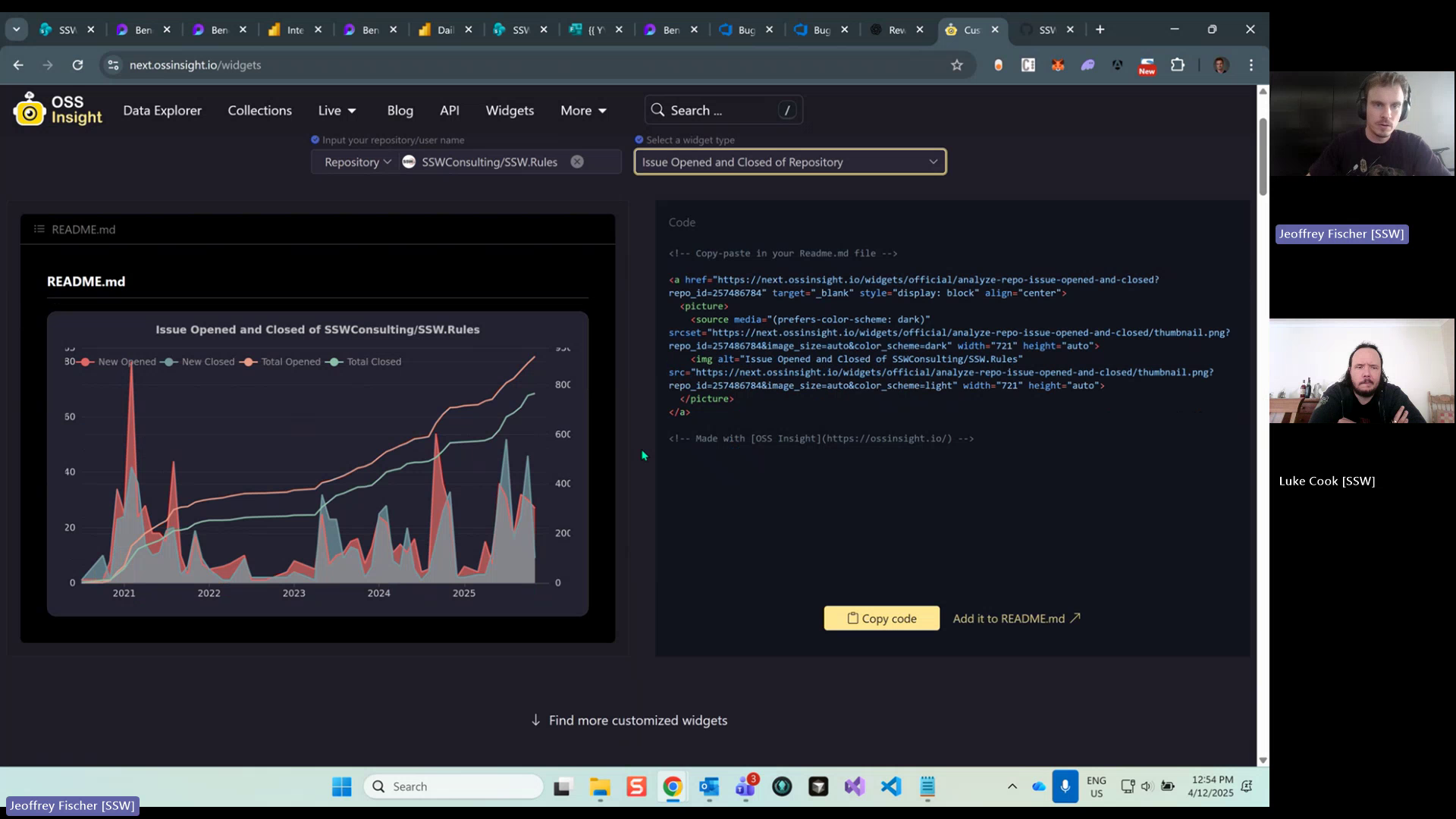
Figure: History of open and closed issues displayed
Contributor guide
No contributing guide indexed for this repository
First steps
- Read the whole issue, then the project's contributing guide.
- Comment on the issue to say you are picking it up — it saves two people doing the same work.
- Fork the repository and make your change on a branch.
- Open a pull request that references the issue number.
Research direction
Start by locating the project's README and review the OSSinsights widget page at https://next.ossinsight.io/widgets. Generate the issue opened-and-closed history widget for this repository, add the generated code to the README, and verify that the graph renders; include it in the next Sprint Review email.
Written by the indexing model from the issue text.
Assessment
- Tech stack
- github
- Domain
- documentation
- Issue type
- Documentation
- Difficulty
- 1/5
- Estimated time
- 1-3 hours
- Activity status
- Stale
- Clarity
- Mostly clear
- Newbie friendliness
- 50/100