SSWConsulting / SSWConsulting/SSW.Rules
🦙 Bug - TinaCMS Dependency - Confusing Save Functionality in Rules (Tina Admin)
Nobody has claimed this yet.
- Dominant language
- TypeScript
- Stars
- 26
- Forks
- 17
- Avg merge
- 14h 39m
- Merged PRs (30d)
- 2
Description
Requested by: @Marxoz via YakShaver.ai 🦬
cc: @Marxoz, @adamcogan, @tiagov8
Hi Team!
🟥 Watch the video (3 min 3 sec)
Url from screen share: https://ssw.com.au
Pain
The save functionality in the 'Rules (Content)' section is confusing. When editing an author, the save button appears to save the author details but instead saves the file, leading to a poor user experience.
Acceptance Criteria
- Remove or clarify the save button functionality when editing an author.
- Ensure that saving an author does not inadvertently save the file.
- Provide a clear path for users to return to editing the file after editing an author.
- Improve the user interface to prevent confusion between saving an author and saving a file.
Reproduce Steps
- Navigate to the 'Rules (Content)' section.
- Click on 'Add File' and fill in the title and URI.
- Attempt to add an author and then edit the author details.
- Observe the save button at the bottom and note the confusion regarding what is being saved.
- Click save and verify that it saves the file instead of the author details.
Screenshot
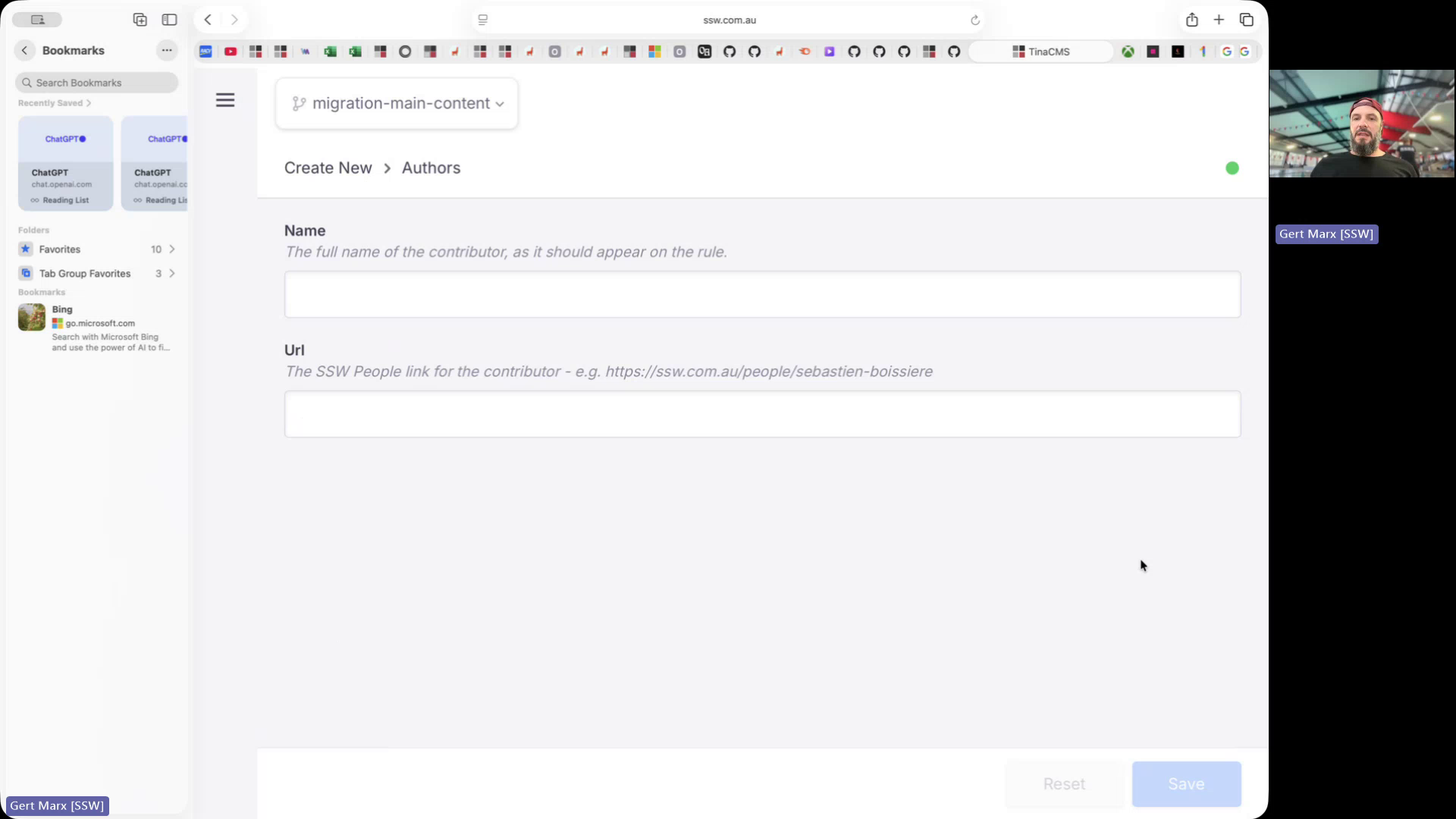
Figure: Confusing save button behavior when editing author
Contributor guide
No contributing guide indexed for this repository
First steps
- Read the whole issue, then the project's contributing guide.
- Comment on the issue to say you are picking it up — it saves two people doing the same work.
- Fork the repository and make your change on a branch.
- Open a pull request that references the issue number.
Research direction
Start by reproducing the issue in the Tina Admin Rules (Content) section through the Add File workflow, then inspect the author-editing entry point and its save controls. Done means author changes save without saving the file, the UI distinguishes the two actions, and users have a clear path back to file editing.
Written by the indexing model from the issue text.
Assessment
- Tech stack
- nextjs, typescript
- Domain
- frontend
- Issue type
- Bug
- Difficulty
- 3/5
- Estimated time
- 1-2 days
- Activity status
- Stale
- Clarity
- Mostly clear
- Newbie friendliness
- 45/100