RocketChat / RocketChat/Rocket.Chat
Joining a channel with a user without any role fails without proper error message
Nobody has claimed this yet.
- Dominant language
- TypeScript
- Stars
- 46.1k
- Forks
- 13.9k
- Avg merge
- 3d 3h
- Merged PRs (30d)
- 130
Description
Description:
A user without any role can be joined to a channel. The user can log in and will see the channel, but trying to open it will fail. The UI does not show any message to the user. The user will not know what's going on.
Steps to reproduce:
- Using an admin account, create a new user, but do not assign any role. (Alternatively, you can use an existing user and remove all their roles.)
- Ensure that this user is joined to at least one channel.
- Log in with the new user.
- Try to open the channel.
Expected behavior:
Either the channel can be opened or an error message is shown explaining that the channel cannot be opened and why.
Actual behavior:
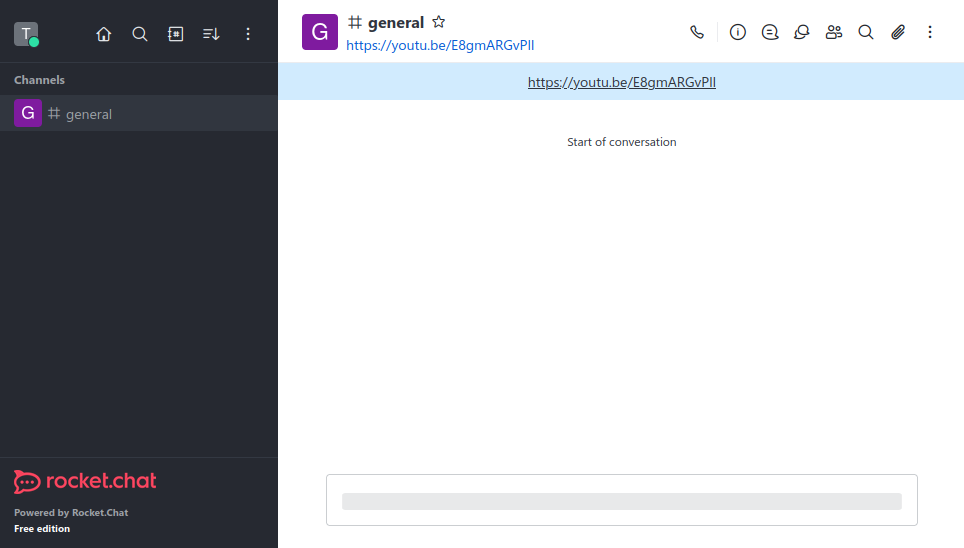
The channel is partly opened, but the UI gets stuck somewhere in the process, leaving the user with an empty message pane and a greyed out message box:
Server Setup Information:
- Version of Rocket.Chat Server: 6.1.1
- Deployment Method: Docker
- Number of Running Instances: 1
- MongoDB Version: 6.0.5
Client Setup Information
- Browser Version:
- Chromium Version 112.0.5615.49 (Offizieller Build) Arch Linux (64-Bit)
- Firefox 111.0.1 (64-bit)
- Operating System: Arch Linux
Additional context
This problem was already reported in https://github.com/RocketChat/Rocket.Chat/issues/28335 for direct messages, but it was closed soon thereafter.
Relevant logs:
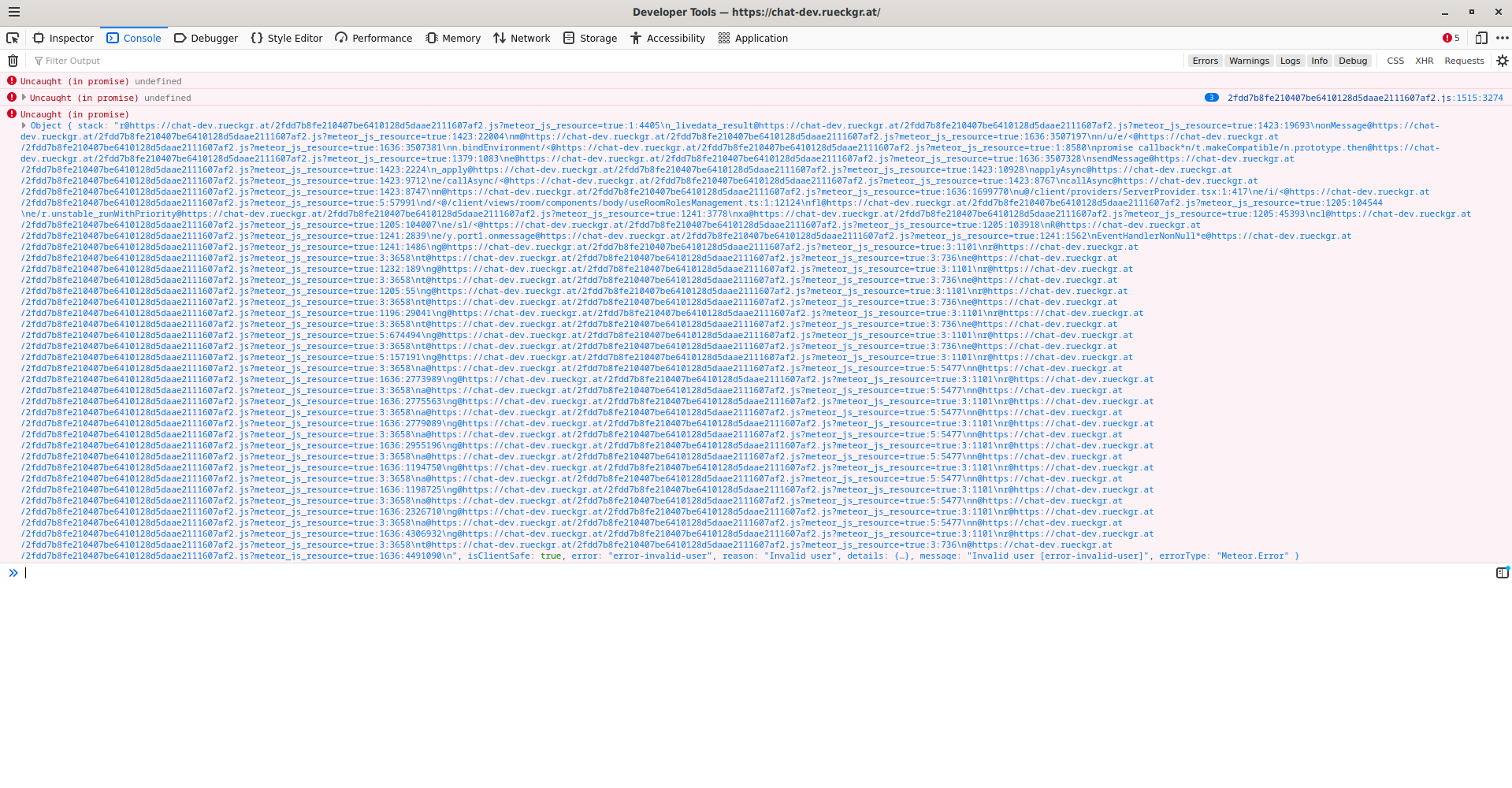
The browser's development console shows a set of "Uncaught (in promise)" error messages, strengthening the impression that this is a bug:
Contributor guide
First steps
- Read the whole issue, then the project's contributing guide.
- Comment on the issue to say you are picking it up — it saves two people doing the same work.
- Fork the repository and make your change on a branch.
- Open a pull request that references the issue number.
Research direction
Reproduce the issue by joining a user with no roles to a channel, logging in as that user, and opening the channel; inspect the browser development console for the uncaught promise errors. Trace the channel-opening flow from the UI behavior described, and consider the issue complete when the channel opens or the user sees an explanatory error instead of a stuck empty message pane.
Written by the indexing model from the issue text.
Assessment
- Tech stack
- typescript
- Domain
- authorization, frontend
- Issue type
- Bug
- Difficulty
- 4/5
- Estimated time
- 3-5 days
- Activity status
- Stale
- Clarity
- Mostly clear
- Newbie friendliness
- 35/100