RocketChat / RocketChat/Rocket.Chat
Non-Functional Reply Panel Text and Message Icon in Rocket.Chat UI on Browser in PC
Nobody has claimed this yet.
- Dominant language
- TypeScript
- Stars
- 46.1k
- Forks
- 13.9k
- Avg merge
- 3d 3h
- Merged PRs (30d)
- 130
Description
Description:
Currently, in Rocket. Chat's PC application, in order to view the message reply panel, users must click on the reply button. However, the replies text and message icon that appears with it is non-functional, providing a confusing and bothersome user experience. To improve the user experience and eliminate confusion, the non-functional replies text and message icon should be removed or made functional.
Steps to reproduce:
- Open any Rocket Chat Channel in a web browser on a PC.
- Clicking on the replies text or the message icon does not open the message reply panel.
Expected behavior:
The message reply panel should be displayed upon clicking
Actual behavior:
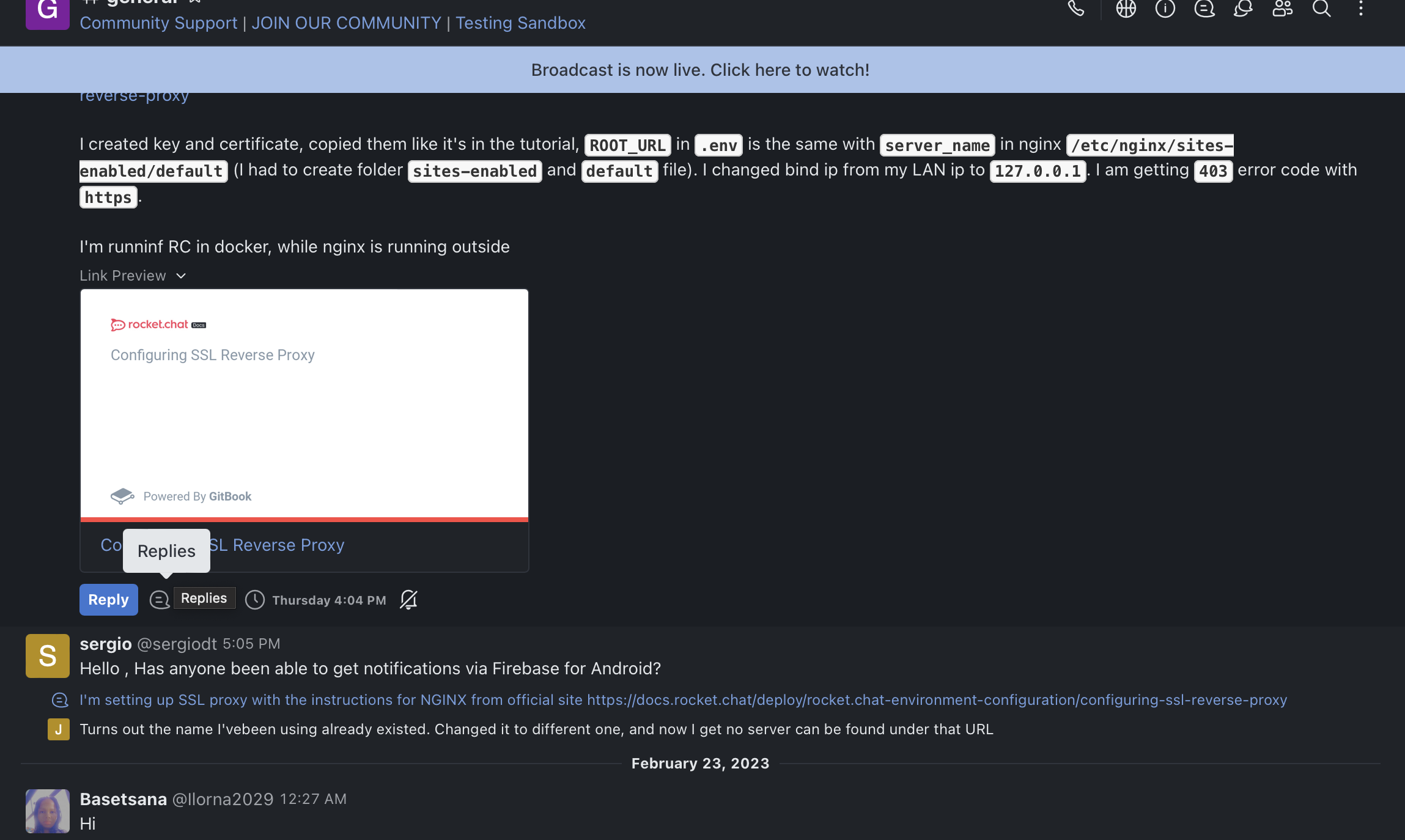
The message reply panel does not open on clicking the replies text or the message icon
Server Setup Information:
- Version of Rocket.Chat Server:
- Operating System:
- Deployment Method:
- Number of Running Instances:
- DB Replicaset Oplog:
- NodeJS Version:
- MongoDB Version:
Contributor guide
First steps
- Read the whole issue, then the project's contributing guide.
- Comment on the issue to say you are picking it up — it saves two people doing the same work.
- Fork the repository and make your change on a branch.
- Open a pull request that references the issue number.
Research direction
Reproduce the issue in a Rocket.Chat channel in a desktop browser, focusing on the replies text, message icon, and reply button. Trace the UI controls involved and make the replies text or message icon behave consistently with the reply button; done means clicking them opens the message reply panel or they are removed.
Written by the indexing model from the issue text.
Assessment
- Tech stack
- typescript
- Domain
- frontend
- Issue type
- Bug
- Difficulty
- 3/5
- Estimated time
- 1-2 days
- Activity status
- Stale
- Clarity
- Mostly clear
- Newbie friendliness
- 38/100