RocketChat / RocketChat/Rocket.Chat
BUG - View scroll position is sticky when switching channels
Nobody has claimed this yet.
- Dominant language
- TypeScript
- Stars
- 46.1k
- Forks
- 13.9k
- Avg merge
- 3d 3h
- Merged PRs (30d)
- 130
Description
Description:
As a user, I would like the scroll to be on the first unread message when changing channels. If there are no new messages, I would like the scroll to be positioned on the last read message.
Currently, when switching channels, the scroll will be positioned at the position of the previous channel
Steps to reproduce:
- Go to message room with some messages and go up the page
- Switch channel
- Look that the scroll position is the same as the previous channel
Expected behavior:
The scroll position must be at the position of the last unviewed message. If you do not have new messages, when changing channels, you should see the last message received.
If I am on Test1 channel reading the messages from above, I expect that when I move to another channel the scroll position is on the first unread message or, if there are no new messages, the scroll position is on the bottom of the page
Look the exemple:
-
I'm on dasdasd channel reading the messages above
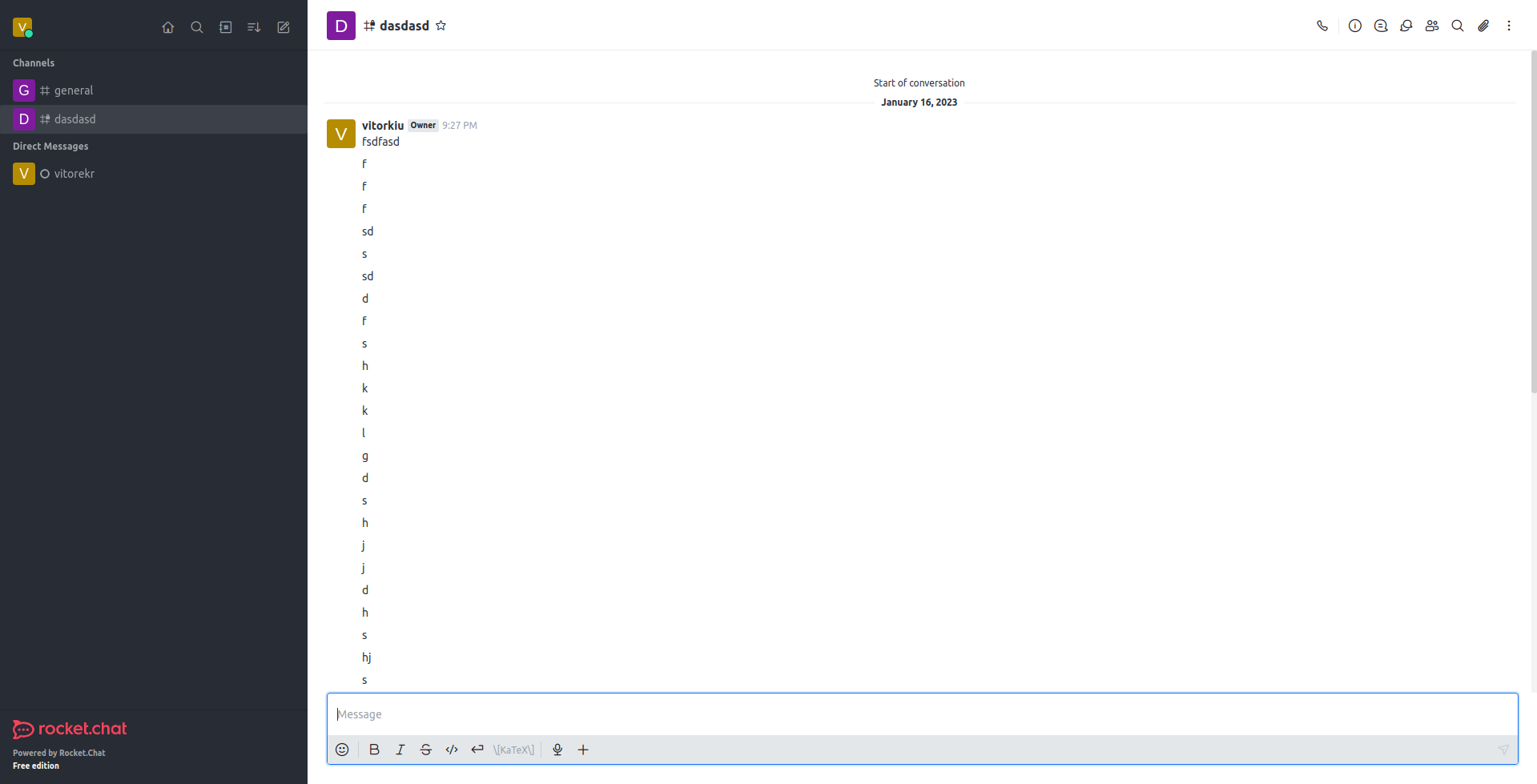
-
When I change to General channel I expect to see the first unread message or the bottom of page
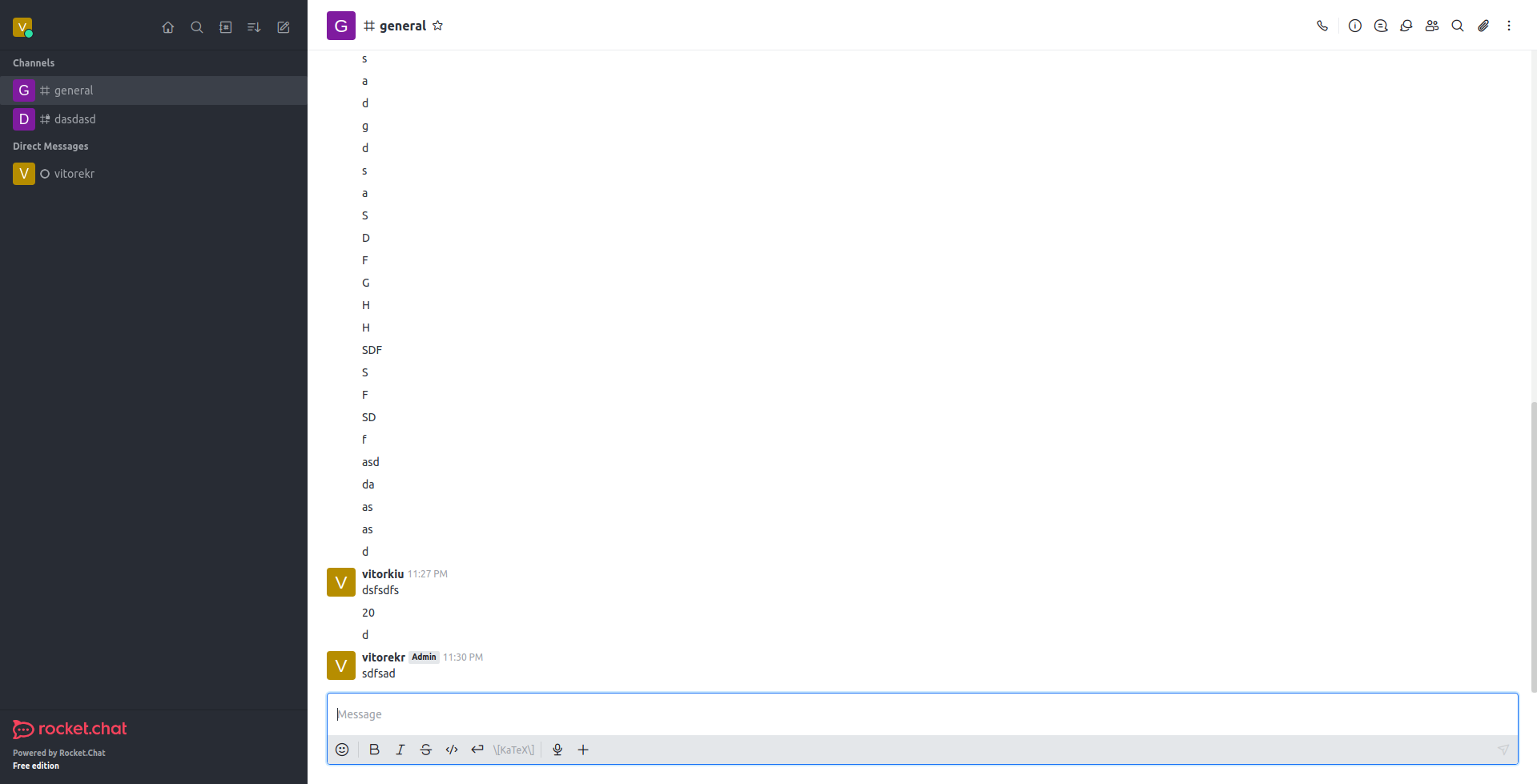
Actual behavior:
Currently, when switching channels, the scroll position remains at the same position as the scroll on the previous page.
- Here I am on dasdasd channel
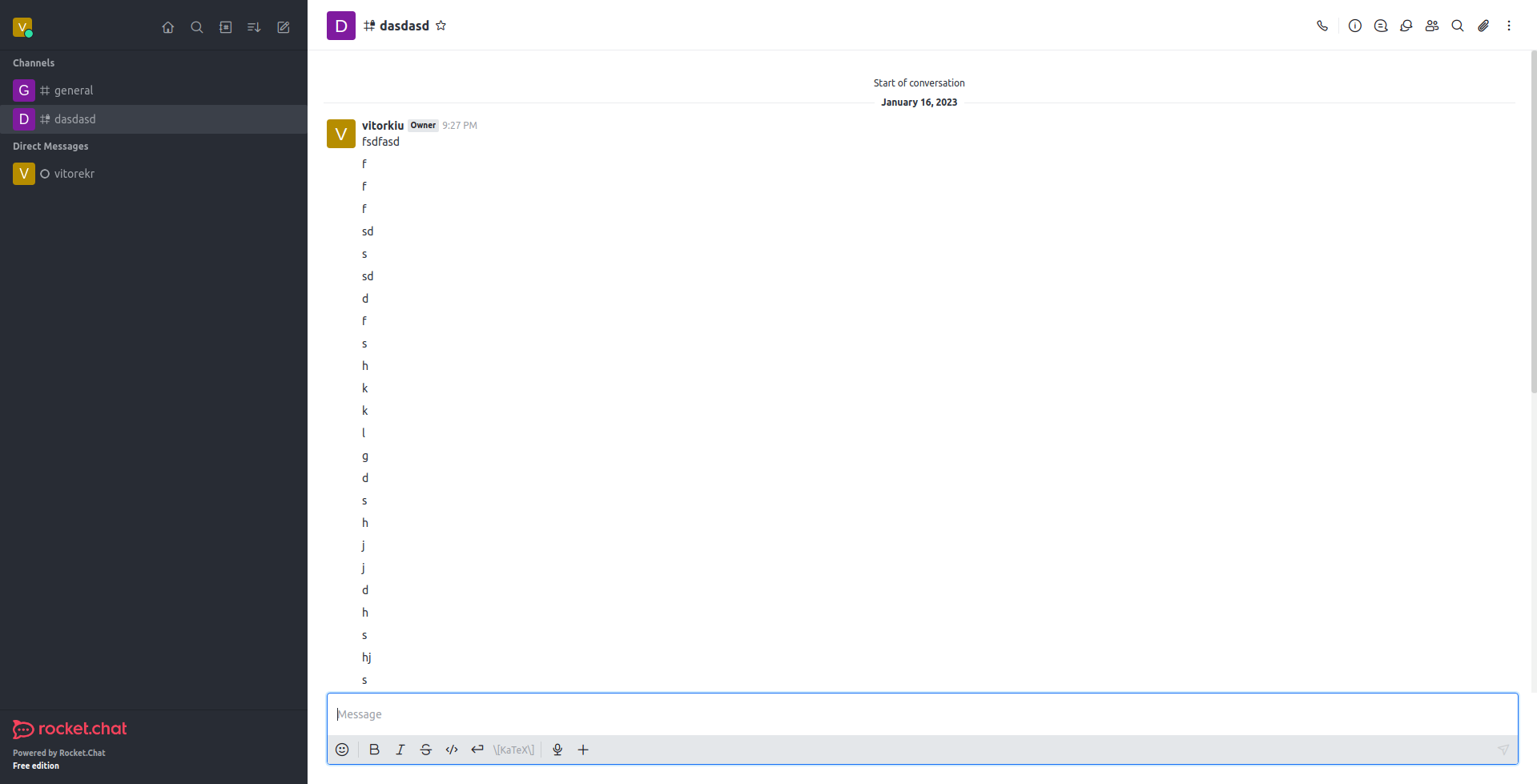
- Now I am on General channel
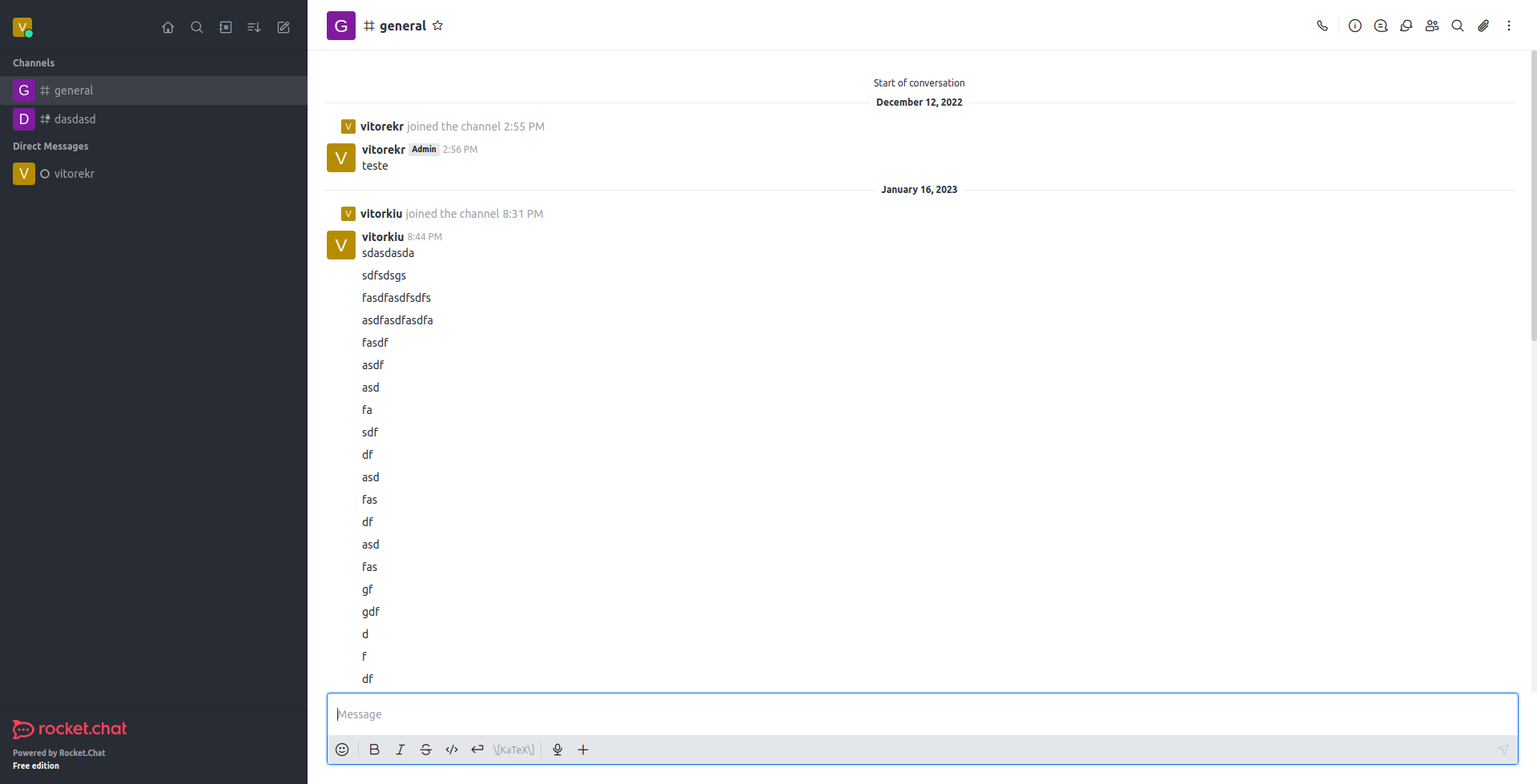
Look that is the same position of scroll in both channels.
Server Setup Information:
- Version of Rocket.Chat Server: 6.0
- Operating System: Linux
- Number of Running Instances: 1
- DB Replicaset Oplog: Enabled
- NodeJS Version: 14.21.2
- MongoDB Version: 5.0.5
Client Setup Information
- Operating System: Linux
Where to find in code
You can start looking MessageList.tsx
path: apps/meteor/client/views/room/MessageList/MessageList.tsx
And also RoomBody.tsx
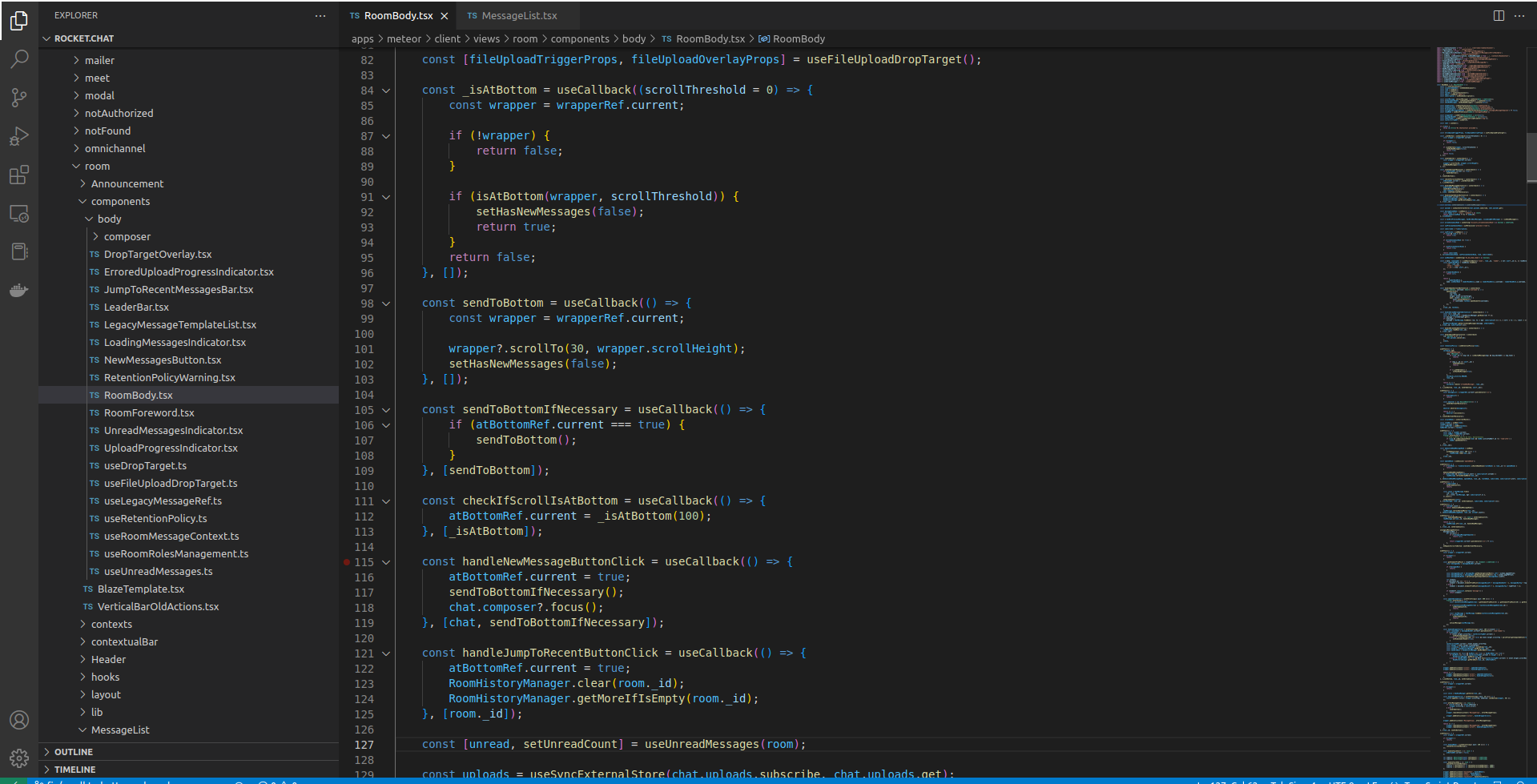
path: apps/meteor/client/views/room/components/body/RoomBody.tsx
In RoomBody.tsx you can find some methods about send to bottom:
Contributor guide
First steps
- Read the whole issue, then the project's contributing guide.
- Comment on the issue to say you are picking it up — it saves two people doing the same work.
- Fork the repository and make your change on a branch.
- Open a pull request that references the issue number.
Research direction
Start with apps/meteor/client/views/room/MessageList/MessageList.tsx and apps/meteor/client/views/room/components/body/RoomBody.tsx, especially the existing methods related to sending the view to the bottom. Reproduce the issue by scrolling up in one channel and switching to another. Done means channel changes show the first unread message, or the last message at the bottom when there are no unread messages, rather than preserving the previous channel’s scroll position.
Written by the indexing model from the issue text.
Assessment
- Tech stack
- typescript
- Domain
- frontend
- Issue type
- Bug
- Difficulty
- 3/5
- Estimated time
- 1-2 days
- Activity status
- Stale
- Clarity
- Clearly specified
- Newbie friendliness
- 45/100