RocketChat / RocketChat/Rocket.Chat
Team to channel conversion error
Nobody has claimed this yet.
- Dominant language
- TypeScript
- Stars
- 46.1k
- Forks
- 13.9k
- Avg merge
- 3d 3h
- Merged PRs (30d)
- 130
Description
Description:
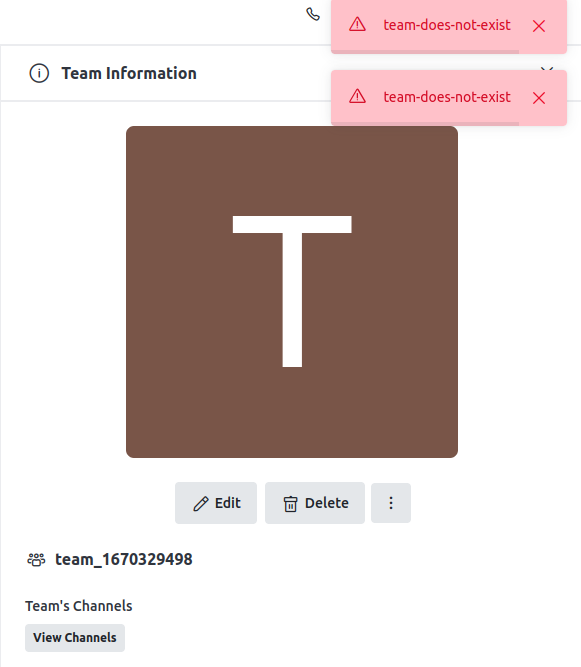
I am trying to convert a team to a channel, but I receive an error: “team-does-not-exist”. I have noticed this error a few more times, but does not happen always. Furthermore, I tried both via the interface and the API. Attached are the screenshots of the interface with the error corresponding to the team I am trying to convert. Also, I have attached the respective logs from the server.
Steps to reproduce:
Reproduction is difficult, given that there are several teams created that were easily converted to channel without any issue. The process to create the channel is as follows,
- Create a team with three users (User 1, User 2, Admin). API used: /teams.create, type: 0
- Call the API /teams.convertToChannel to convert the team to channel. The team name is used to perform this operation. (Also tried with team_id after the failure but it did not work).
Expected behavior:
The team should be converted to a channel.
Actual behavior:
I receive an error: "team-does-not-exist".
Server Setup Information:
- Version of Rocket.Chat Server: 4.8.7 (updated to 5.4.0 after the issue)
- Operating System: Ubuntu 20.04
- Deployment Method: Snap
- Number of Running Instances: 1
- DB Replicaset Oplog: As per Snap installation
- NodeJS Version: As per Snap installation
- MongoDB Version: As per Snap installation
Client Setup Information
- Desktop App or Browser Version: Primary - API call (Python), Firefox, Chrome
- Operating System: Ubuntu 20.04
Relevant logs:

Update (Edit: 2023-01-02)
For the affected teams, I noticed that these teams have no "room id " associated with them in the DB.
Contributor guide
First steps
- Read the whole issue, then the project's contributing guide.
- Comment on the issue to say you are picking it up — it saves two people doing the same work.
- Fork the repository and make your change on a branch.
- Open a pull request that references the issue number.
Research direction
Start with the /teams.create and /teams.convertToChannel API flows, then inspect the server logs and affected team records, especially teams missing a room id. Reproduce the intermittent conversion failure if possible and verify that affected teams convert successfully without the "team-does-not-exist" error.
Written by the indexing model from the issue text.
Assessment
- Tech stack
- mongodb, python, typescript
- Domain
- api, backend, database
- Issue type
- Bug
- Difficulty
- 4/5
- Estimated time
- 3-5 days
- Activity status
- Stale
- Clarity
- Needs clarification
- Newbie friendliness
- 35/100