RocketChat / RocketChat/Rocket.Chat
Custom field shows node name instead of label title
Open
Nobody has claimed this yet.
- Dominant language
- TypeScript
- Stars
- 46.1k
- Forks
- 13.9k
- Avg merge
- 3d 3h
- Merged PRs (30d)
- 130
Description
Description:
If I create a custom field in "accounts" I see the node name in the input form, instead of the label title.
Steps to reproduce:
- Go to accounts and enter in "Custom Fields to Show in User Info" this values:
[{"Team":"Team"},{"Job Titel":"JobDescription"}] - Scroll down to Registration and enter this into the the custom fields textarea:
{
  "Team": {
    "type": "text",
    "required": false,
    "minLength": 2,
    "public": true
  },
  "JobDescription": {
    "type": "text",
    "required": false,
    "minLength": 2,
    "public": true
  }
}
- Then the account input looks like this:
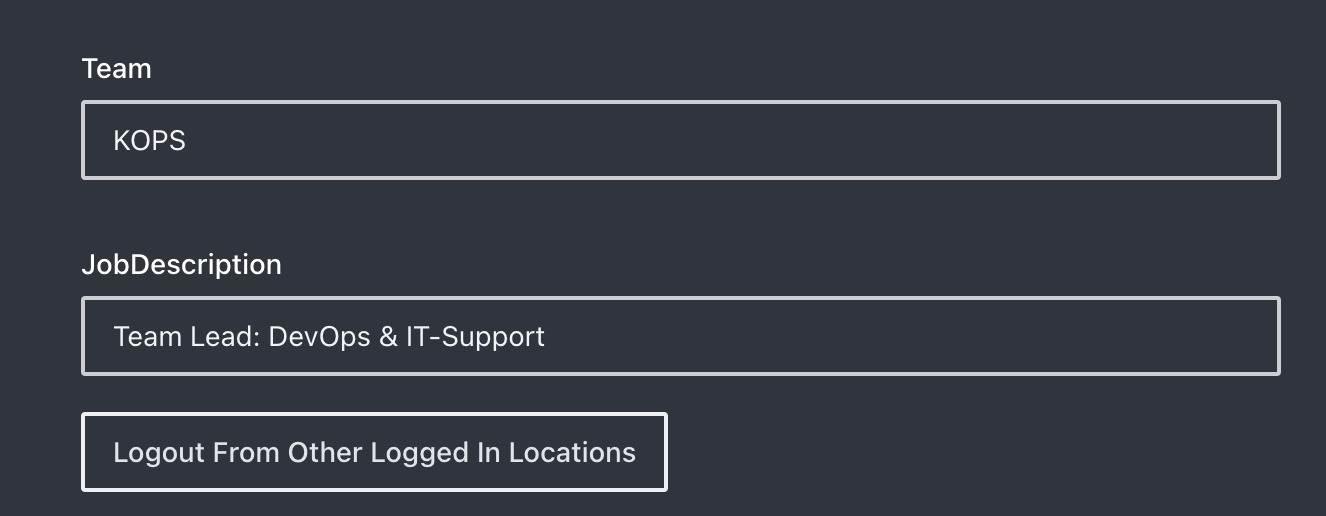
And the output like this:
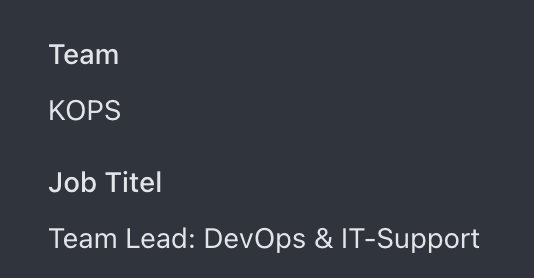
Expected behavior:
The input field "JobDescrition" should habe a label with the title "Job Titel".
Server Setup Information:
- Version of Rocket.Chat Server: V4.5.2 & V4.6.1
Contributor guide
First steps
- Read the whole issue, then the project's contributing guide.
- Comment on the issue to say you are picking it up — it saves two people doing the same work.
- Fork the repository and make your change on a branch.
- Open a pull request that references the issue number.
Research direction
Start in the Accounts settings and Registration custom-fields flow described in the reproduction steps, then reproduce the account input with the Team and JobDescription fields. Trace how the configured node names are mapped to displayed labels; done means the JobDescription input and resulting account view show the title “Job Titel” while the field key remains JobDescription.
Written by the indexing model from the issue text.
Assessment
- Tech stack
- typescript
- Domain
- frontend
- Issue type
- Bug
- Difficulty
- 3/5
- Estimated time
- 1-2 days
- Activity status
- Stale
- Clarity
- Mostly clear
- Newbie friendliness
- 48/100