RocketChat / RocketChat/Rocket.Chat
Error: stream unexpectedly closed on running meteor npm start
Nobody has claimed this yet.
- Dominant language
- TypeScript
- Stars
- 46.1k
- Forks
- 13.9k
- Avg merge
- 3d 3h
- Merged PRs (30d)
- 130
Description
Description:
I tried setting up rocket.chat's repo on gitpod by following the documentation: https://developer.rocket.chat/rocket.chat/rocket.chat-server/gitpod
However, a few errors/warnings showed up during the command meteor npm i but the process was completed successfully. On running meteor npm start, the local host server started successfully, but a loop of error stating Error: stream unexpectedly closed starts running in the terminal continuously. How can I fix this?
Steps to reproduce:
-
Installed meteor in gitpod workspace:
Pastebin: https://pastebin.com/GuXEa7kC -
added the newly installed meteor to my path by copying and pasting this command:
export PATH=$PATH:/home/gitpod/.meteor -
Installed required dependencies using
meteor npm i
Pastebin: https://pastebin.com/xpem1pyq -
Set my ROOT_URL by copying and pasting this command:
export ROOT_URL=$(gp url 3000) -
Ran the command
meteor npm startand here it produces an error in the end (localhost starts successfully though)
Pastebin: https://pastebin.com/ZjP1E9rd
Expected behavior:
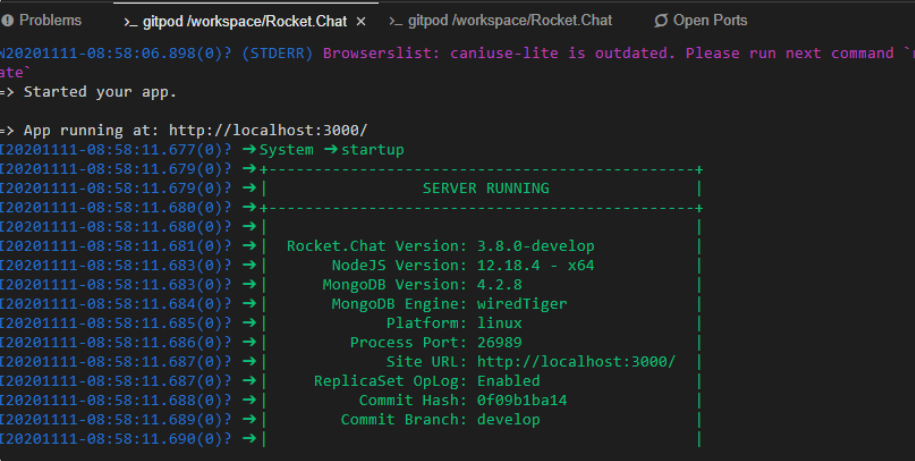
Actual behavior:
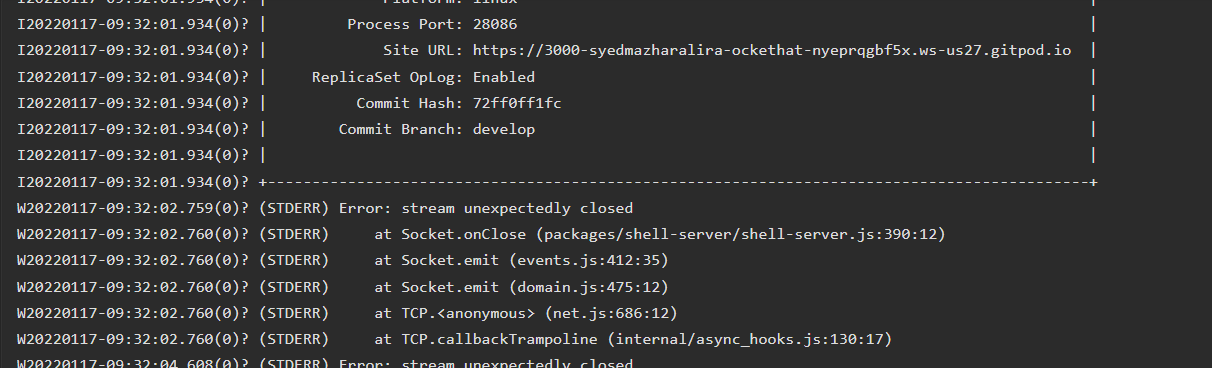
Environment Used:
GITPOD
Contributor guide
First steps
- Read the whole issue, then the project's contributing guide.
- Comment on the issue to say you are picking it up — it saves two people doing the same work.
- Fork the repository and make your change on a branch.
- Open a pull request that references the issue number.
Research direction
Start by reproducing the Gitpod setup with the documented commands: install Meteor, run meteor npm i, set ROOT_URL, and run meteor npm start. Review the linked Pastebin logs and compare the stream unexpectedly closed output with the expected behavior; done means identifying a documented, reproducible fix for the continuous terminal error.
Written by the indexing model from the issue text.
Assessment
- Tech stack
- node.js
- Domain
- devops
- Issue type
- Bug
- Difficulty
- 4/5
- Estimated time
- 3-5 days
- Activity status
- Stale
- Clarity
- Needs clarification
- Newbie friendliness
- 25/100