RocketChat / RocketChat/Rocket.Chat
[Bug] Blue check mark about read status works incorrect
Nobody has claimed this yet.
- Dominant language
- TypeScript
- Stars
- 46.1k
- Forks
- 13.9k
- Avg merge
- 3d 3h
- Merged PRs (30d)
- 130
Description
Description:
Rocket Chat have nice feature - read information, where users can get knowledge about other chat participant read message or not. And to show that read message status Rocket Chat use blue check mark sign right of a message.
I see that in some cases that blue check mark works incorrect.
Steps to reproduce:
Case 1
- UserA send message from desktop client 3.2.3 to UserB on chrome web version
- UserB click message notification
- Chat with UserA and UserB opens
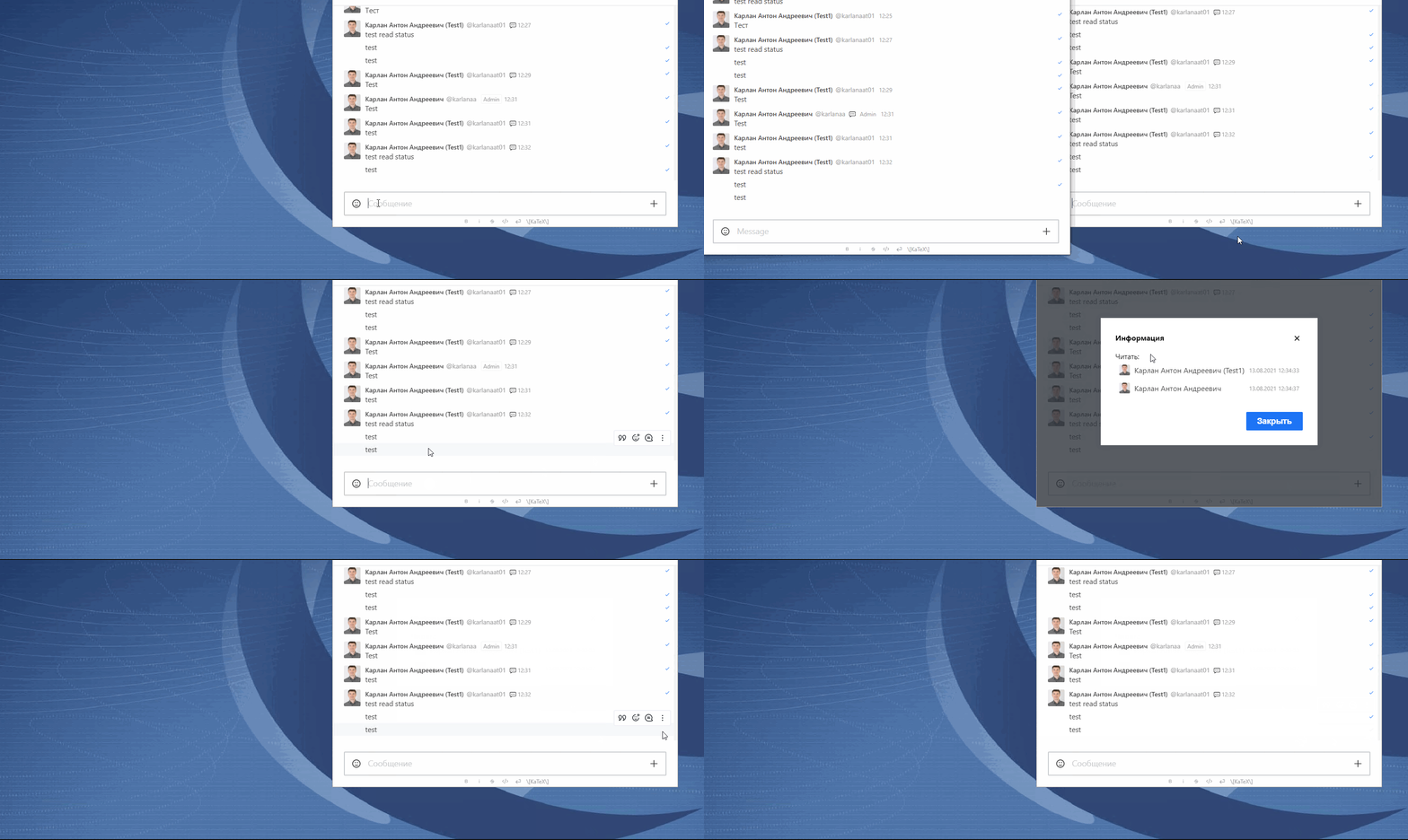
- UserA can see in detailed read receipt that both UserA and UserB read that message, but there is now blue check mark near that message
Case 2
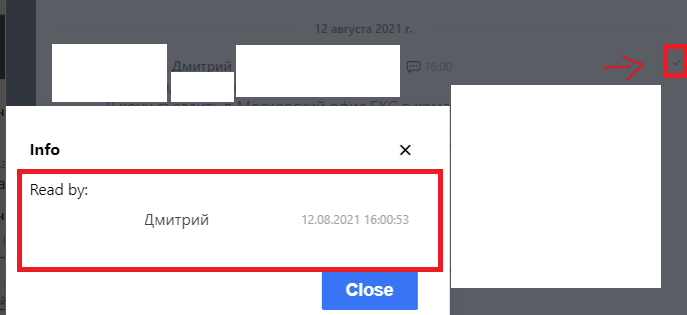
Another case - I see opposite situation. Message have a blue check mark icon, but in detailed read receipts only sender and no recipient.
Expected behavior:
Blue check mark appears only when recipient read message.
Sender shouldn't be in list of detailed read receipts.
Actual behavior:
Case 1
Case 2
Server Setup Information:
- Version of Rocket.Chat Server: 3.16.3
- Operating System: CentOS7
- Deployment Method: docker
- Number of Running Instances: 20
- DB Replicaset Oplog: Enabled
- NodeJS Version: 12.22.1
- MongoDB Version: 4.2.14
Client Setup Information
- Desktop App or Browser Version: 3.2.3 and Chrome 92
- Operating System: Windows 10
Additional context
Other messages don't have information about read status of sender, assumed that sender definitely read message that he send. I guess that could be improved in Rocket.Chat too.
I believe, that Mobile client don't have that issue.
Relevant logs:
No
Contributor guide
First steps
- Read the whole issue, then the project's contributing guide.
- Comment on the issue to say you are picking it up — it saves two people doing the same work.
- Fork the repository and make your change on a branch.
- Open a pull request that references the issue number.
Research direction
No source files or tests are named. Start by reproducing both cases with the desktop and Chrome clients, then trace the read-receipt data and blue check mark rendering paths. Done means the mark appears only when a recipient has read the message and the sender is excluded from detailed read receipts.
Written by the indexing model from the issue text.
Assessment
- Tech stack
- typescript
- Domain
- frontend
- Issue type
- Bug
- Difficulty
- 4/5
- Estimated time
- 3-5 days
- Activity status
- Stale
- Clarity
- Mostly clear
- Newbie friendliness
- 30/100