RocketChat / RocketChat/Rocket.Chat
LiveChat Trigger blocks website input, so you can't click anywhere until you close the LiveChat pop up
Nobody has claimed this yet.
- Dominant language
- TypeScript
- Stars
- 46.1k
- Forks
- 13.9k
- Avg merge
- 3d 3h
- Merged PRs (30d)
- 130
Description
Description:
When ussing LiveChat Trigger (the, "Hello! How can we help you?"), blocks website completely on mobile devices and partially con desktop devices. An example on rocket.chat website. Try it on a mobile device, and when the trigger pop up appears, you can't click anywhere else. You can only scroll.
Steps to reproduce:
- Go to 'https://rocket.chat/' with an smartphone
- Click on 'anywhere'
Expected behavior:
Visible buttons working.
Actual behavior:
You can only scroll, if you click a button that it's visible, it won't work.

In rocket.chat, using a mobile device, menu icon and 'schedule demo' and 'try now' won't work until you close the LiveChat pop up.
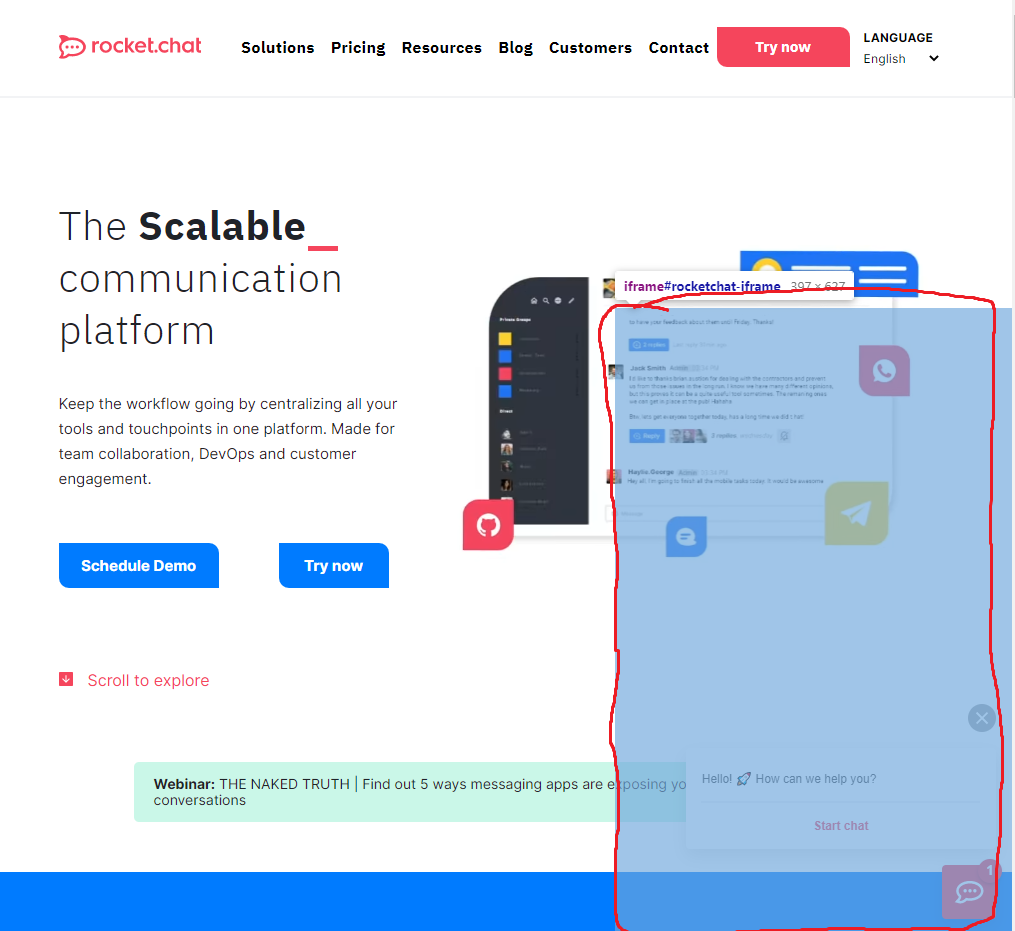
On PC, same thing. Anything that is on the blue box, will be blocked.
Server Setup Information:
- Version of Rocket.Chat Server: 3.16.0
Client Setup Information
- Desktop App or Browser Version: Both
- Operating System: Windows 10 + iOS
Relevant logs:
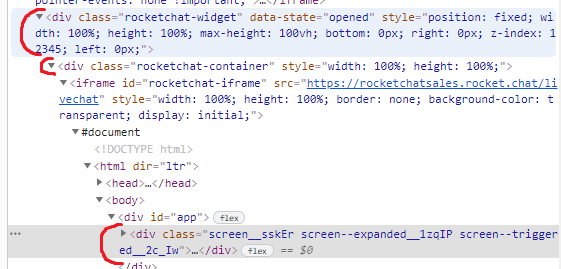
The problem is between this lines (I guess). (This is with trigger activated)
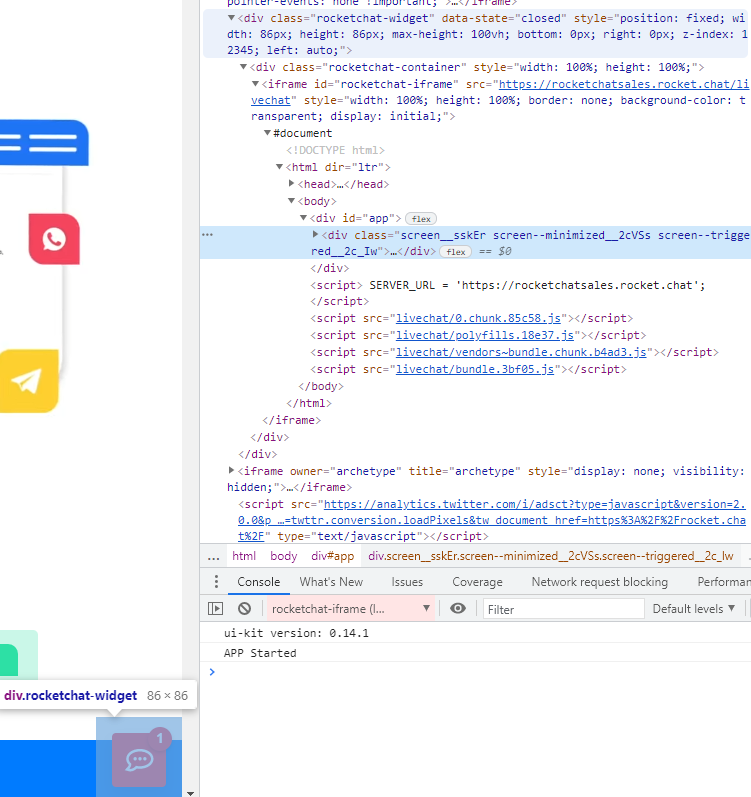
If you close the pop up, it works well. (This is with trigger exitted)
Contributor guide
First steps
- Read the whole issue, then the project's contributing guide.
- Comment on the issue to say you are picking it up — it saves two people doing the same work.
- Fork the repository and make your change on a branch.
- Open a pull request that references the issue number.
Research direction
Reproduce the LiveChat Trigger on https://rocket.chat/ using a mobile device and desktop browser, with the popup open. Trace the popup's interaction behavior and verify that visible page buttons, including the menu, schedule demo, and try now controls, remain clickable without closing it.
Written by the indexing model from the issue text.
Assessment
- Tech stack
- typescript
- Domain
- frontend, web-dev
- Issue type
- Bug
- Difficulty
- 3/5
- Estimated time
- 1-2 days
- Activity status
- Stale
- Clarity
- Mostly clear
- Newbie friendliness
- 30/100