RocketChat / RocketChat/Rocket.Chat
Message Info empty in Browsers
Nobody has claimed this yet.
- Dominant language
- TypeScript
- Stars
- 46.1k
- Forks
- 13.9k
- Avg merge
- 3d 3h
- Merged PRs (30d)
- 130
Description
Description:
Since v3.14.0 we have the problem, that the message info in the message context menu is empty (read by info). Since this release we have updated to 3.14.5 and 3.15.0, but there is still not message information. The problem occurs only on browsers. Firefox or chromium-based browsers (Chrome+Edge) were tested. Everywhere the same problem. On Android and iOS Smartphone Apps the "Read Receipt" is not empty. Here are all informations. So it can not be a server settings issue, I hope.
Steps to reproduce:
- Go to one message, no matter which chat.
- Click on the three-dots menu at a message of your choice.
- Click on "Info".
- Nothing displayed here.
Expected behavior:
I expect to see here who a message has been read by.
Actual behavior:
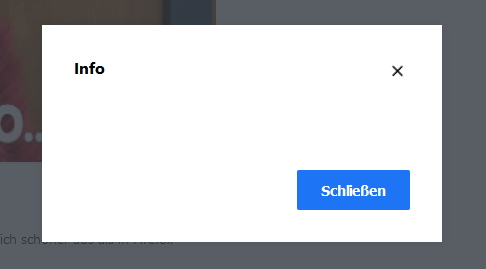
Server Setup Information:
- Version of Rocket.Chat Server: 3.14.5 and 3.15.0
- Operating System: Ubuntu 20.04.1 LTS
- Deployment Method: Docker
- Number of Running Instances: 4 and 6
- DB Replicaset Oplog: what?
- NodeJS Version: v12.22.1
- MongoDB Version: 4.0.12
Client Setup Information
- Desktop App or Browser Version: Chrome 91.0.4472.77 Firefox 89.0 (64-Bit)
- Operating System: Win10 Pro
Additional context
In versions before 3.14.0 this feature worked well.
We are updating rocketchat docker always the same way and normally we don't do other updates.
In this case we already tried sudo apt-get update && sudo apt-get dist-upgrade to be sure.
Contributor guide
First steps
- Read the whole issue, then the project's contributing guide.
- Comment on the issue to say you are picking it up — it saves two people doing the same work.
- Fork the repository and make your change on a branch.
- Open a pull request that references the issue number.
Research direction
Start by reproducing the empty message Info view in Chrome or Firefox using the steps in the issue, then compare its browser behavior with the working Android and iOS read receipt views. Done means the browser view displays who has read the selected message, as it did before version 3.14.0.
Written by the indexing model from the issue text.
Assessment
- Tech stack
- typescript
- Domain
- frontend
- Issue type
- Bug
- Difficulty
- 4/5
- Estimated time
- 3-5 days
- Activity status
- Stale
- Clarity
- Mostly clear
- Newbie friendliness
- 25/100