RocketChat / RocketChat/Rocket.Chat
[BUG] Formatting isn't copied when coping only part of a message
Nobody has claimed this yet.
- Dominant language
- TypeScript
- Stars
- 46.1k
- Forks
- 13.9k
- Avg merge
- 3d 3h
- Merged PRs (30d)
- 130
Description
Description:
When copying part of a message, this particular part is copied without formatting.
This is caused because there should be a listener to copy event, so we could save in clipboard the desired part.
the copy should save both formatted text and regular text, so when we paste into rocket.chat, the clipboard will take from the 'rocket.chat' format (ClipboardEvent.clipboardData.getData('desiredFormat')), This way, pasting to any other source will stay the same (without any asterisks which placed for bolding the text)
Steps to reproduce:
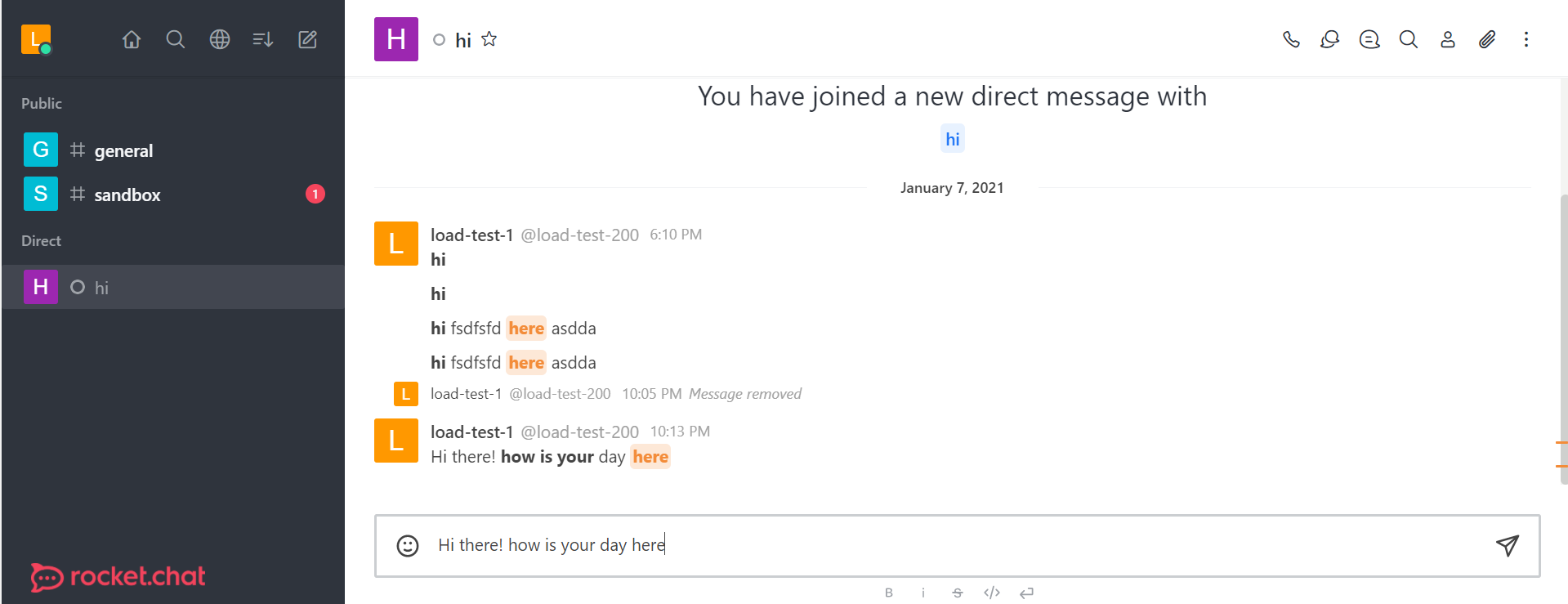
- Write and send a message with regular text, bold, and a hashtag - "Hi there! how is your day @here"
- Mark the sentence and copy it (not from the copy button)
- Paste as a new message
Expected behavior:
Text should be saved in two formats on clipboard. One for rocket.chat pasting (with formatting), the other for any other source that the clipboard will be pasted to ('text/plain' format, without the special keys for the bolded text).
I expect that the copied part will be with his formatting, even when copying only part of a bolded text.
Actual behavior:
Text is copied without any formatting
Server Setup Information:
Version of Rocket.Chat Server: 3.9.4
Operating System: Ubuntu 18.04 LTS
NodeJS Version: 12.18.2
MongoDB Version: 4.4.2
Client Setup Information
- Chrome browser, version 70
- Operating System: Windows
Additional context
This problem might be familiar caused of this solved issue: https://github.com/RocketChat/Rocket.Chat/issues/14858#issue-459788270
Although, the bug I show here has nothing to do with this solved issue.
Relevant logs:
Make sure that selecting part of a bold text, make this particular part as bold when pasting.
Contributor guide
First steps
- Read the whole issue, then the project's contributing guide.
- Comment on the issue to say you are picking it up — it saves two people doing the same work.
- Fork the repository and make your change on a branch.
- Open a pull request that references the issue number.
Research direction
No source files or tests are named. Start by reproducing the partial-selection copy and locating the client-side message selection and clipboard handlers; verify how formatted and plain-text clipboard data are written. Done means that copying part of formatted text preserves its formatting when pasted into Rocket.Chat while remaining plain text in other destinations.
Written by the indexing model from the issue text.
Assessment
- Tech stack
- typescript
- Domain
- frontend
- Issue type
- Bug
- Difficulty
- 4/5
- Estimated time
- 3-5 days
- Activity status
- Stale
- Clarity
- Mostly clear
- Newbie friendliness
- 35/100