RocketChat / RocketChat/Rocket.Chat
Cannot join a channel as admin using the Web app
Nobody has claimed this yet.
- Dominant language
- TypeScript
- Stars
- 46.1k
- Forks
- 13.9k
- Avg merge
- 3d 3h
- Merged PRs (30d)
- 130
Description
Description:
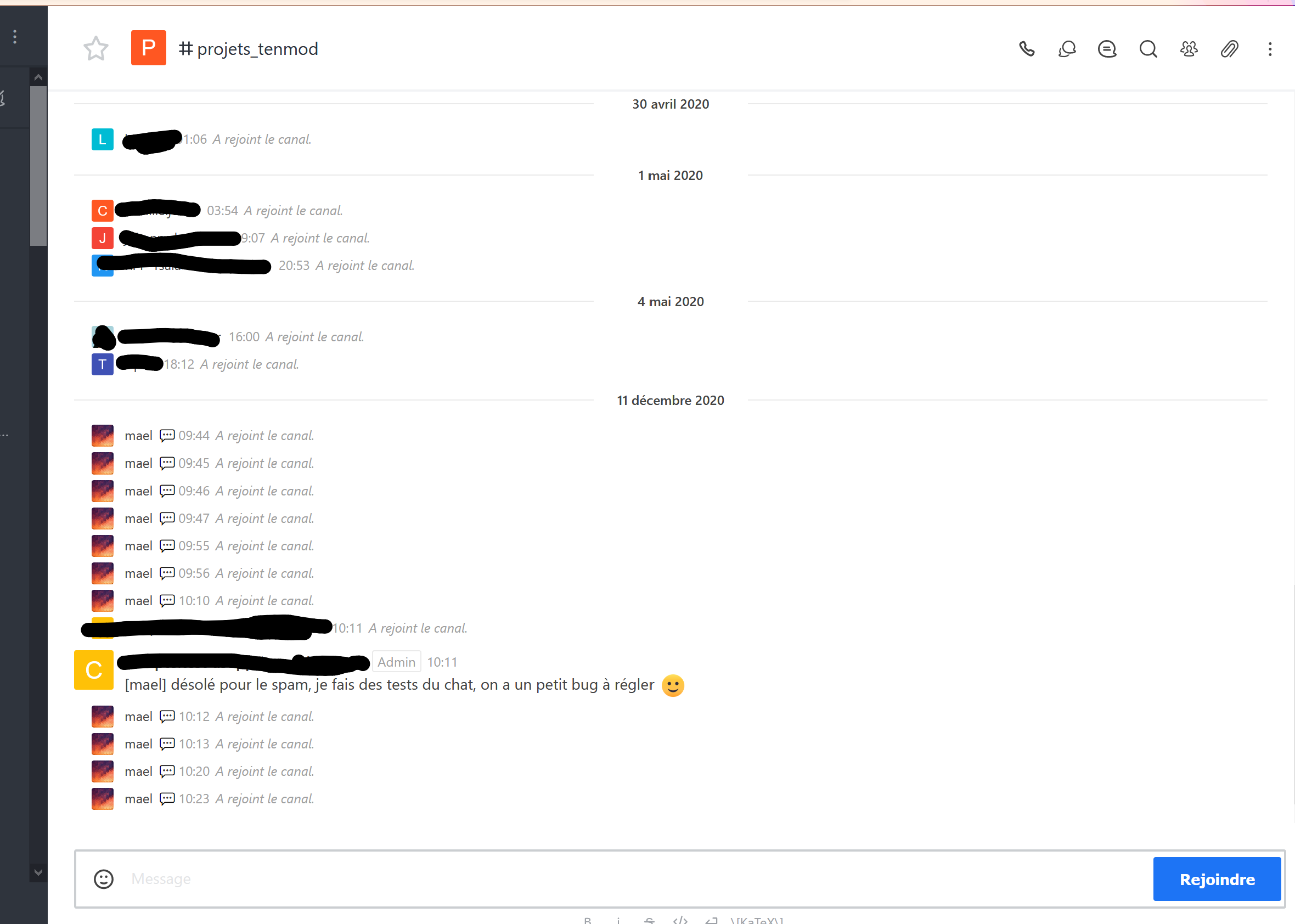
Using the Web version of RocketChat, as an admin, I can't join some channels : when I click the blue button bottom-right, the bell rings, the channel view crashes, and on refresh a message "[user] has joined the channel" appears but the button is still there. Same for sending a message : it gets sent, but the Web app does not understand I've joined.
This issue affects only old admins on our instance. The instance has been updated several times, the last was 3.6.3 -> 3.8.3.
All browsers tested (Firefox, Chrome, Kiwi, Chromium).
No problem from the android app.
Steps to reproduce:
- As an old admin, hit Ctrl-K and find a public channel you're not in
- Click the join button / send a message
- Hear the bell, see the channel view become white
- You're in the channel according to the chat history, but not for the Web client
Expected behavior:
Join the channel.
Actual behavior:
The blank page :
After refresh, I've officially joined this channel several times... still not in.
Server Setup Information:
- Version of Rocket.Chat Server: 3.8.3
- Operating System: Android / Ubuntu
- Deployment Method: kubernetes
- Number of Running Instances: 1
- DB Replicaset Oplog:
- NodeJS Version: v12.18.4
- MongoDB Version: 3.6.12
Client Setup Information
- Desktop App or Browser Version:
- Operating System:
Relevant logs:
No JS error or log in the browser console when the error happens.
Contributor guide
First steps
- Read the whole issue, then the project's contributing guide.
- Comment on the issue to say you are picking it up — it saves two people doing the same work.
- Fork the repository and make your change on a branch.
- Open a pull request that references the issue number.
Research direction
Start by reproducing the join and send-message flows in the Rocket.Chat Web client with an old admin account, following the Ctrl-K steps and checking the browser console. No source file or test is named in the report; done means the channel view remains usable and the client reflects the successful join without requiring a refresh.
Written by the indexing model from the issue text.
Assessment
- Tech stack
- typescript
- Domain
- frontend
- Issue type
- Bug
- Difficulty
- 4/5
- Estimated time
- 3-5 days
- Activity status
- Stale
- Clarity
- Mostly clear
- Newbie friendliness
- 35/100