Collapse the second sidebar
Open
Nobody has claimed this yet.
enhancement
- Dominant language
- TypeScript
- Stars
- 39k
- Forks
- 2.1k
- Avg merge
- 1d 4h
- Merged PRs (30d)
- 10
Description
Clear and concise description of the problem
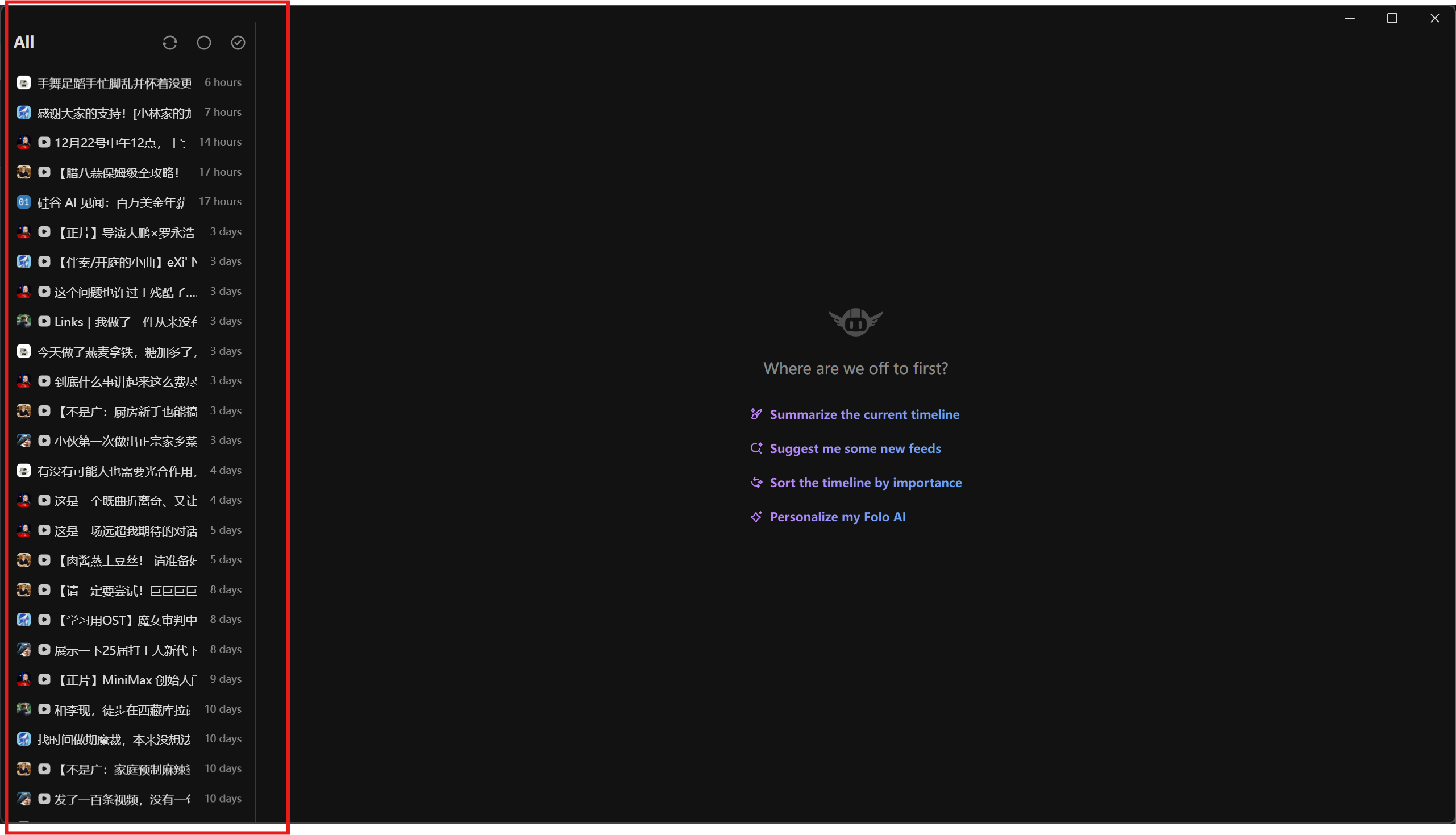
如何隐藏第二个侧边栏(在 Article 和 All 分类下)?尝试过拖动鼠标,也看了快捷键设置,没有发现能隐藏第二个侧边栏的设置。隐藏之后能有更大的横向空间便于专心阅读。
Suggested solution
添加快捷键或者浮动按钮
Alternative
No response
Additional context
No response
Validations
- Check that there isn't already an issue that request the same feature to avoid creating a duplicate.
- This issue is valid
Contributor guide
First steps
- Read the whole issue, then the project's contributing guide.
- Comment on the issue to say you are picking it up — it saves two people doing the same work.
- Fork the repository and make your change on a branch.
- Open a pull request that references the issue number.
Research direction
Reproduce the second sidebar in the Article and All categories and inspect the existing sidebar controls and shortcut settings. The work is done when users can collapse that sidebar through a shortcut or floating button and gain horizontal reading space.
Written by the indexing model from the issue text.
Assessment
- Tech stack
- typescript
- Domain
- frontend
- Issue type
- Feature
- Difficulty
- 3/5
- Estimated time
- 1-2 days
- Activity status
- Stale
- Clarity
- Mostly clear
- Newbie friendliness
- 38/100