How to share reprexes on slack
Nobody has claimed this yet.
- Dominant language
- No language data
- Stars
- 17
- Forks
- 5
- PR merge metrics
- No merged PRs in 30d
Description
I have this code. How can I share a reprex on Slack?
  print("I love")

  print("reprex")
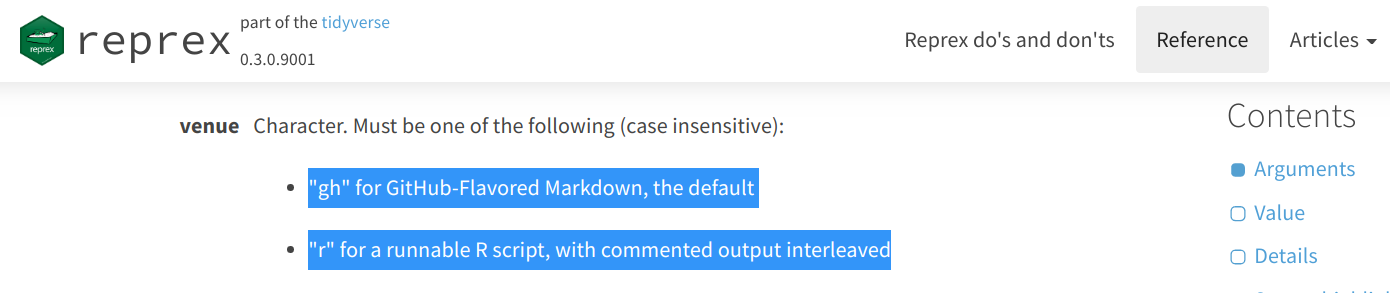
reprex::reprex() has the argument venue; it tweaks the output to render best the venue you will use to share your reprex.
--
--
By default venue is GitHub (venue = "gh"). This means your reprex will render nicely on GitHub, including GitHub issues (like the one you are reading now) and also GitHub Gists. Use GitHub issues when the reprex relates to a specific repository; otherwise use GitHub Gists.
On Slack, simply paste the link to the GitHub issue or GitHub Gist you created. On the clipboard, the output is this:
``` r
  print("I love")
#> [1] "I love"

  print("reprex")
#> [1] "reprex"
```

<sup>Created on 2020-06-30 by the [reprex package](https://reprex.tidyverse.org) (v0.3.0)</sup>
And on GitHub the output renders like this:
  print("I love")
#> [1] "I love"

  print("reprex")
#> [1] "reprex"
Created on 2020-06-30 by the reprex package (v0.3.0)
If the reprex is tiny, you may share it directly on Slack; use venue = "r". Here is a discussion about this. This is what I would type to run such a reprex:
reprex::reprex({
  print("I love")

  print("reprex")
  },
  venue = "r"
)
I dislike this approach because creating the reprex is a bit harder, and because Slack renders it in a way that makes it hard to read.
Thanks @daisy-pacheco for motivating this post.
Contributor guide
First steps
- Read the whole issue, then the project's contributing guide.
- Comment on the issue to say you are picking it up — it saves two people doing the same work.
- Fork the repository and make your change on a branch.
- Open a pull request that references the issue number.
Research direction
No repository file, test, or entry point is named in the issue. Start by locating where project guidance for sharing reprexes belongs, then verify that the documentation clearly covers the Slack workflow and the examples described here.
Written by the indexing model from the issue text.
Assessment
- Tech stack
- r
- Domain
- documentation
- Issue type
- Documentation
- Difficulty
- 3/5
- Estimated time
- 1-2 days
- Activity status
- Stale
- Clarity
- Needs clarification
- Newbie friendliness
- 25/100