Further tweaking agnoster zsh theme
Open
Nobody has claimed this yet.
zsh
- Dominant language
- No language data
- Stars
- 17
- Forks
- 5
- PR merge metrics
- No merged PRs in 30d
Description
If you use oh-my-zsh and the popular agnoster theme.
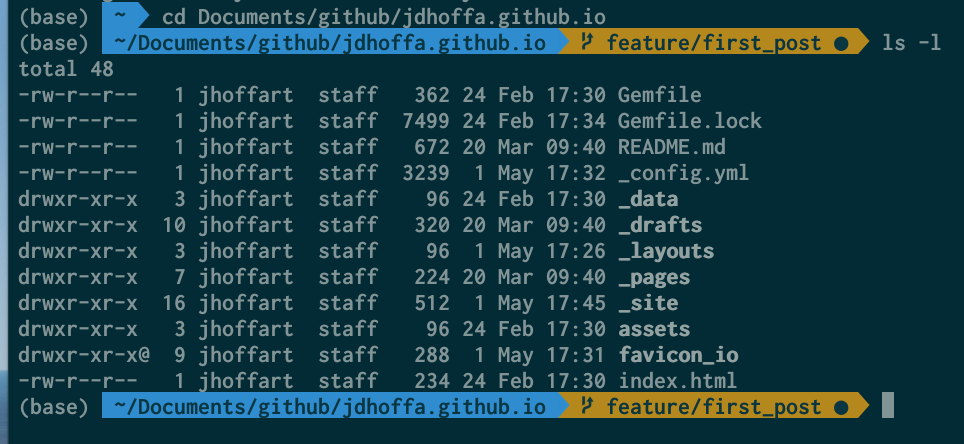
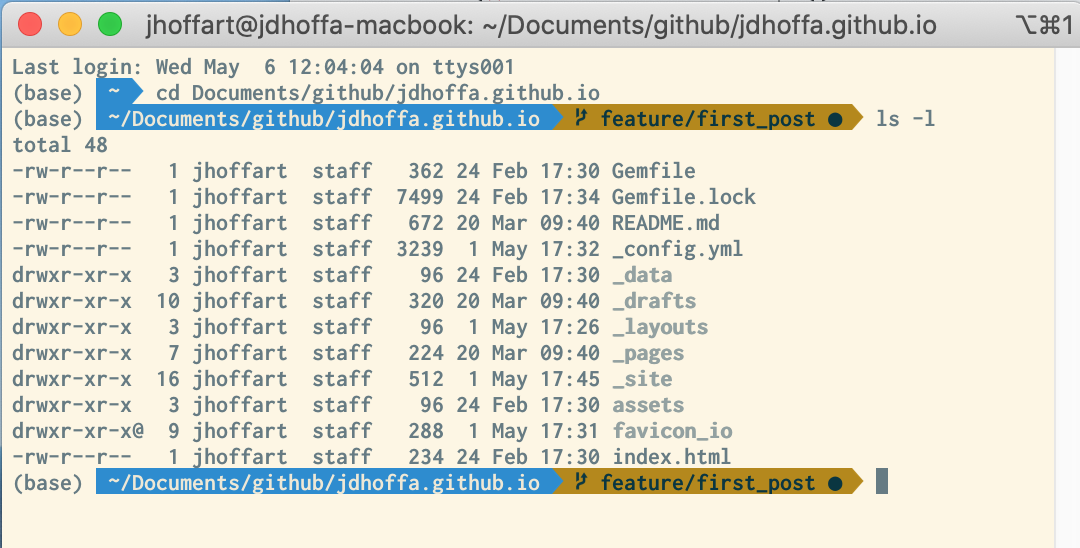
- but prefer the light themed terminal, you can tweak the file:
~/.oh-my-zsh/themes/agnoster.zsh-themeand set the env variableSOLARIZED_THEME='light'
Dark:
Light:
- don't want your
User@hostnameto show up, tweak the file:
~/.zshrcand set the env variableDEFAULT_USER= `whoami`
Relates to #104
Contributor guide
First steps
- Read the whole issue, then the project's contributing guide.
- Comment on the issue to say you are picking it up — it saves two people doing the same work.
- Fork the repository and make your change on a branch.
- Open a pull request that references the issue number.
Research direction
Start by reading the related issue #104 and reviewing the repository for an established place to document shell resources. Check whether the agnoster.zsh-theme and .zshrc examples belong there, then confirm the expected documentation scope with a maintainer. Done means the requested guidance has a clearly agreed location and complete, usable examples.
Written by the indexing model from the issue text.
Assessment
- Tech stack
- zsh
- Domain
- cli, documentation
- Issue type
- Documentation
- Difficulty
- 4/5
- Estimated time
- 3-5 days
- Activity status
- Stale
- Clarity
- Needs clarification
- Newbie friendliness
- 25/100