Line ending conversion: Common problems and solutions
Nobody has claimed this yet.
- Dominant language
- No language data
- Stars
- 17
- Forks
- 5
- PR merge metrics
- No merged PRs in 30d
Description
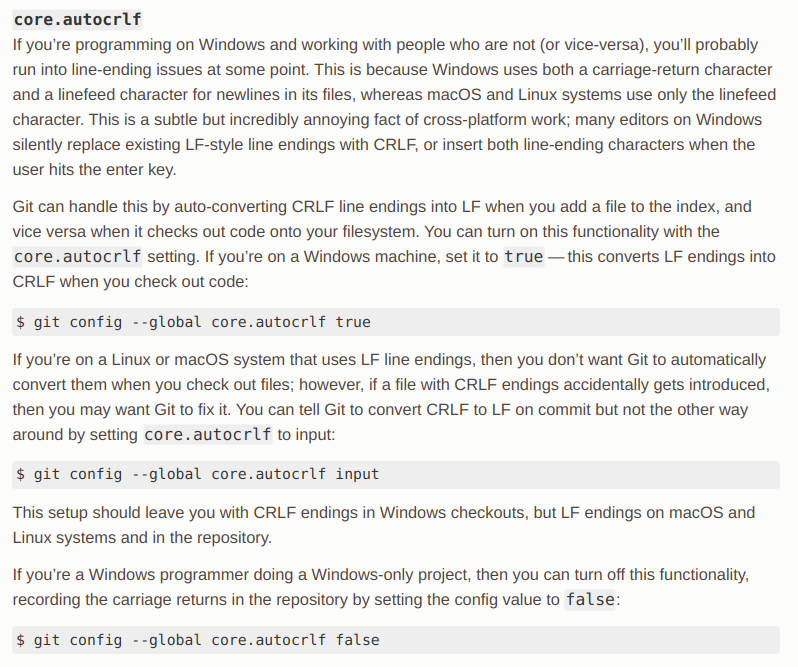
Different platforms represent the end of a line in a different way. Mac and Linux do it one way, and Windows another way.
In any one team people may use multiple platforms. What's the best setup for your team? You may need to read and try. This is what I use:
$ git config --global core.autocrlf
$ input
Git
https://git-scm.com/book/en/v2/Customizing-Git-Git-Configuration
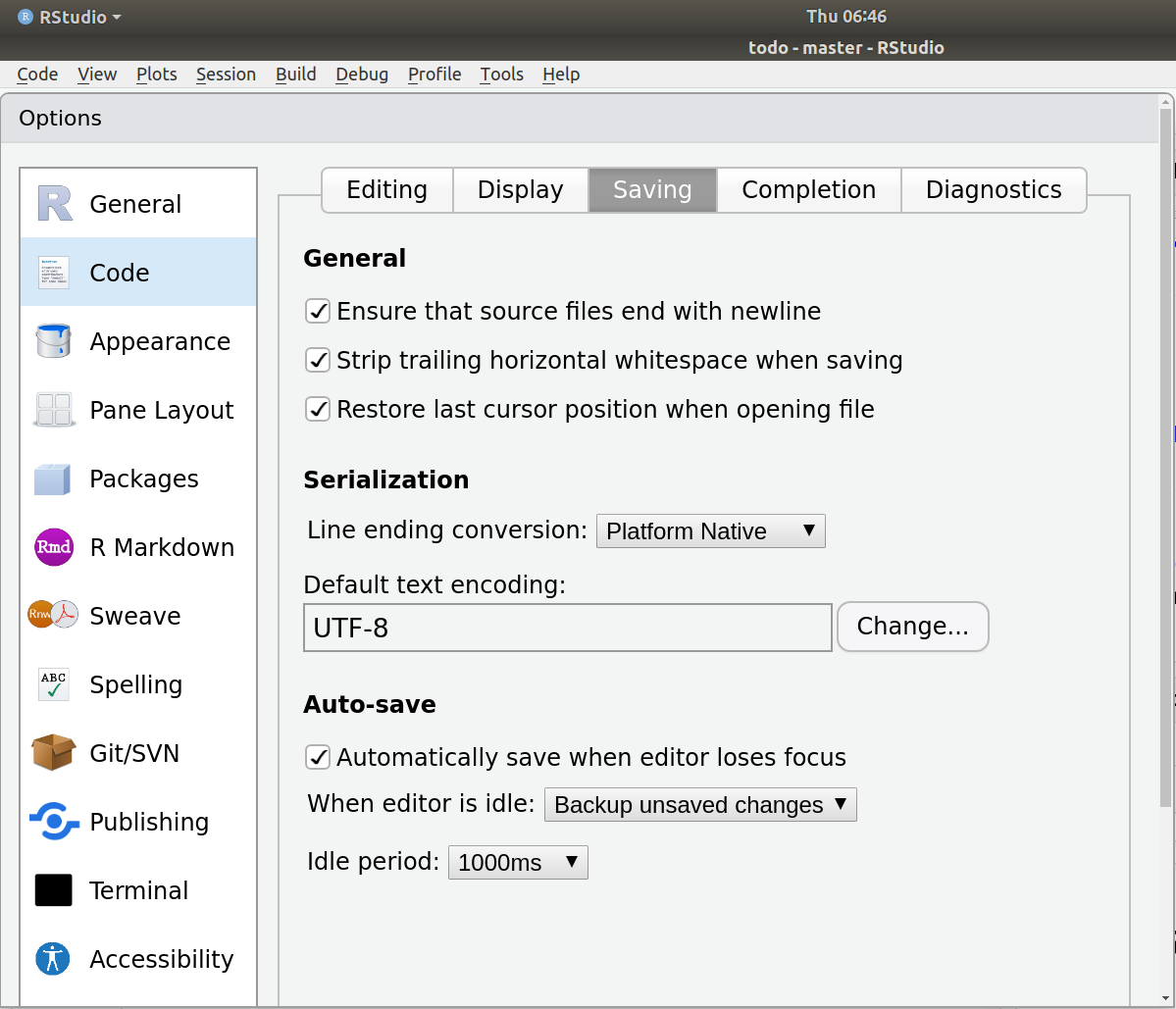
RStudio
Excel
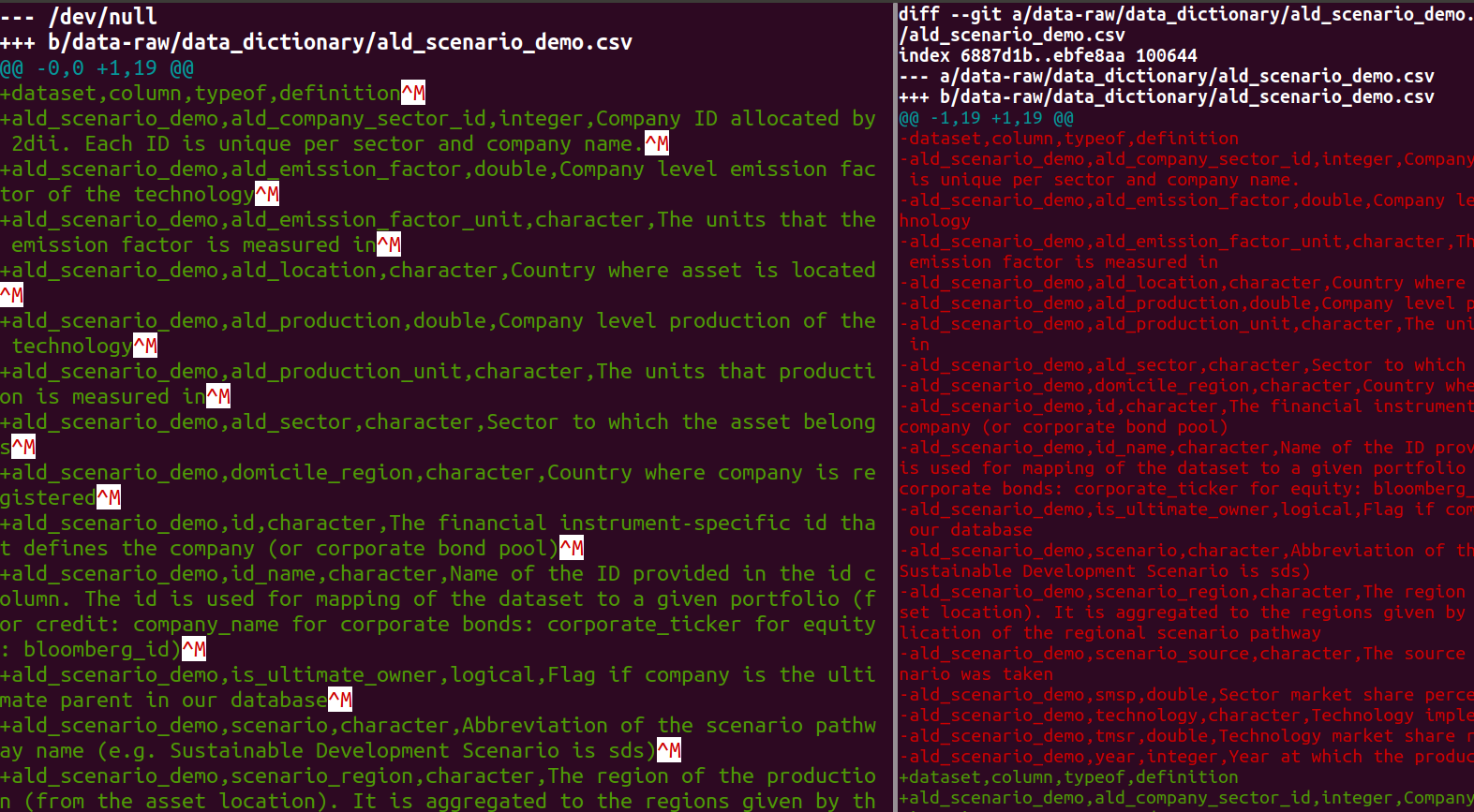
In one case Excel inserted Windows-like line ending in a Mac.
The issue with excel. For some reason it was defaulting to the standard ‘.csv’ and not to ‘UTF-8 .csv’
-- @jdhoffa
My solution to this problem was to read then re-write the data (I used readr::read_csv() and readr::write_csv() in R).
Here is the file before (left) and after (right) my fix.
Contributor guide
First steps
- Read the whole issue, then the project's contributing guide.
- Comment on the issue to say you are picking it up — it saves two people doing the same work.
- Fork the repository and make your change on a branch.
- Open a pull request that references the issue number.
Research direction
No target file, test, or documentation entry point is named. Start by reviewing the issue's Git, RStudio, and Excel examples alongside the linked Git configuration guide, then establish the intended scope and document verified line-ending guidance and solutions.
Written by the indexing model from the issue text.
Assessment
- Tech stack
- git, r
- Domain
- documentation
- Issue type
- Documentation
- Difficulty
- 4/5
- Estimated time
- 3-5 days
- Activity status
- Stale
- Clarity
- Needs clarification
- Newbie friendliness
- 35/100